User's Manual - 85
E-PTZ Operation
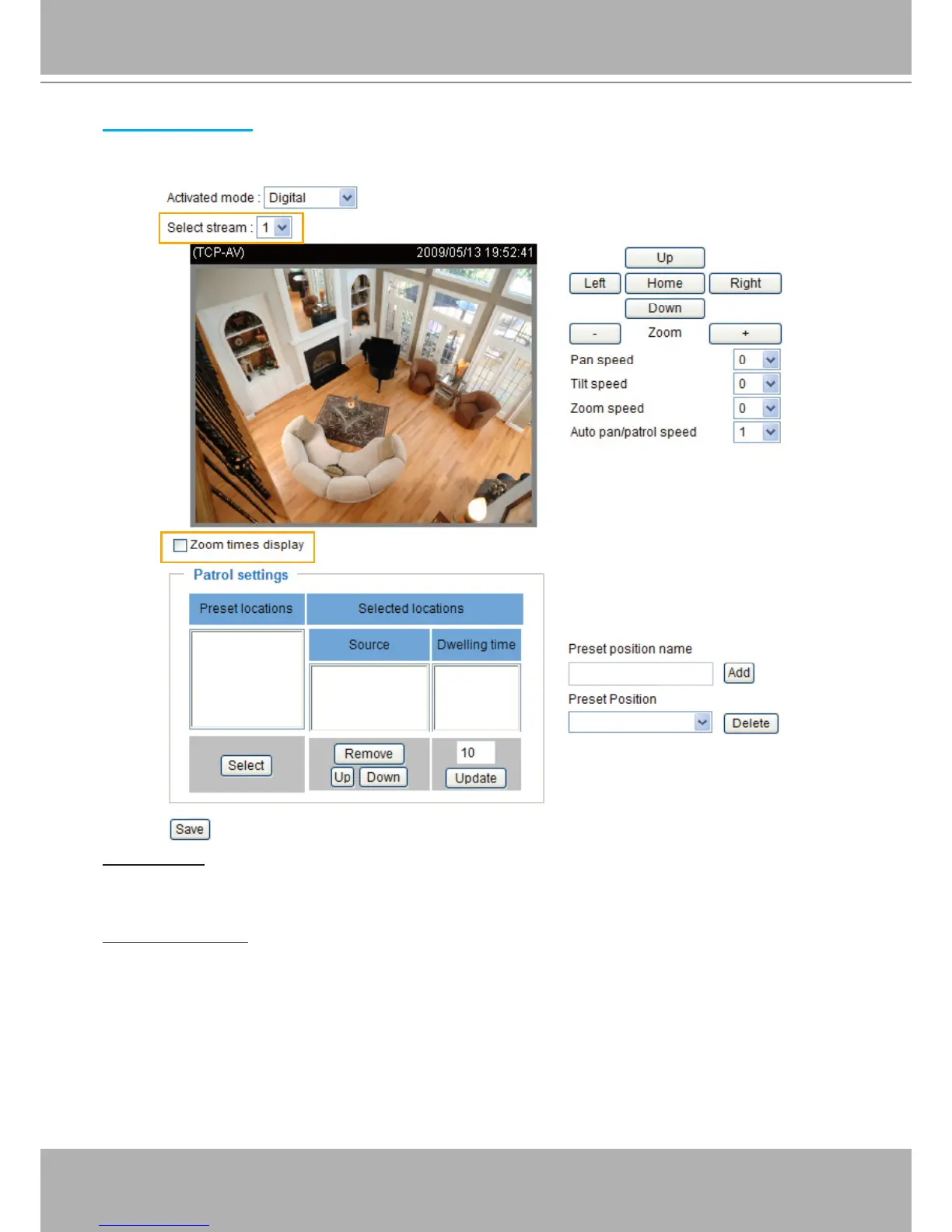
If you select “Digital“, the e-PTZ control settings section will be displayed as shown below:
Select Stream: Select one of the stream 1~3 to set up the e-PTZ control. Please note that each stream
can be set up with its own e-preset positions and e-patrol settings. For detailed information about
how to set up Preset Positions and Patrol Settings, please refer to page 71~73.
Zoom Times Display
If you check this item, the zoom indicator will be displayed on the home page when you zoom in/out the
live viewing window as the picture shown on the next page.
When completed with the settings of e-PTZ, click Save to enable the settings on this page.















 To Next Page