Hardware Manual
24
How to Replace the Dome Cover
For more discrete surveillance needs, the pre-installed dome cover can be replaced with a
smoked, vandal proof dome cover. The smoked dome cover is an optiona accessory; contact
your sales agent to purchase.
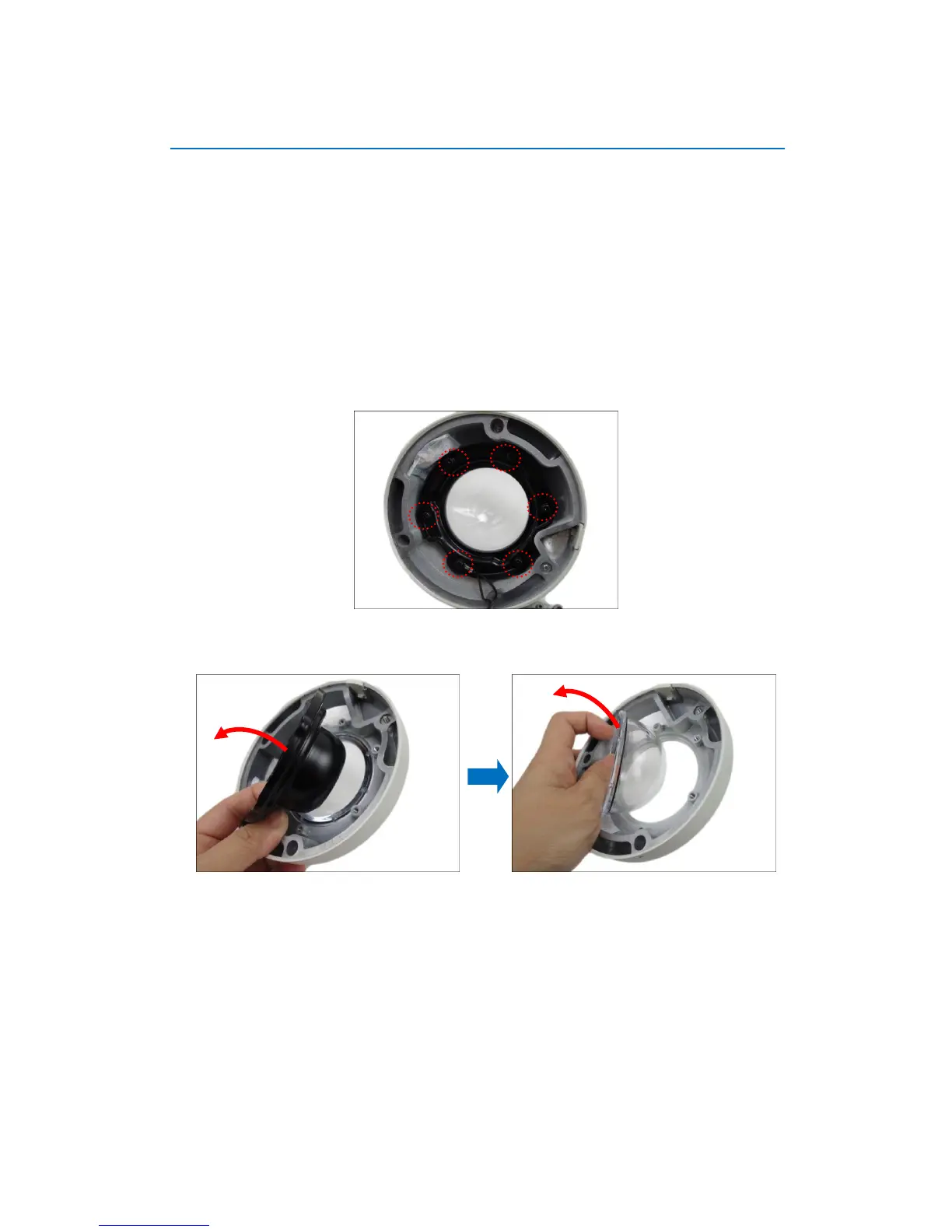
To replace the dome cover, follow the procedures below:
1. Open the dome cover.
2. Remove the six (6) screws securing the dome cover bracket. Note that one (1) screw is used
as a hook to attach the dome cover to the camera body.
3. Remove the bracket and then the transparent dome cover.















 To Next Page