Hardware Manual
28
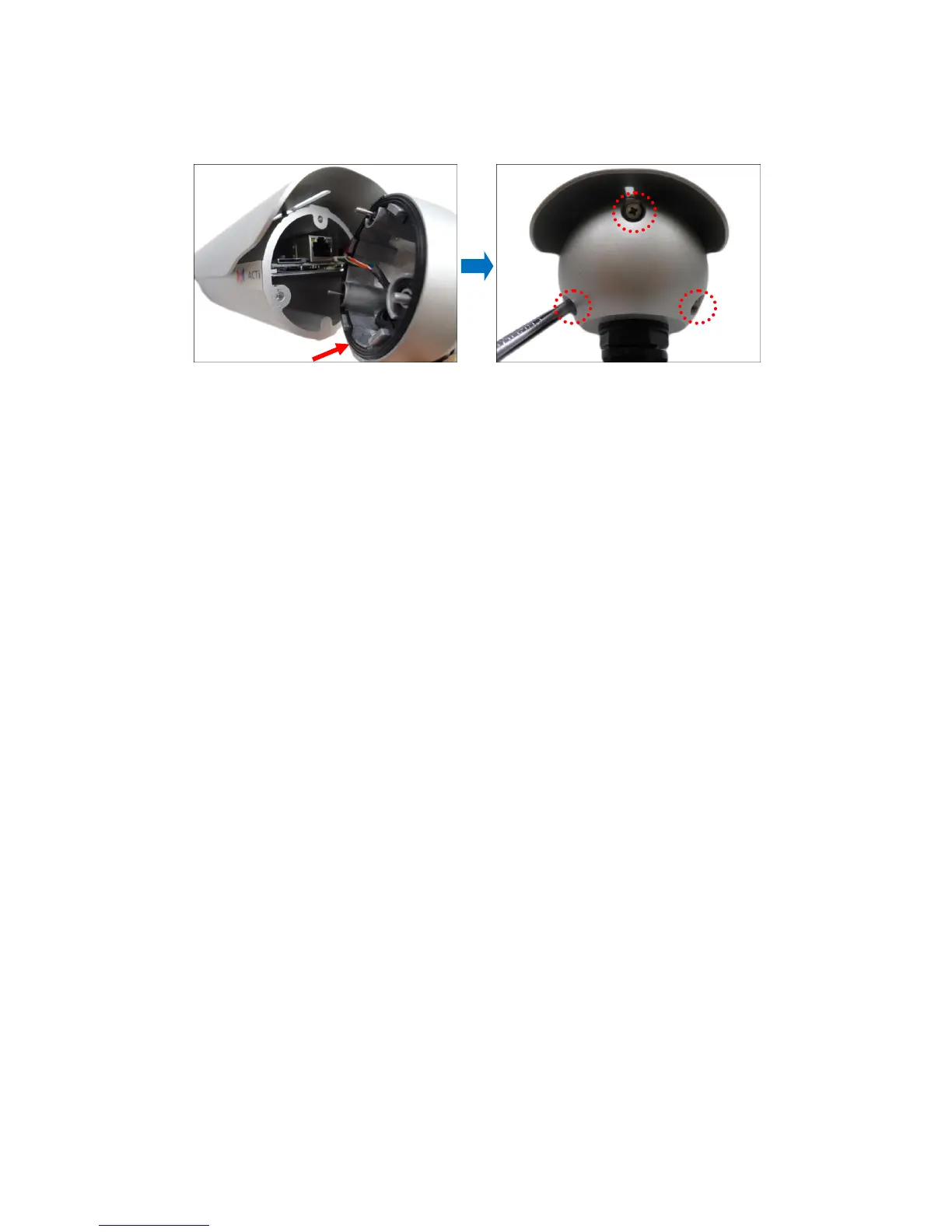
3. When done, ensure the rubber seal is aligned and attached to the back cover and then
close the back cover by tightening the three (3) screws.
CAUTION: Make sure the rubber seal is properly attached and the back cover is closed to
ensure water or dust cannot enter the camera.
How to Remove the Memory Card
In case there is a need to remove the card, make sure to access the camera Web Configurator
to safely “unmount” the card first (see the camera Firmware manual for more information).
Once unmounted from the firmware, push the card to eject it from the slot.















 To Next Page