MAC address
Set up bandwidth control by mac address, user can choose it from Scan MAC, or setup by manual.
Mode
QoS mode settings, shared mode means under the QoS rules, the main PC within all IP range can share the specified bandwidth;
Exclusive mode means single main PC can share the specified bandwidth;
Max bandwidth
Max bandwidth under QoS rules
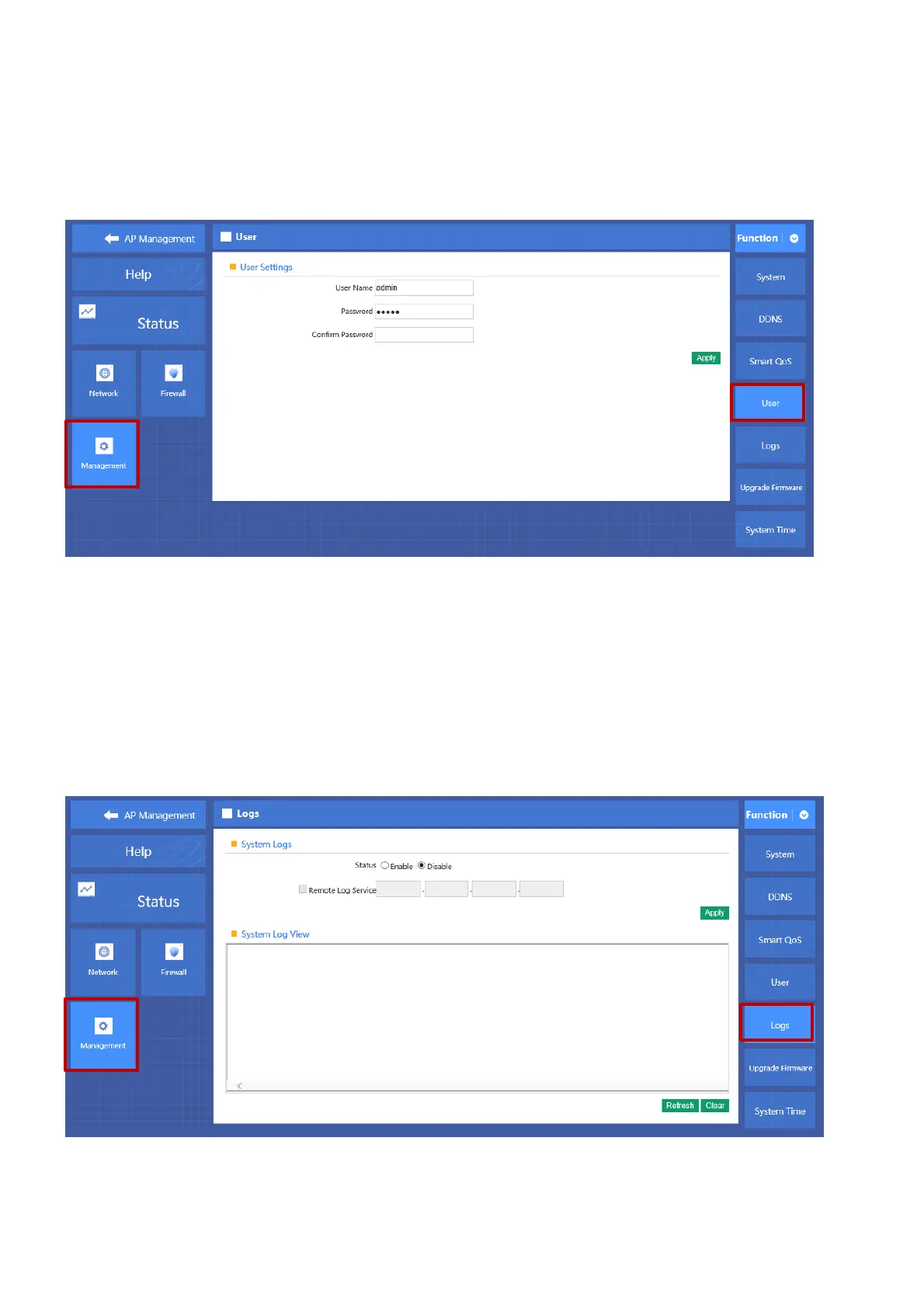
4.8.3 User management
P 4-8-3
User Name
Reset new log-in user name
Password
Reset new log-in password
Confirm Password
Comparison to new password, to confirm user input password correctly in two times;
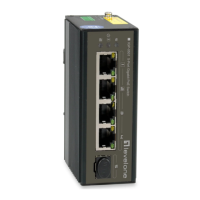
4.8.4 Device Log
P 4-8-4
Status
Enable or Disable to show system log
Remote Log Service
To decide whether send System log into some pointed remote server synchronously;



 To Next Page