4.2 Device List
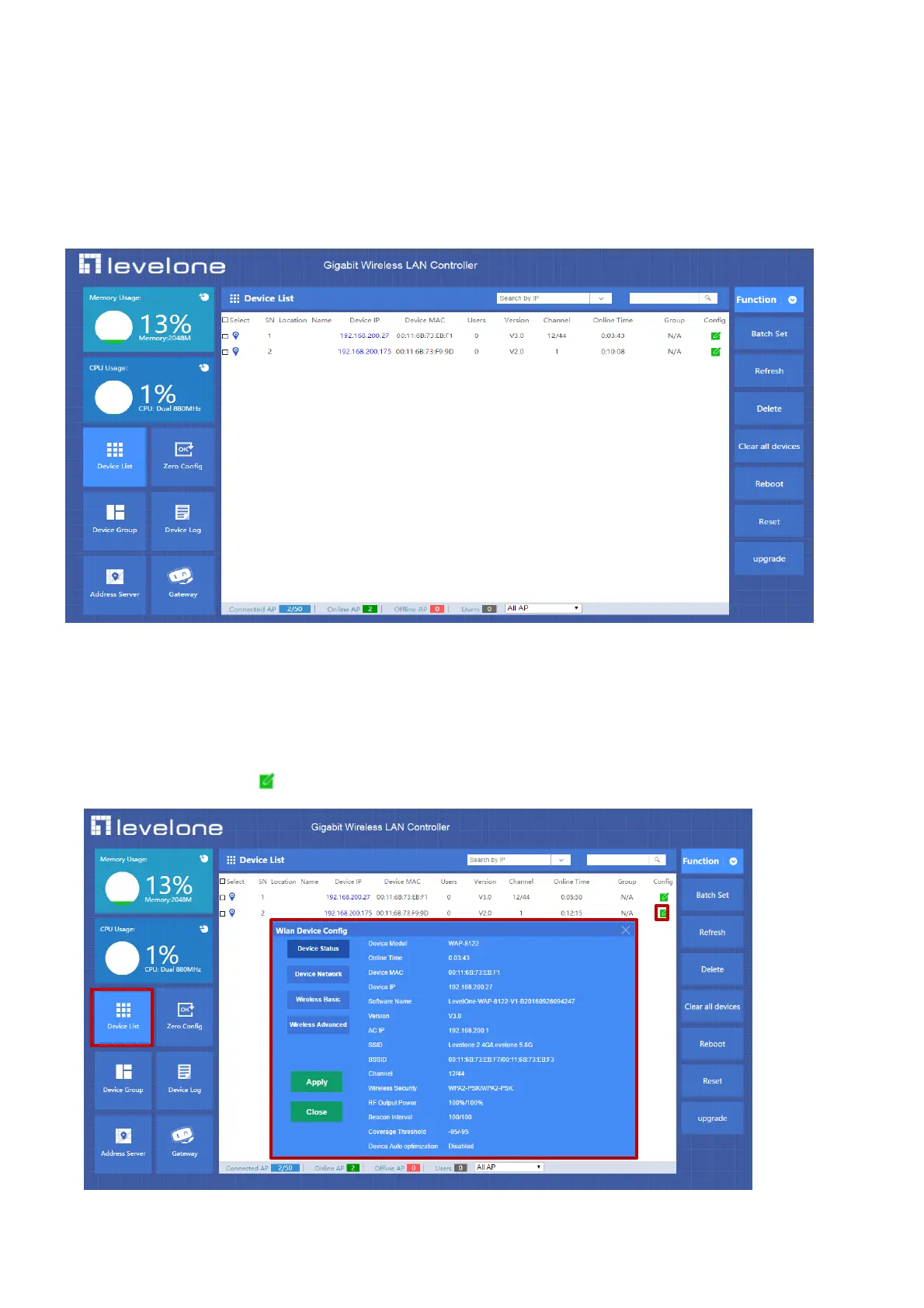
Device list show the current wireless AP connected AC Controller.
It show wireless AP’s location, name, IP address, MAC address, user QTY, firmware version, channel, online time, device group,
config button, then can refresh/delete/reboot/reset wireless AP, can set wireless AP in batch, or upgrade firmware for wireless
AP.
In the bottom page of device list, display the total quantity of AP connected to AC Controller, the quantity of AP online or
offline to easy detect the wireless AP’s performance in P4-1
P 4-1 AP List
4.2.1 Device list setting
Through the device list, can login corresponding wireless AP’s IP address directly, can set parameters from wireless AP’s Web
management if this PC is set another fixed IP address same segment as device IP.
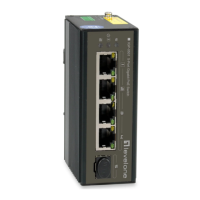
Or can click the config button , to set parameters, view the Device Status of the AP; setting the Device Network; setting the
Wireless Base; Wireless Advanced showed in red part as P4-1-1
P4-1-1



 To Next Page