17
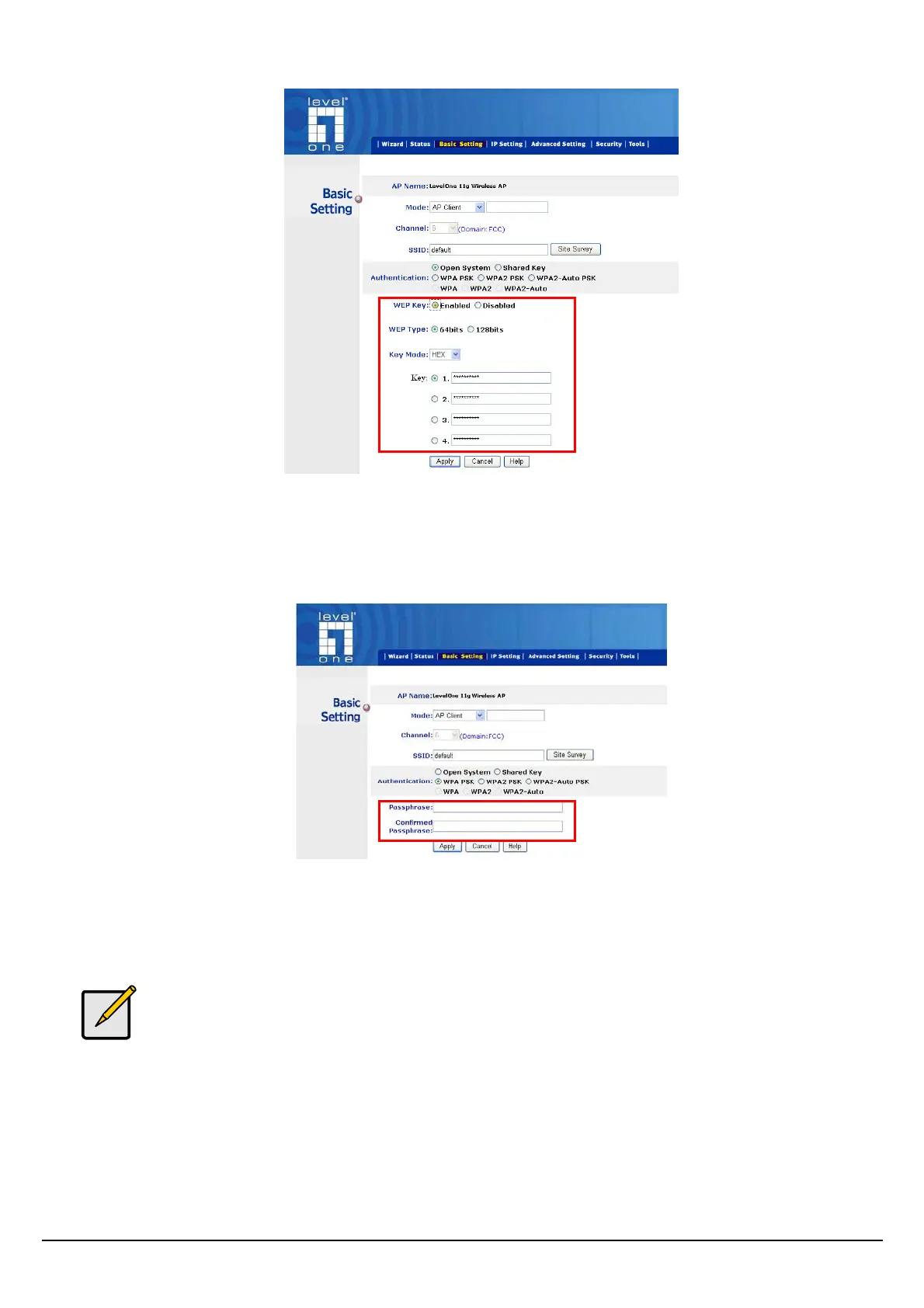
WPA-PSK / WPA2-PSK:
If WPA-PSK or WPA2-PSK is selected, user needs to set the key in the passphrase field as the
below screen. The key length should be 8 characters at least.
Apply: For the changes made to any of the items above to be effective, click “Apply”. The new
settings are now been saved to Access Point and will be effective once the Access Point restarts.
For entering to the Web Setting page after changing to AP Client mode, change
your PC/Notebook IP address to 192.168.0.x. After changing your IP address, type
192.168.0.254 on the Web browser to enter the setting of this Wireless AP.















 To Next Page