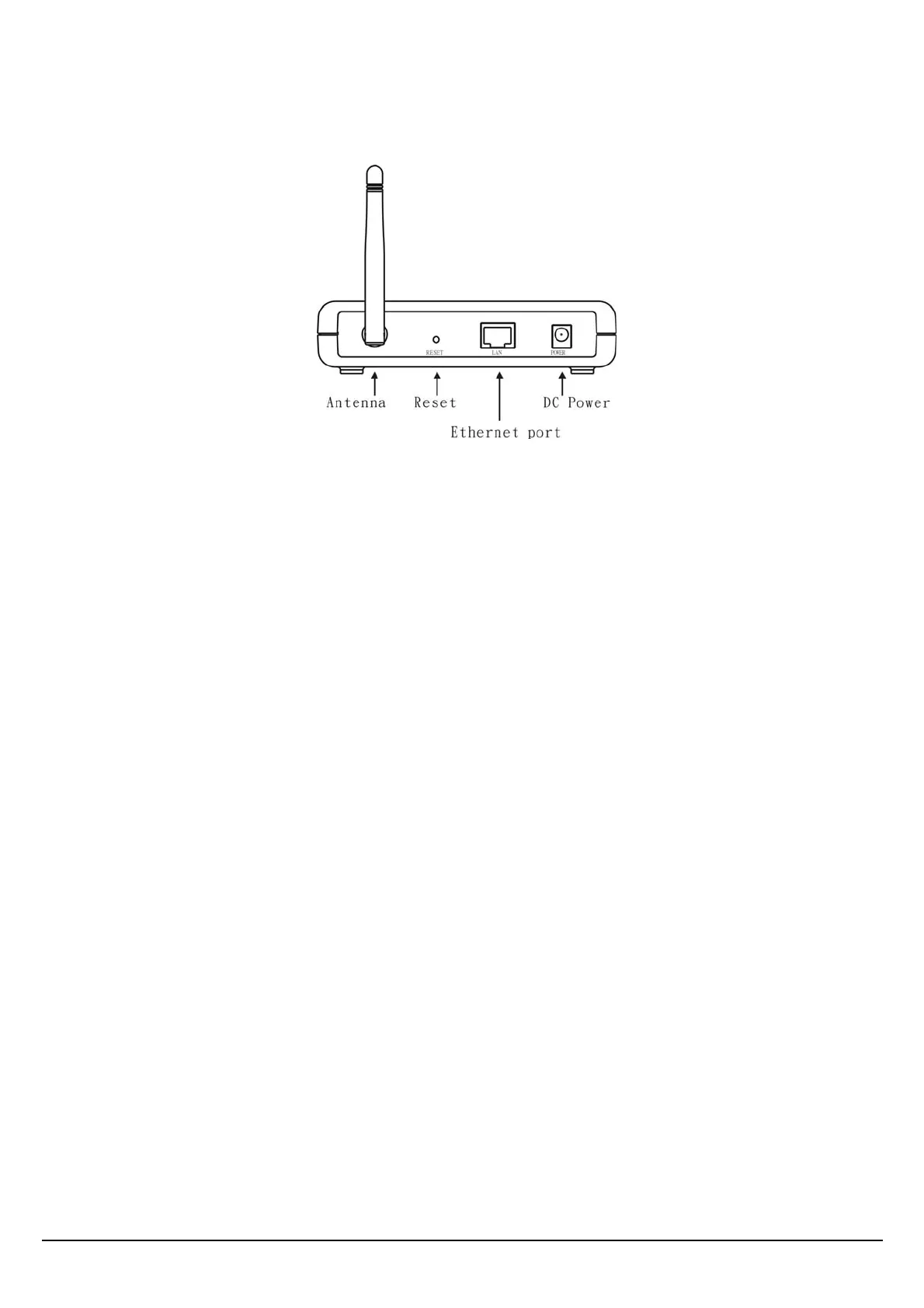
Rear Panel
The figure below shows the rear panel of the Access Point
LAN
Ethernet port with 10/100Mbps Fast Ethernet connections, connect this port to switch/hub.
RESET
The Reset function is to reset the setting back to factory default setting, once you press the “RESET”
button more than 5 seconds.
Power
Connect the Power Adapter DC plug to the AP’s power jack.
Antenna Connector
One Antenna connector connects with detachable dipole antenna.
4















 To Next Page