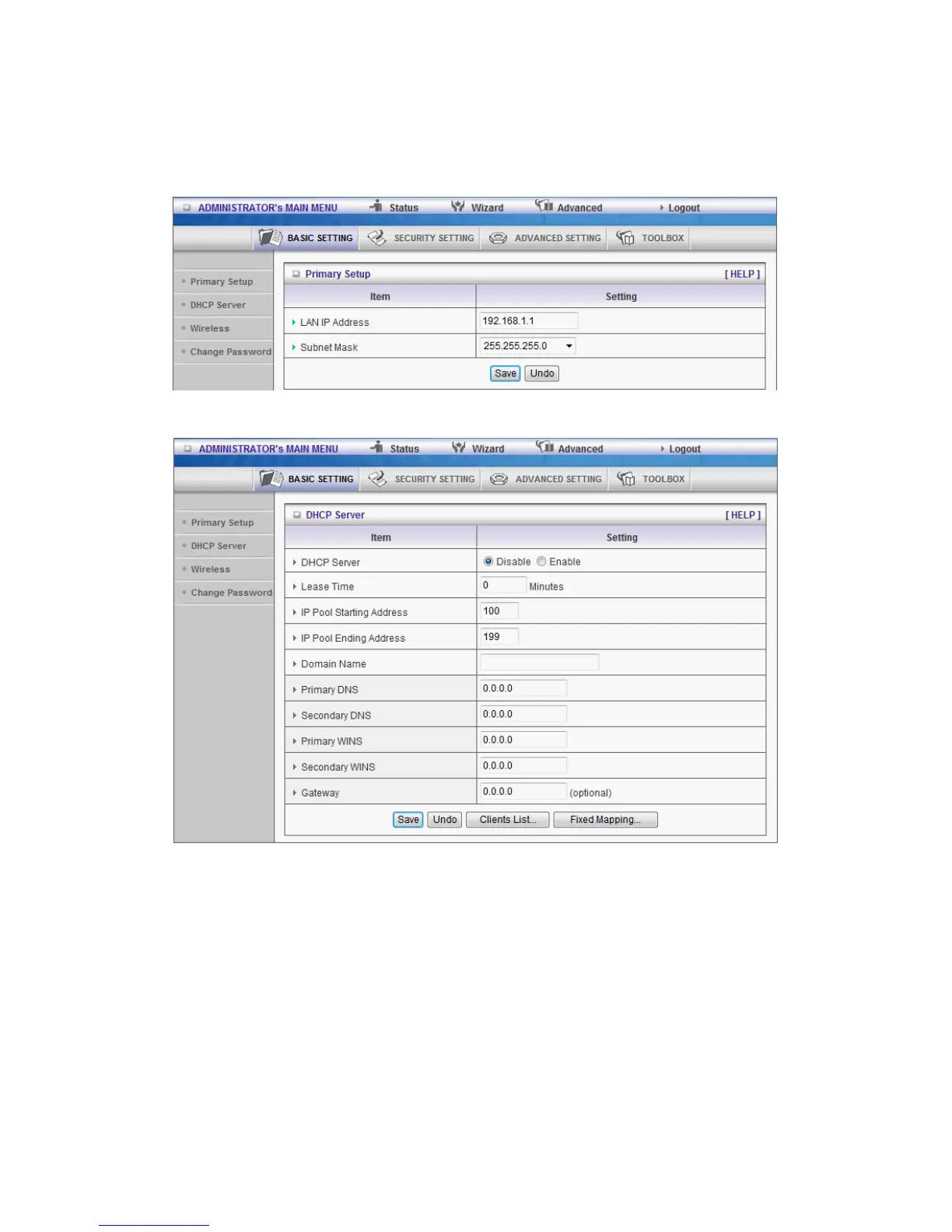
1. LAN IP Address: the local IP address of this device. The computers on your network must
use the LAN IP address of your product as their Default Gateway. You can change it if
necessary.
3.3.1.2 DHCP Server
Press “More>>”
1. DHCP Server: Choose “Disable” or “Enable.”
2. Lease time: This is the length of time that the client may use the IP address it has
been
Assigned by dhcp server.
3. IP pool starting Address/ IP pool starting Address: Whenever there is a request,
the DHCP
server will automatically allocate an unused IP address from the IP address pool to
the requesting computer. You must specify the starting and ending address of the IP















 To Next Page