19
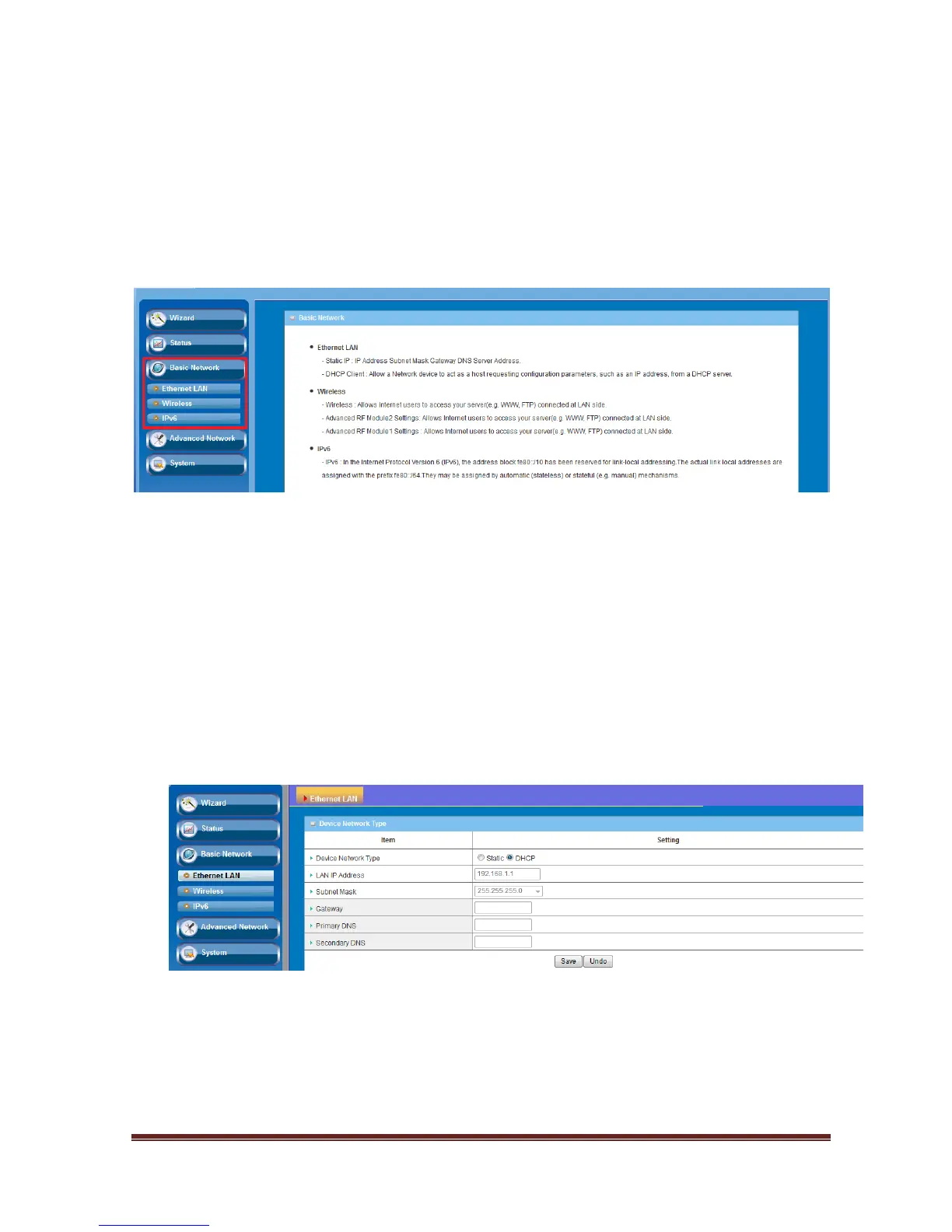
3.1 Basic Network
You can enter Basic Network for Ethernet LAN and Wireless settings as the icon here
shown
3.1.1 Ethernet LAN
This device supports two types as Follows:
Static IP: Allow a device to act as a Static host. If you need Static host and please
entry IP Address.
DHCP: Allow a device to act as a host requesting configuration parameters, such as
an IP address from a DHCP server.
Note: Please check if there is DHCP server in your Network, first.















 To Next Page