21
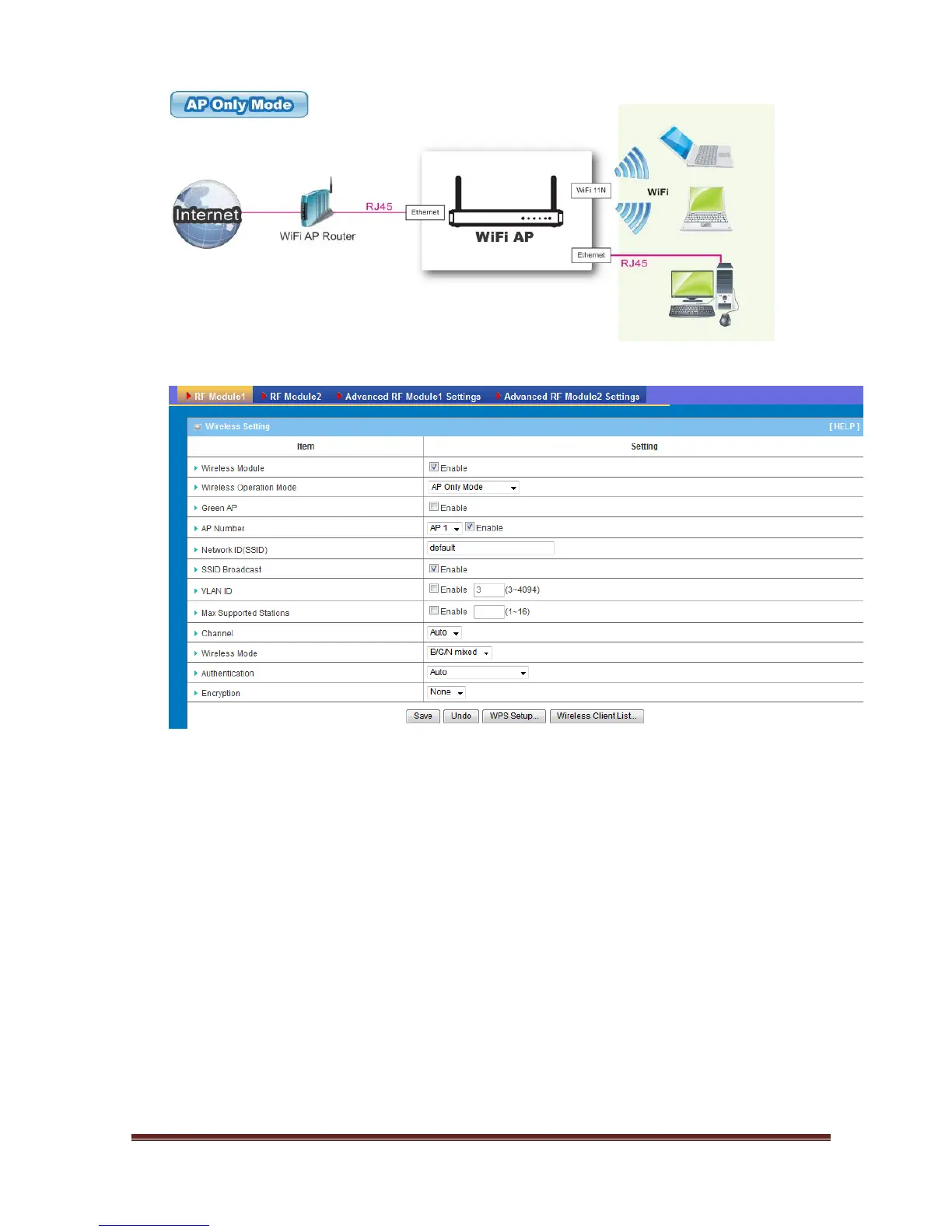
1. Wireless Module: Enable the wireless function.
2. Wireless Operation Mode: Choose “AP Only Mode” from the list.
3. Green AP: Enable the Green AP function to reduce the power consumption
when there is no wireless traffics.
4. AP Number: This device supports up to 8 SSIDs for you to manage your
wireless network. You can select AP1 ~ AP8 and configure each wireless
network if it is required.
5. Network ID (SSID): Network ID is used for identifying the Wireless LAN (WLAN).
Client stations can roam freely over this device and other Access Points that
have the same Network ID. (The factory default setting is “default”)
6. SSID Broadcast: The device will broadcast beacons that have some information,
including SSID so that wireless clients can know how many AP devices by
scanning the network. Therefore, if this setting is configured as “Disable”, the
wireless clients can not find the device from beacons.















 To Next Page