3.3 Setup Wizard (Router mode and Client mode)
If you are using the router for the first time, please follow the procedures of the setup wizard to do
a step-by-step configuration.
Note: The configurations in AP, Router and Client modes are almost the same. The following
guide mainly introduces this device under the Router mode environment. Users want to do
management in AP/Client mode please refer to the Router mode. The following instruction makes
an overall introduction to the Setup Wizard
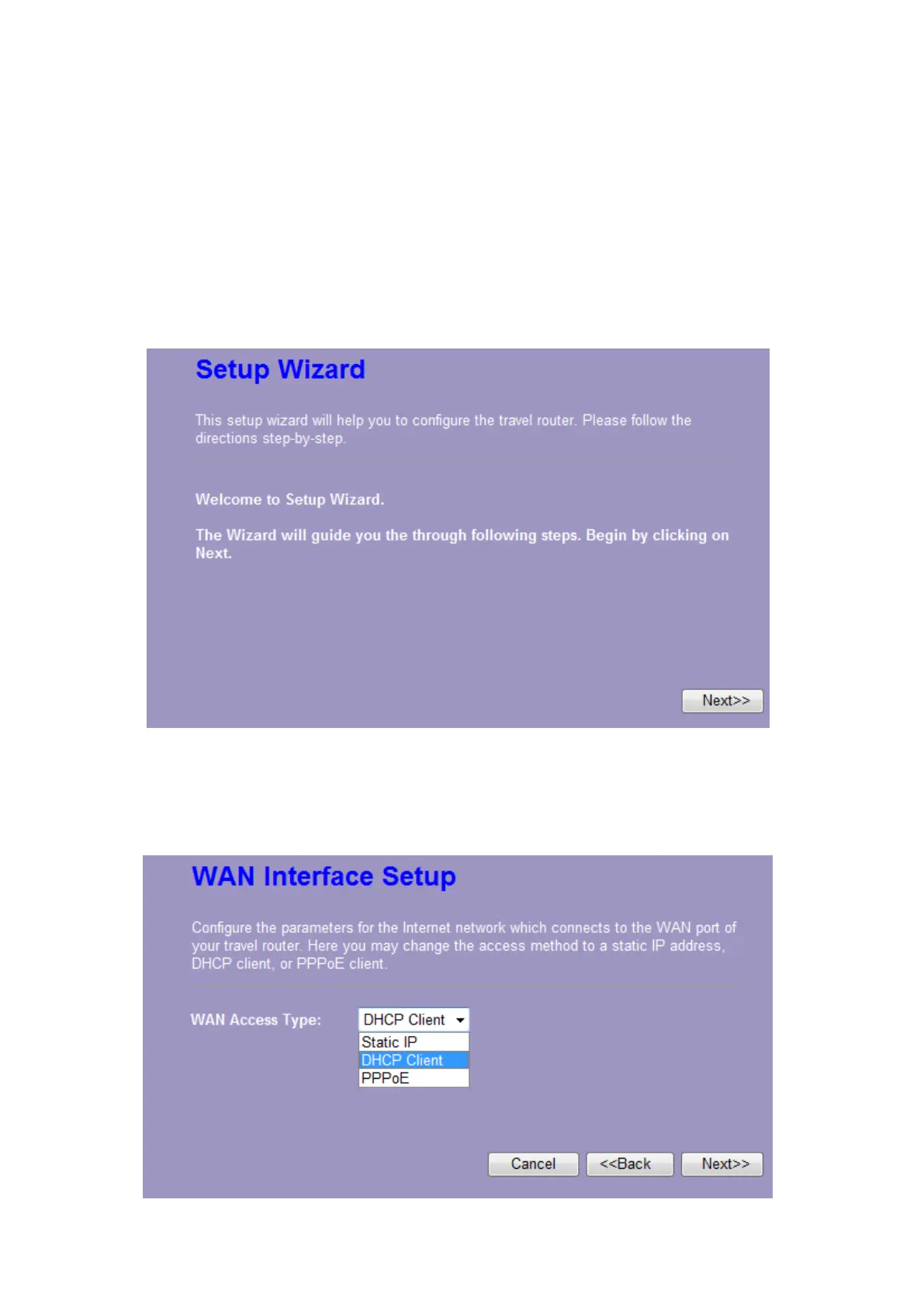
1. Click “Setup Wizard” on the left menu link, and then click the “Next” button to proceed.
2. Select a WAN access type for the router to connect to the Internet. And then click the “Finish”
button. Or you can click “Back/Cancel” for any changing. You may get those parameters from your
ISP. WAN Access Type: Static IP, DHCP Client and PPPoE.















 To Next Page