20
Available Network Screen
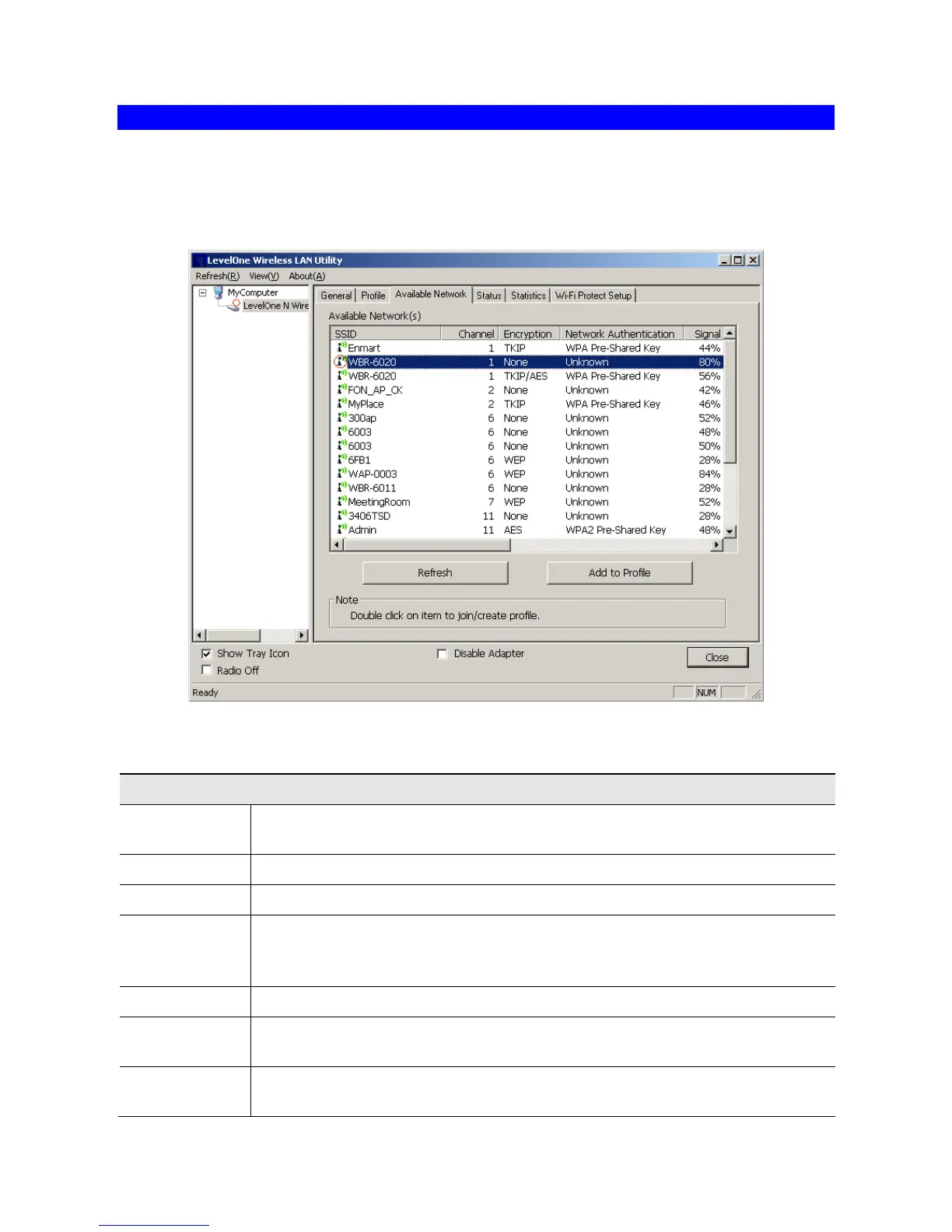
This screen is displayed when you click Available Network tab of the utility.
When you open the utility program, it will scan all the channels to find all the access
points/stations within the accessible range and automatically connect to one of the wireless
devices which have the highest signal strength.
Figure 4: Available Network Screen
Data - Available Network Screen
The SSID (up to 32 printable ASCII characters) is a unique name identi-
fied in a WLAN.
The channel used by the Wireless network.
Data encryption used on the wireless network
Data authentication methods used on the wireless network
This is displayed as percentage (0 ~ 100%) of specified network.
It displays the Network type in use, Infrastructure for BSS, Ad-Hoc for
IBSS network.
This is the MAC address of the Access Point (or Wireless station, if the
network is an Ad-hoc network).














 To Next Page