7
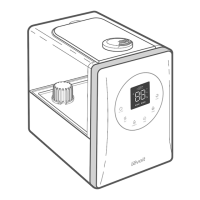
CONTROLS
On/O Button
• Press to turn the humidifier
on/o.
• Press and hold for 5
seconds to pair with the
VeSync app. See the
VeSync in-app instructions
for more information.
• Press and hold for 15
seconds to reset the
humidifier. This will restore
the humidifier’s default
settings and disconnect it
from Wi-Fi® and the VeSync
app (see page 10).
Mist Level Button
• Press repeatedly to cycle
through mist level settings:
low, medium, and high mist.
• Press and hold for 3
seconds to turn the display
o. Press any button to turn
the display back on.
Warm Mist Button
• Cycles through warm mist
settings: low heat, medium
heat, high heat, and heat
o (see page 12).
Humidity Level Button
• Sets the relative humidity
(RH) percentage. The
humidifier will automatically
stop misting when the room
reaches the target humidity
level (see page 12).
• Press and hold for 2
seconds to cancel your
humidity level setting.
Timer Button
• Sets or cancels a timer
(see page 13).
Sleep Mode Button
• Press to turn Sleep Mode
on/o (see page 13).
Wi-Fi Indicator
• Turns on, o, or blinks to
indicate pairing status.
See the VeSync in-app
instructions for more
information.
No Water Indicator
• Blinks when there is no
water in the tank. After
this indicator blinks 10
times, the humidifier will
turn o. Refill the tank
and properly place it
on the base to use your
humidifier.
• Lights up when the
water tank is removed.
Remains on until the tank
is replaced.
Note: You can also use the VeSync app to control these functions, as well as additional
app-only features (see page 15).




 To Next Page
