4-70
4513-630, -63W, -6EW
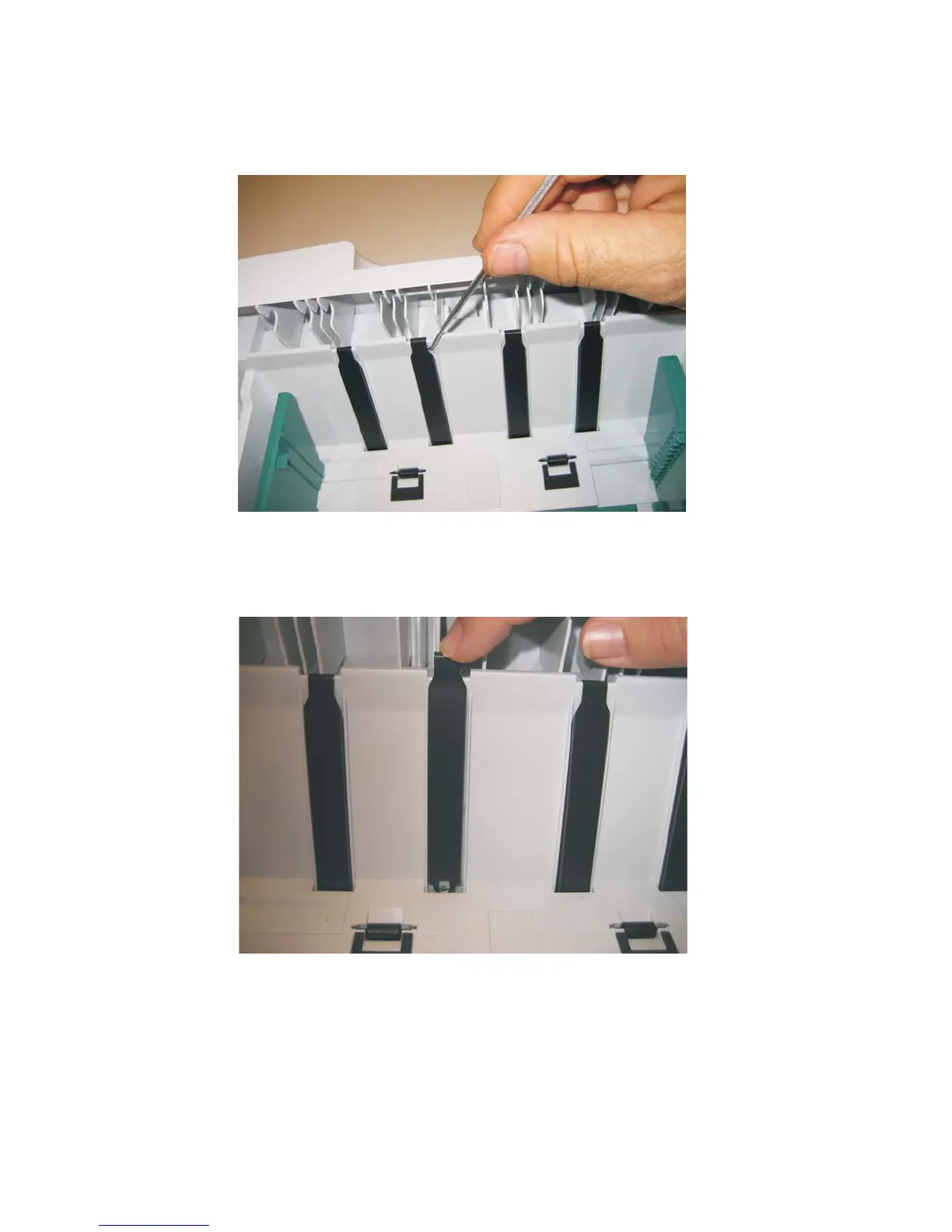
Wear strip (550-sheet tray 2) removal
1. Use a spring hook to disconnect the strip from the top of the tray.
2. Life the strip, and remove.
Note: When replacing the strip (for all trays):
• Carefully insert the strip from the top of the tray, and push it down through the opening until it snaps
into place.
• Turn the tray over to view the bottom of the strip. Using the spring hook, check to make sure that the
end of the strip is fastened tightly.
• Be sure that the drafted edge of the strip is installed toward the bottom of the tray.





 To Next Page