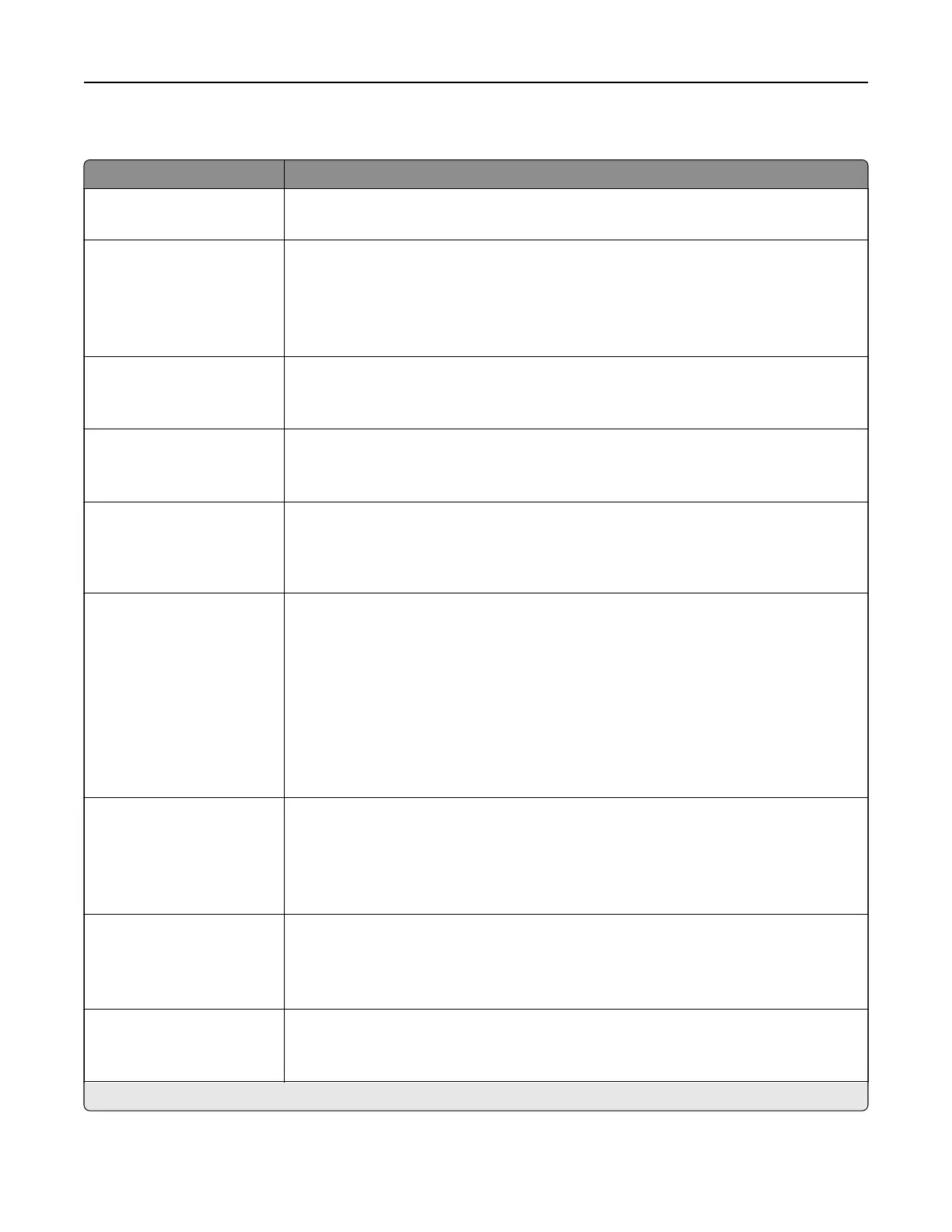
Flash Drive Print
Menu item Description
Number of Copies
1–9999 (1*)
Set the number of copies.
Paper Source
Tray [x] (1*)
Multipurpose Feeder
Manual Paper
Manual Envelope
Specify the paper source for the print job.
Collate
O
[1,1,1,2,2,2]
On [1,2,1,2,1,2]*
Print multiple copies in a sequence.
Sides
1‑Sided*
2‑Sided
Specify whether to print on one side or two sides of the paper.
Flip Style
Long Edge*
Short Edge
Determine which side of the paper (long edge or short edge) is bound when
performing two‑sided printing.
Note: Depending on the option selected, the printer automatically osets each
printed information of the page to bind the job correctly.
Pages per Side
O*
2‑Up
3‑Up
4‑Up
6‑Up
9‑Up
12‑Up
16‑Up
Print multiple page images on a sheet of paper.
Pages per Side Ordering
Horizontal*
Reverse Horizontal
Reverse Vertical
Vertical
Specify the positioning of multiple page images when using Pages per Side.
Note: The positioning depends on the number of page images and their page
orientation.
Pages per Side Orientation
Auto*
Landscape
Portrait
Specify the orientation of a multiple‑page document when using Pages per Side.
Pages per Side Border
None*
Solid
Print a border around each page image when using Pages per Side.
Note: An asterisk (*) next to a value indicates the factory default setting.
Understanding the printer menus 112




 To Next Page