EasyManua.ls Logo

Lexmark CS417 - User Manual

Lexmark CS417
209 pages
Print Icon
To Next Page IconTo Next Page
Loading...
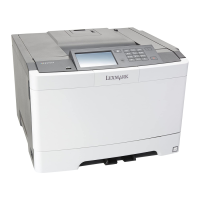
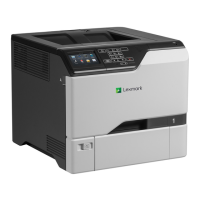
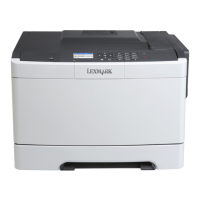
CS410 Series and CS417
User's Guide
June 2017 www.lexmark.com
Machine type(s):
5027
Model(s):
410, 430

Table of Contents

Questions and Answers

  • M
    misty15Sep 8, 2025
    What to do if my Lexmark CS417 displays 'Error reading USB drive. Remove USB.'?
    • S
      Sean BauerSep 8, 2025
      If your Lexmark printer displays this message, it means an unsupported USB device is inserted. Remove the USB device, and then insert a supported one.
  • K
    Kim SanchezAug 25, 2025
    What to do if my Lexmark CS417 Printer displays '[Color] cartridge low [88.xy]'?
    • B
      Barbara NorrisAug 25, 2025
      If your Lexmark printer shows this message, it indicates that the color cartridge is running low. You may need to order a new toner cartridge. If necessary, select Continue on the printer control panel to clear the message and continue printing. For non-touch-screen printer models, press to confirm.
  • R
    Ricky WalkerAug 25, 2025
    What to do if my Lexmark CS417 Printer displays 'Load [paper source] with [custom type name]'?
    • E
      Erin AtkinsAug 26, 2025
      If your Lexmark printer shows this message, load the tray or feeder with the correct size and type of paper. Alternatively, to use the tray with the correct paper size or type, select Finished loading paper on the printer control panel. For non-touch-screen printer models, press to confirm.
  • M
    Mary HarrisSep 18, 2025
    What to do if my Lexmark CS417 Printer displays 'Replace unsupported [color] cartridge [32.xy]'?
    • J
      Joshua Wilson Jr.Sep 18, 2025
      If your Lexmark printer displays this message, remove the toner cartridge, and then install a supported one to clear the message.
  • J
    Jack LiSep 8, 2025
    What to do if my Lexmark CS417 displays 'Error reading USB hub. Remove hub.'?
    • C
      Corey DavisSep 8, 2025
      If your Lexmark printer displays this message, it means an unsupported USB hub has been inserted. Remove the USB hub, and then install a supported one.
  • C
    Courtney WhiteSep 12, 2025
    What to do if my Lexmark CS417 Printer displays 'Not enough free space in flash memory for resources [52]'?
    • J
      Jodi RoseSep 12, 2025
      If your Lexmark printer displays this message, select Continue on the printer control panel to clear the message and continue printing. For non-touch-screen printer models, press to confirm. Another solution is to delete fonts, macros, and other data stored in the flash memory. As a last resort, upgrade to a larger capacity flash memory card.
  • R
    Roger BlairSep 3, 2025
    What to do if my Lexmark CS417 Printer displays '[Color] cartridge very low, [x] estimated pages remain [88.xy]'?
    • C
      Casey LewisSep 3, 2025
      If your Lexmark printer shows this message, you may need to replace the toner cartridge very soon. If necessary, select Continue on the printer control panel to clear the message and continue printing. For non-touch-screen printer models, press to confirm.
  • V
    Vicki RodgersSep 3, 2025
    What to do when Lexmark CS417 displays 'Remove packaging material, [area name]'?
    • M
      Mark MolinaSep 4, 2025
      If your Lexmark printer displays this message, remove any remaining packing material from the indicated location. From the printer control panel, touch Continue to clear the message.
  • T
    Traci WilsonSep 23, 2025
    What to do if my Lexmark CS417 displays 'Unformatted flash detected [53]'?
    • J
      Jose WhiteSep 23, 2025
      If your Lexmark printer displays this message, select Continue from the printer control to stop the defragmentation and continue printing. For non-touch-screen printer models, press to confirm. Alternatively, you can format the flash memory.
  • J
    joel88Aug 29, 2025
    How to fix 'Memory full [38]' error on Lexmark CS417 Printer?
    • P
      Patricia KnightAug 29, 2025
      If your Lexmark printer displays this message, select Cancel job from the printer control panel to clear the message. For non-touch-screen printer models, press to confirm. Alternatively, install additional printer memory.

Lexmark CS417 Specifications

General IconGeneral
Print TechnologyLaser
Print Resolution (Black)1200 x 1200 dpi
Print Resolution (Color)1200 x 1200 dpi
Monthly Duty Cycle60, 000 pages
Paper Capacity250 sheets
Duplex PrintingYes
Paper Input Capacity250 sheets
Print Resolution1200 x 1200 dpi
ConnectivityUSB, Ethernet
Processor1 GHz
Media Types SupportedPlain, Label, Envelope, Cardstock
Mobile PrintingApple AirPrint, Google Cloud Print
Operating System CompatibilityWindows, macOS, Linux
Dimensions (W x D x H)15.7 x 18.3 x 12.4 inches

Related product manuals