EasyManua.ls Logo

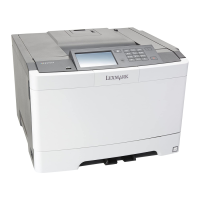
Lexmark CS417 - User Manual

Lexmark CS417
209 pages
Print Icon
To Next Page IconTo Next Page
Loading...
CS410 Series and CS417
User's Guide
June 2017 www.lexmark.com
Machine type(s):
5027
Model(s):
410, 430

Table of Contents

Questions and Answers

  • J
    Jessica CookSep 2, 2025
    What to do if my Lexmark CS417 displays 'Load Manual Feeder with [paper size]'?
    • S
      sherry07Sep 2, 2025
      If your Lexmark printer displays this message, load the feeder with the correct size of paper. Depending on your printer model, touch Prompt each page, paper loaded or press on the printer control panel to clear the message and continue printing.
  • M
    Michelle WalshSep 2, 2025
    What to do if my Lexmark CS417 displays 'Load Manual Feeder with [paper type] [paper size]'?
    • E
      erin96Sep 2, 2025
      If your Lexmark printer displays this message, load the feeder with the correct size and type of paper. Depending on your printer model, touch Prompt each page, paper loaded or press on the printer control panel to clear the message and continue printing.
  • R
    Roger BlairSep 3, 2025
    What to do if my Lexmark CS417 Printer displays '[Color] cartridge very low, [x] estimated pages remain [88.xy]'?
    • C
      Casey LewisSep 3, 2025
      If your Lexmark printer shows this message, you may need to replace the toner cartridge very soon. If necessary, select Continue on the printer control panel to clear the message and continue printing. For non-touch-screen printer models, press to confirm.
  • V
    Vicki RodgersSep 3, 2025
    What to do when Lexmark CS417 displays 'Remove packaging material, [area name]'?
    • M
      Mark MolinaSep 4, 2025
      If your Lexmark printer displays this message, remove any remaining packing material from the indicated location. From the printer control panel, touch Continue to clear the message.
  • B
    Brian SchaeferSep 4, 2025
    What does 'Maintenance kit low [80.xy]' mean on my Lexmark Printer and what should I do?
    • D
      Debbie HowardSep 4, 2025
      If your Lexmark printer displays this message, you may need to order a maintenance kit. If necessary, select Continue to clear the message and continue printing. For non-touch-screen printer models, press to confirm.
  • D
    Dwayne MoraSep 5, 2025
    What should I do if my Lexmark CS417 Printer says 'Configuration change, some held jobs were not restored [57]'?
    • S
      Scott ThompsonSep 5, 2025
      If your Lexmark printer displays this message, select Continue from the printer control panel to clear it. For non-touch-screen printer models, press to confirm.
  • D
    Debbie MannSep 5, 2025
    What does 'Supply needed to complete job' mean on my Lexmark Printer and what should I do?
    • D
      Donald ThomasSep 5, 2025
      If your Lexmark printer displays this message, touch Prompt for supplies to view all error messages that indicate what supplies are needed to continue processing the current job. For non-touch-screen printer models, press to clear the message and continue printing. Order the missing supply immediately and install it. Alternatively, cancel the print job, install the missing supply, and then resend the print job.
  • M
    Michael LawsonSep 6, 2025
    How to resolve 'Too many flash options installed [58]' on Lexmark Printer?
    • S
      Steven GraySep 6, 2025
      To resolve this issue on your Lexmark printer: turn off the printer, unplug the power cord from the electrical outlet, remove the extra flash memory, connect the power cord to a properly grounded electrical outlet, and then turn the printer back on.
  • V
    Victoria CooperSep 6, 2025
    How to resolve 'Too many trays attached [58]' on Lexmark CS417 Printer?
    • E
      Emily ChapmanSep 6, 2025
      To resolve this issue on your Lexmark printer, turn off the printer, unplug the power cord from the electrical outlet, and remove the extra trays.
  • C
    chavezkristySep 7, 2025
    What to do if my Lexmark CS417 Printer displays 'Remove paper from standard output bin'?
    • M
      Molly WileySep 7, 2025
      If your Lexmark printer displays this message, remove the paper stack from the standard bin.

Lexmark CS417 Specifications

General IconGeneral
Print TechnologyLaser
Print Resolution (Black)1200 x 1200 dpi
Print Resolution (Color)1200 x 1200 dpi
Monthly Duty Cycle60, 000 pages
Paper Capacity250 sheets
Duplex PrintingYes
Paper Input Capacity250 sheets
Print Resolution1200 x 1200 dpi
ConnectivityUSB, Ethernet
Processor1 GHz
Media Types SupportedPlain, Label, Envelope, Cardstock
Mobile PrintingApple AirPrint, Google Cloud Print
Operating System CompatibilityWindows, macOS, Linux
Dimensions (W x D x H)15.7 x 18.3 x 12.4 inches

Related product manuals