EasyManua.ls Logo

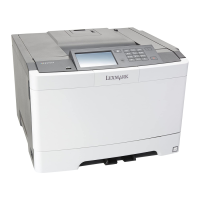
Lexmark CS417 - User Manual

Lexmark CS417
209 pages
Print Icon
To Next Page IconTo Next Page
Loading...
CS410 Series and CS417
User's Guide
June 2017 www.lexmark.com
Machine type(s):
5027
Model(s):
410, 430

Table of Contents

Questions and Answers

  • M
    Matthew ArnoldAug 27, 2025
    What to do if my Lexmark Printer displays 'Waste toner bottle nearly full [82.xy]'?
    • J
      Jonathan JacobsAug 27, 2025
      If your Lexmark printer displays this message, you may need to order a waste toner bottle. If necessary, select Continue on the printer control panel to clear the message and continue printing. For non-touch-screen printer models, press to confirm.
  • N
    Nicole AndersonAug 27, 2025
    What to do if my Lexmark CS417 Printer displays '[Color] cartridge nearly low [88.xy]'?
    • W
      William BarnesAug 27, 2025
      If your Lexmark printer shows this message, select Continue on the printer control panel to clear the message and continue printing. For non-touch-screen printer models, press to confirm.
  • R
    Robert WoodAug 28, 2025
    What to do if my Lexmark CS417 displays '[Type] imaging kit low [84.xy]'?
    • G
      Guy HillAug 28, 2025
      If this message appears on your Lexmark printer, it means you may need to order an imaging kit. If necessary, select Continue on the printer control panel to clear the message and continue printing. For non-touch-screen printer models, press to confirm.
  • M
    Michael MillerAug 28, 2025
    What to do if my Lexmark CS417 Printer displays '[Type] imaging kit nearly low [84.xy]'?
    • T
      Tyrone DavisAug 28, 2025
      If your Lexmark printer displays this message, select Continue on the printer control panel to clear the message and continue printing. For non-touch-screen printer models, press to confirm.
  • J
    joel88Aug 29, 2025
    How to fix 'Memory full [38]' error on Lexmark CS417 Printer?
    • P
      Patricia KnightAug 29, 2025
      If your Lexmark printer displays this message, select Cancel job from the printer control panel to clear the message. For non-touch-screen printer models, press to confirm. Alternatively, install additional printer memory.
  • L
    Lisa SmithAug 30, 2025
    What to do if my Lexmark CS417 displays 'Complex page, some data may not have printed [39]'?
    • L
      Laurie WilliamsAug 30, 2025
      If your Lexmark printer displays this message, you can select Continue from the printer control panel to ignore the message and continue printing. For non-touch-screen printer models, press to confirm. Alternatively, you can cancel the current print job. As another option, consider installing additional printer memory.
  • M
    melissaholtAug 30, 2025
    What to do if my Lexmark CS417 Printer displays 'Change [paper source] to [custom type name]'?
    • N
      Nicole PierceAug 30, 2025
      If your Lexmark printer displays this message, load the correct size and type of paper in the tray, and then select Finished changing paper on the printer control panel to clear the message and continue printing. For non-touch-screen printer models, press to confirm. Alternatively, you can cancel the print job.
  • J
    John BradleyAug 31, 2025
    What to do if my Lexmark CS417 Printer displays 'Defective flash detected [51]'?
    • A
      Annette WilliamsAug 31, 2025
      If your Lexmark printer displays this message, replace the defective flash memory card. Alternatively, from the printer control panel, select Continue to ignore the message and continue printing. For non-touch-screen printer models, press to confirm. You can also cancel the current print job.
  • R
    Richard HansonAug 25, 2025
    What to do if my Lexmark Printer says 'Incorrect paper size, open [paper source] [34]'?
    • B
      brittanysmithAug 25, 2025
      When your Lexmark printer displays this message, it means the paper size loaded in the paper source does not match the expected size. You can load the correct size of paper in the paper source. Alternatively, select Continue on the printer control panel to clear the message and print using a different paper source. For non-touch-screen printer models, press to confirm. Also, check the length and width guides of the paper source to ensure the paper is loaded properly. Verify that the correct paper size and type are specified in the Printing Preferences, the Print dialog, or the Paper menu on the printer control panel. Ensure that the paper size is correctly set. If none of these steps work, cancel the print job.
  • R
    Robert GonzalezSep 1, 2025
    What to do if my Lexmark Printer displays 'Load Manual Feeder with [custom type name]'?
    • R
      Russell RamosSep 1, 2025
      If your Lexmark printer displays this message, load the feeder with the correct size and type of paper. Depending on your printer model, touch Prompt each page, paper loaded or press on the printer control panel to clear the message and continue printing.

Lexmark CS417 Specifications

General IconGeneral
Print TechnologyLaser
Print Resolution (Black)1200 x 1200 dpi
Print Resolution (Color)1200 x 1200 dpi
Monthly Duty Cycle60, 000 pages
Paper Capacity250 sheets
Duplex PrintingYes
Paper Input Capacity250 sheets
Print Resolution1200 x 1200 dpi
ConnectivityUSB, Ethernet
Processor1 GHz
Media Types SupportedPlain, Label, Envelope, Cardstock
Mobile PrintingApple AirPrint, Google Cloud Print
Operating System CompatibilityWindows, macOS, Linux
Dimensions (W x D x H)15.7 x 18.3 x 12.4 inches

Related product manuals