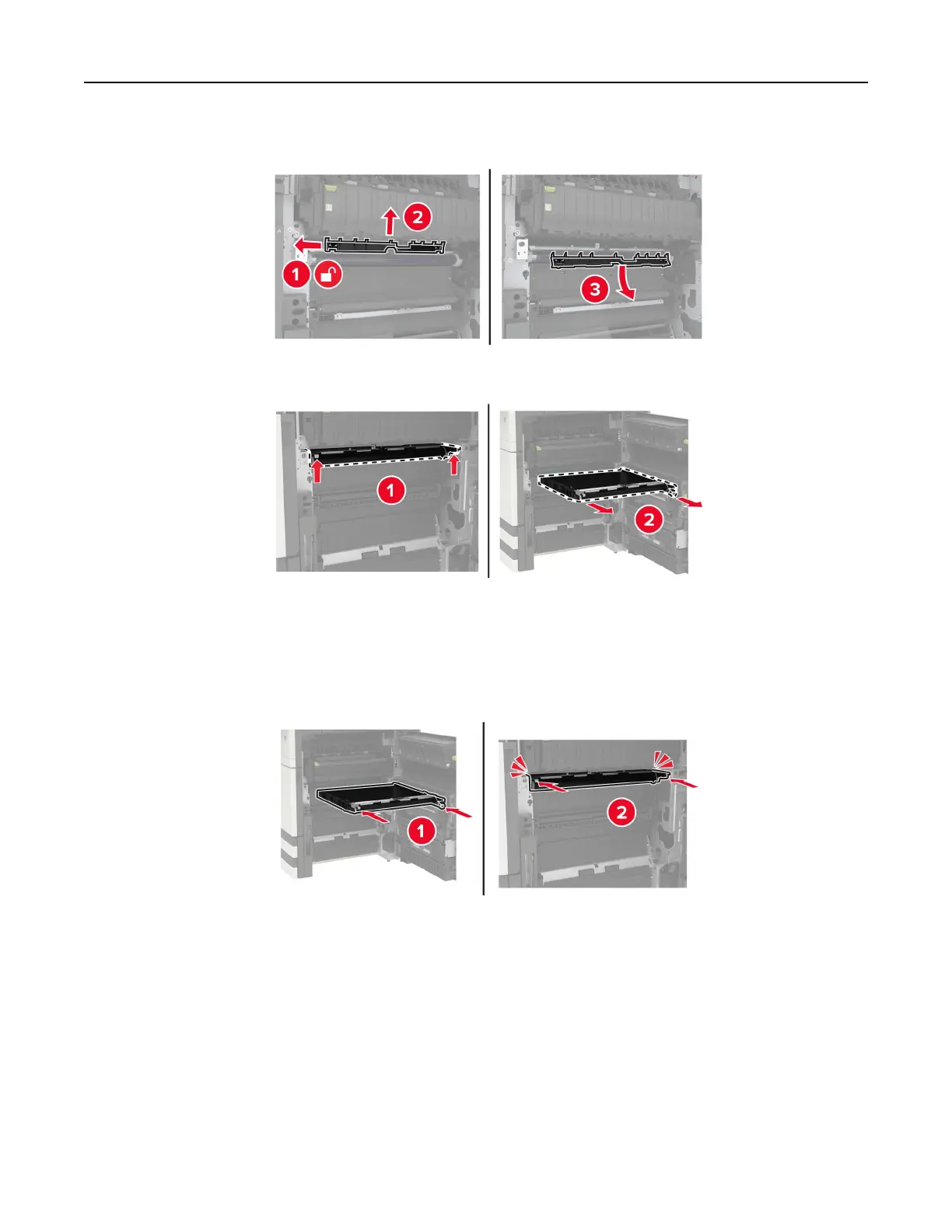
5 Remove the paper guide.
6 Remove the transfer belt.
7 Unpack the new transfer belt.
Warning—Potential Damage: Do not touch the transfer belt. Doing so may aect the quality of future
print jobs.
8 Insert the new transfer belt until it clicks into place.
Maintaining the printer 57


 To Next Page