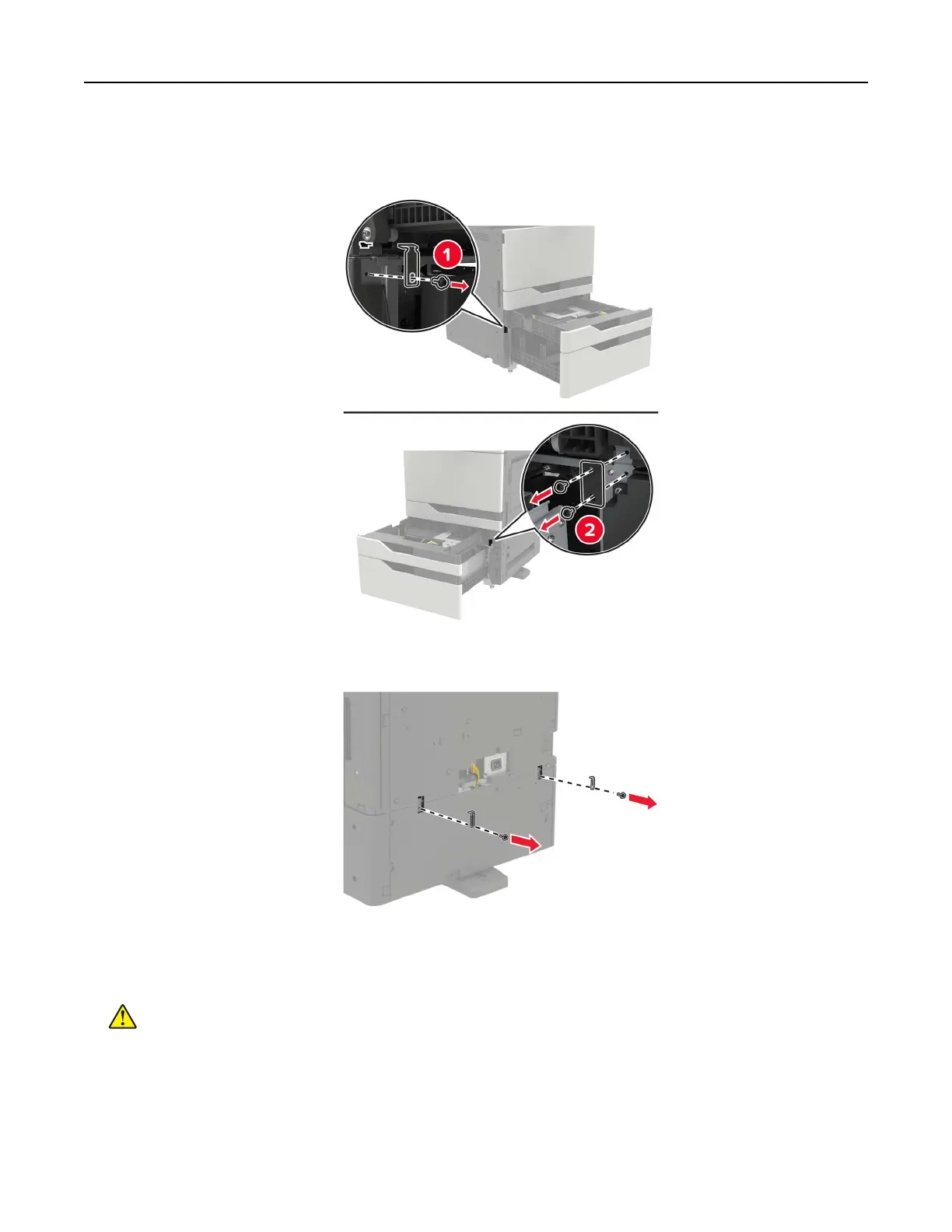
6 Remove the metal brackets and the locking clip that secure the 2 x 500‑ or 2500‑sheet tray to the printer.
• Front
• Rear
7 Close the trays.
8 Using the side handles, remove the printer from the 2 x 500‑ or 2500‑sheet tray.
CAUTION—POTENTIAL INJURY: If the printer weight is greater than 20 kg (44 lb), then it may
require two or more people to lift it safely.
Upgrading and migrating 206



 To Next Page