Need help?
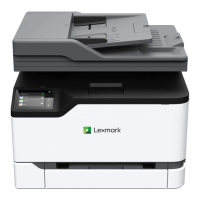
Do you have a question about the Lexmark MC2535 and is the answer not in the manual?
Crucial safety advice regarding power, electrical shock, and accessories.
Explains the function of each button and display element on specific printer models.
Details the control panel layout and button functions for a different set of models.
Describes the control panel interface for yet another set of printer models.
Instructions to activate screen magnification for improved visibility.
Steps to enable auditory feedback for screen navigation.
Detailed procedure for correctly loading paper into the printer trays.
Standard procedure for printing documents from a computer.
Basic steps to create a photocopy using the printer.
Essential steps to set up email server parameters for sending scans.
Procedure for sending scanned documents via email from the printer.
Initial configuration steps required to enable fax functionality.
Instructions for configuring fax using a standard analog phone line.
Step-by-step instructions for clearing paper jams from the printer trays.
Procedure for removing paper jams found behind Door A.
A categorized list of common print quality issues and their solutions.
Troubleshooting steps for general printing issues, including poor print quality.
Critical steps to resolve situations where the printer is unresponsive.
Troubleshooting steps for network connectivity and Embedded Web Server issues.
Instructions for installing additional memory into the printer.
Guide for installing other optional hardware cards.
 General
| Brand | Lexmark |
|---|---|
| Model | MC2535 |
| Category | All in One Printer |
| Language | English |


 To Next Page