EasyManua.ls Logo

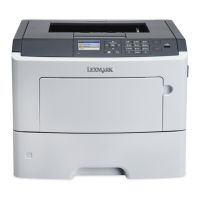
Lexmark MS517 - User Manual

Lexmark MS517
247 pages
Print Icon
To Next Page IconTo Next Page
Loading...
MS510, MS517, MS610, MS617
User's Guide
Important: Click here before using this guide.
November 2017 www.lexmark.com
Machine type(s):
4514
Model(s):
630, 635, 646

Table of Contents

Questions and Answers

  • H
    Hunter JohnsonSep 9, 2025
    What to do if Lexmark MS517 Printer displays 'Configuration change, some held jobs were not restored [57]'?
    • P
      pmendezSep 9, 2025
      If your Lexmark printer shows the message 'Configuration change, some held jobs were not restored', select Continue on the printer control panel to clear the message. If you have a non-touch-screen printer model, press to confirm.
  • T
    Thomas HudsonAug 25, 2025
    How to resolve 'Reinstall missing or unresponsive cartridge [31.xy]' on Lexmark Printer?
    • C
      Cynthia TorresAug 26, 2025
      To fix a 'Reinstall missing or unresponsive cartridge' error on your Lexmark printer: * First, check if the toner cartridge is missing and install it if it is. * If the cartridge is already installed, remove and reinstall it. * If the message persists after reinstalling, the toner cartridge may be defective or non-genuine. In this case, replace the toner cartridge.
  • H
    Heather NewmanAug 26, 2025
    How to fix 'Load [paper source] with [paper size] [paper orientation]' error on Lexmark MS517?
    • W
      William CruzAug 26, 2025
      To resolve the 'Load [paper source] with [paper size] [paper orientation]' error on your Lexmark printer, load the tray or feeder with the correct size of paper. Alternatively, to use the tray or feeder that has the correct size of paper, select Finished loading paper on the printer control panel. If you have a non-touch-screen printer model, press to confirm. As another option, you can cancel the current job.
  • R
    Randall WalkerSep 22, 2025
    What should I do if my Lexmark MS517 Printer says 'Insert Tray [x]'?
    • K
      knortonSep 22, 2025
      If your Lexmark printer displays the message 'Insert Tray [x]', insert the indicated tray into the printer.
  • C
    Christina DuarteSep 10, 2025
    What does 'Maintenance kit nearly low [80.xy]' mean on Lexmark Printer and what to do?
    • B
      Brian MannSep 10, 2025
      If your Lexmark printer displays the message 'Maintenance kit nearly low', select Continue to clear the message and continue printing. If you have a non-touch-screen printer models, press to confirm.
  • G
    gallegosscottSep 14, 2025
    What should I do if my Lexmark MS517 says 'Defective flash detected [51]'?
    • D
      dominguezjasonSep 14, 2025
      If your Lexmark printer displays the message 'Defective flash detected', replace the defective flash memory card. Alternatively, select Continue on the printer control panel to ignore the message and continue printing. For non-touch-screen printer models, press to confirm. You can also cancel the current print job.
  • N
    Nicholas HessSep 4, 2025
    How to resolve 'Load multipurpose feeder with [custom type name] [orientation]' message on Lexmark Printer?
    • T
      Theresa HicksSep 4, 2025
      To address the 'Load multipurpose feeder with [custom type name] [orientation]' message, load the multipurpose feeder with the correct paper size and type. Depending on your printer model, touch Continue or press to clear the message and continue printing. You can also cancel the current job.
  • E
    Eric JohnsonSep 5, 2025
    How do I fix 'Cartridge, imaging unit mismatch [41.xy]' error on Lexmark Printer?
    • G
      garcianicoleSep 5, 2025
      To resolve a 'Cartridge, imaging unit mismatch' error on your Lexmark printer, check if both the toner cartridge and imaging unit are Lexmark-authorized MICR (magnetic ink character recognition) supplies or non-MICR supplies. Change the toner cartridge or imaging unit so that both are Lexmark-authorized MICR supplies or non-MICR supplies.
  • C
    Cody SullivanNov 23, 2025
    What to do if my Lexmark Printer says 'Incorrect paper size, open [paper source] [34]'?
    • C
      Christy PonceNov 23, 2025
      If your Lexmark printer displays an 'Incorrect paper size' message, try the following: * Load the correct size of paper in the paper source. * Select Continue on the printer control panel to clear the message and print using a different paper source. If you have a non-touch-screen printer, press to confirm. * Check the length and width guides of the paper source to ensure the paper is loaded properly. * Make sure the correct paper size and type are specified in the Printing Preferences or in the Print dialog. * Ensure the paper size and type are specified in the Paper menu on the printer control panel. * Verify that the paper size is correctly set. For example, if Multipurpose Feeder Size is set to Universal, ensure the paper is large enough for the data being printed. * You...
  • K
    kathleen83Aug 30, 2025
    What to do if Lexmark MS517 Printer says 'Complex page, some data may not have printed [39]'?
    • K
      kaylalongAug 30, 2025
      If your Lexmark printer displays the message 'Complex page, some data may not have printed', you can select Continue from the printer control panel to ignore the message and continue printing. If you have a non-touch-screen printer model, press to confirm. You can also cancel the current print job, or install additional printer memory.

Lexmark MS517 Specifications

General IconGeneral
Print TechnologyLaser
Print Resolution1200 x 1200 dpi
Monthly Duty Cycle100, 000 pages
Processor800 MHz
First Page OutAs fast as 6.5 seconds
Hard DriveOptional
Operating Systems SupportedWindows, macOS, Linux
ConnectivityUSB, Ethernet
Duplex PrintingAutomatic
Media Types SupportedPlain paper, envelopes, labels, card stock, transparencies

Related product manuals