EasyManua.ls Logo

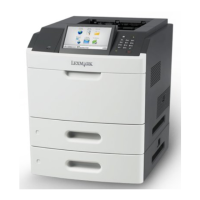
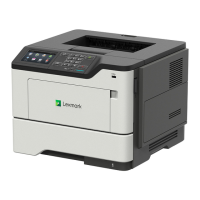
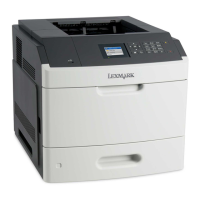
Lexmark MS710 Series - User Manual

Lexmark MS710 Series
257 pages
Print Icon
To Next Page IconTo Next Page
Loading...
MS710 Series
User's Guide
June 2013 www.lexmark.com
Machine type(s):
4063
Model(s):
832, 835

Table of Contents

Other manuals for Lexmark MS710 Series

Questions and Answers

  • M
    moraleslisaAug 23, 2025
    What to do if my Lexmark MS710 says 'Memory full'?
    • B
      bsmithAug 25, 2025
      If your Lexmark Printer displays a 'Memory full' message, you can try the following: First, press on the printer control panel to clear the message. If the problem persists, decrease the resolution setting or install additional printer memory.
  • D
    dustincollinsSep 1, 2025
    What to do if Lexmark Printer displays 'Disk near full. Securely clearing disk space'?
    • A
      Angel FarleySep 1, 2025
      If your Lexmark printer displays 'Disk near full. Securely clearing disk space', you can press on the printer control panel to clear the message. You can also delete fonts, macros, and other data stored on the printer hard disk, or install a printer hard disk with a higher capacity.
  • L
    Lisa WheelerSep 1, 2025
    What to do if Lexmark MS710 Printer displays 'Empty the hole punch box'?
    • W
      williamsandreaSep 1, 2025
      If your Lexmark printer displays an 'Empty the hole punch box' message, you should empty the hole punch box. Then, reinsert the hole punch box into the finisher and press on the printer control panel to clear the message.
  • M
    Michelle PowellSep 2, 2025
    What to do if my Lexmark MS710 Printer says 'Error reading USB drive. Remove USB'?
    • S
      Sara McdonaldSep 2, 2025
      If your Lexmark printer displays an 'Error reading USB drive' message, it means an unsupported USB device is inserted. Remove the USB device and insert a supported one.
  • W
    wwilliamsSep 3, 2025
    What to do if my Lexmark MS710 Printer says 'Error reading USB hub. Remove hub'?
    • J
      Jeremy HunterSep 3, 2025
      If your Lexmark printer displays an 'Error reading USB hub' message, it means an unsupported USB hub has been inserted. Remove the USB hub and install a supported one.
  • P
    Patricia StanleySep 4, 2025
    What to do if my Lexmark Printer says 'Imaging unit low'?
    • A
      ashley95Sep 4, 2025
      If your Lexmark printer indicates that the imaging unit is low, you may need to order a new one. Press on the printer control panel to clear the message and continue printing if necessary.
  • A
    alarsonSep 4, 2025
    What to do if Lexmark Printer displays 'Incompatible output bin [x]'?
    • H
      Heather GuzmanSep 4, 2025
      If your Lexmark printer displays an 'Incompatible output bin' message, remove the specified bin. Alternatively, you can press on the printer control panel to clear the message and continue printing without using the specified bin.
  • J
    John ToddSep 5, 2025
    What to do if Lexmark MS710 Printer displays 'Incompatible tray [x]'?
    • A
      Arthur GarrisonSep 5, 2025
      If your Lexmark printer displays an 'Incompatible tray' message, remove the specified tray. Alternatively, you can press on the printer control panel to clear the message and continue printing without using the specified tray.
  • L
    Laura HernandezSep 6, 2025
    What to do if Lexmark MS710 Printer displays 'Insert hole punch box'?
    • S
      Samantha NguyenSep 6, 2025
      If your Lexmark printer displays an 'Insert hole punch box' message, insert the hole punch box into the finisher and then press on the printer control panel to clear the message.
  • Y
    ywilliamsSep 7, 2025
    What to do if Lexmark MS710 displays 'Insert staple cartridge'?
    • L
      lawrencebrooksSep 7, 2025
      If your Lexmark printer displays an 'Insert staple cartridge' message, insert a staple cartridge. You can also press on the printer control panel to clear the message and print without using the staple finisher.

Summary

Safety information

Learning about the printer

Using the printer control panel

Explains the function of each button and display element on the printer's control panel.

Additional printer setup

Installing internal options

Provides instructions for installing internal hardware and memory components like cards and hard disks.

Networking

Covers network setup for Ethernet and wireless connections, including configuration details.

Loading paper and specialty media

Printing

Understanding printer menus

Securing the printer

Maintaining the printer

Managing the printer

Clearing jams

Avoiding jams

Provides tips and best practices for loading paper correctly to prevent paper jams.

Understanding jam messages and locations

Explains how to interpret jam messages and identify locations to clear jams.

Troubleshooting

Understanding the printer messages

Lists common printer messages and provides initial steps to resolve them.

Paper feed problems

Guides for resolving issues related to paper jams and feeding errors.

Print quality problems

Troubleshooting steps for common print quality issues like jagged text or clipped images.

Lexmark MS710 Series Specifications

General IconGeneral
Print Resolution1200 x 1200 dpi
Print TechnologyLaser
Recommended Monthly Page Volume30, 000 pages
ConnectivityUSB, Ethernet
Supported Media SizesA6
Media Types SupportedCardstock, Envelopes, Labels
Duplex PrintingStandard
Operating System CompatibilityWindows, Linux
Maximum Paper SizeA4

Related product manuals