Need help?
Do you have a question about the Lexmark XC2335 and is the answer not in the manual?
Instructions for creating single or multiple copies of documents.
Setting up Simple Mail Transfer Protocol (SMTP) for sending scanned documents via email.
Process for sending scanned documents via email after SMTP configuration.
Instructions for scanning documents directly to a computer.
Overview of fax setup, including analog and fax server methods.
Configuring the printer for faxing using a traditional analog phone line.
Guide to installing the necessary software and print drivers for the printer.
Procedure for connecting the printer to a wireless network.
Setting up the printer's Wi-Fi Direct feature for peer-to-peer wireless connections.
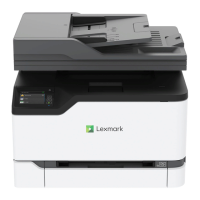
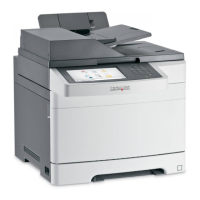
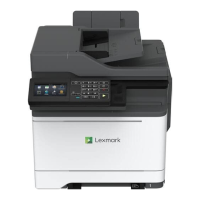
This document provides a comprehensive guide for operating and maintaining a multi-function printer, covering various tasks from basic copying and scanning to advanced email and fax functionalities, as well as troubleshooting common issues like paper jams and software installation.
The device is a multi-function printer capable of copying, emailing, scanning, printing, and faxing documents. It supports both analog fax and fax server functionalities. For email, it allows users to send scanned documents directly via various email service providers, including AOL Mail, Comcast Mail, Gmail, iCloud Mail, Mail.com, NetEase Mail (mail.126.com, mail.163.com, mail.yeah.net), Outlook Live or Microsoft 365, QQ Mail, Sina Mail, Sohu Mail, Yahoo! Mail, and Zoho Mail. The device can also scan documents to a computer, supporting both Windows and Macintosh operating systems. Printing capabilities include standard document printing, as well as confidential and held jobs, with support for mobile printing via AirPrint and Wi-Fi Direct.
 General
| Print Technology | Laser |
|---|---|
| Functions | Print, Copy, Scan, Fax |
| Print Speed (Black) | 35 ppm |
| Print Speed (Color) | 35 ppm |
| Print Resolution | 1200 x 1200 dpi |
| Copy Speed (Black) | 35 cpm |
| Copy Speed (Color) | 35 cpm |
| Copy Resolution | 600 x 600 dpi |
| Scan Resolution | 600 x 600 dpi |
| Fax Resolution | 300 x 300 dpi |
| Fax Speed | 33.6 kbps |
| Standard Paper Capacity | 250 sheets |
| Duplex Printing | Yes |
| Connectivity | USB, Ethernet, Wi-Fi |
| Operating System Compatibility | Windows, Mac, Linux |
| Processor | 1 GHz |
| Copier Reduce/Enlarge | 25% - 400% |
| Network Connectivity | Ethernet, Wi-Fi |
| Mobile Printing | Apple AirPrint, Google Cloud Print |

 To Next Page