126
3-1. Key information
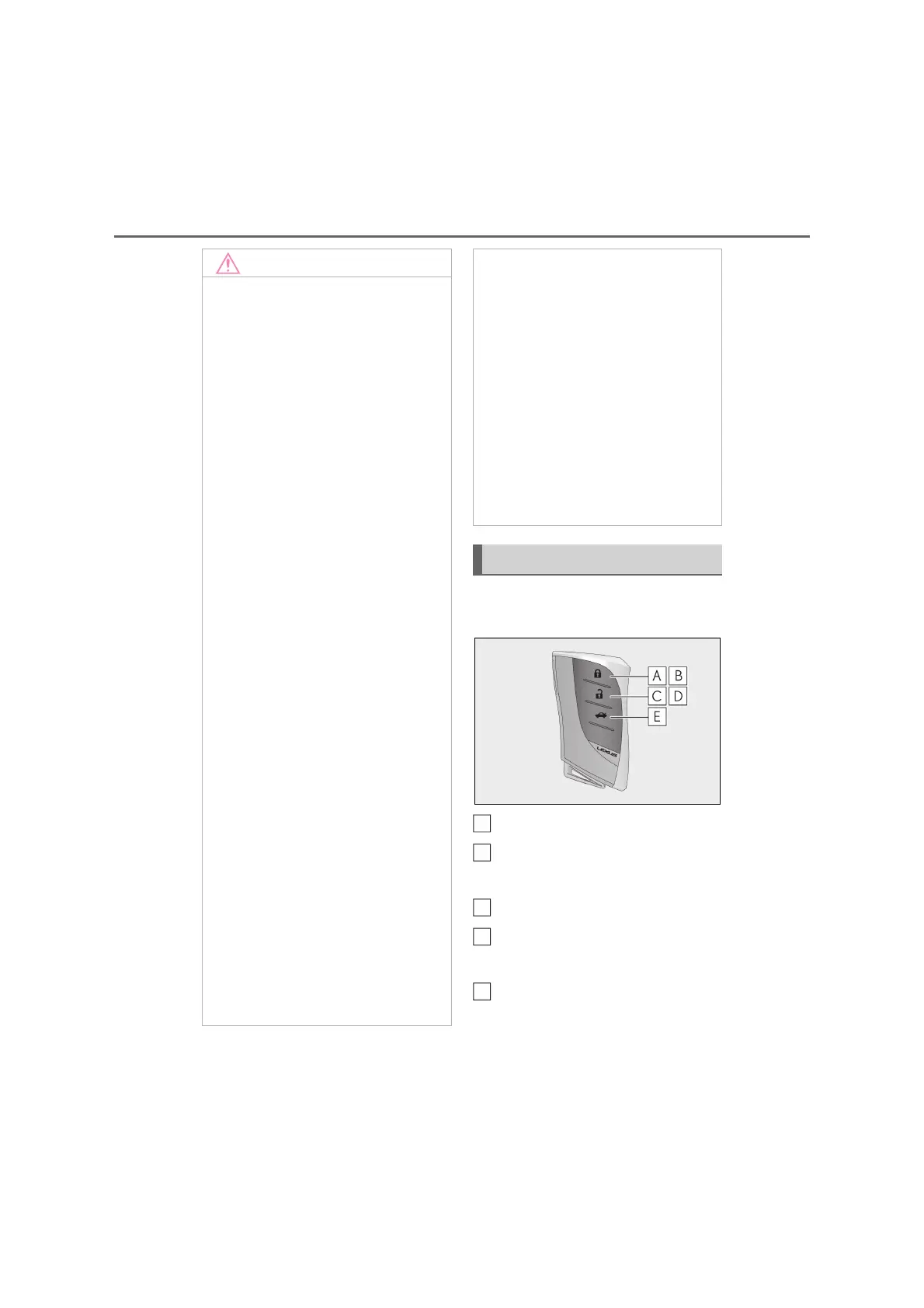
The electronic keys are equipped with
the following wireless remote control:
Locks the doors (P.128)
Closes the windows and moon
roof
*
(P.128)
Unlocks the doors (P.128)
Opens the windows and moon
roof
*
(P.128)
Opens the trunk (P.135)
*
: These settings must be customized at
any authorized Lexus retailer or Lexus
authorized repairer, or any reliable
Q Carrying the electronic key on your
person
Carry the electronic key 10 cm (3.9 in.)
or more away from electric appliances
that are turned on. Radio waves emitted
from electric appliances within 10 cm
(3.9 in.) of the electronic key may inter-
fere with the key, causing the key to not
function properly.
Q In case of a smart entry & start system
malfunction or other key-related
problems
P.441
Q When an electronic key is lost
P.440
Q Handling the card key (if equipped)
O Do not apply excess force when
inserting the mechanical key into the
card key. Doing so may damage the
card key.
O If the battery or card key terminals get
wet, the battery may corrode and the
card key may stop working.
If the key is dropped into water, or if
drinking water, etc. is spilled on the
key, immediately remove the battery
cover and wipe the battery and termi-
nals. (To remove the battery cover,
lightly grasp and pull it.) If the battery is
corroded, have any authorized Lexus
retailer or Lexus authorized repairer,
or any reliable repairer. replace the
battery.
O Do not crush the battery cover or use
a screwdriver to remove the battery
cover.
Forcibly removing the battery cover
may bend or damage the key.
O If the battery cover is frequently
removed, the battery cover may
become loose.
O When installing the battery, make sure
to check the direction of the battery.
Installing the battery in the wrong
direction may cause the battery to
deplete rapidly.
O The surface of the card key may be
damaged, or its coating may peel off in
the following situations:
• The card key is carried together with
hard objects, such as coins and keys.
• The card key is scraped with a sharp
object, such as the tip of a mechanical
pencil.
• The surface of the card key is wiped
with thinner or benzene.
Wireless remote control
A
B
C
D



 To Next Page