157
3
3-4. Adjusting the steering wheel and mirrors
Before driving
*
: If equipped
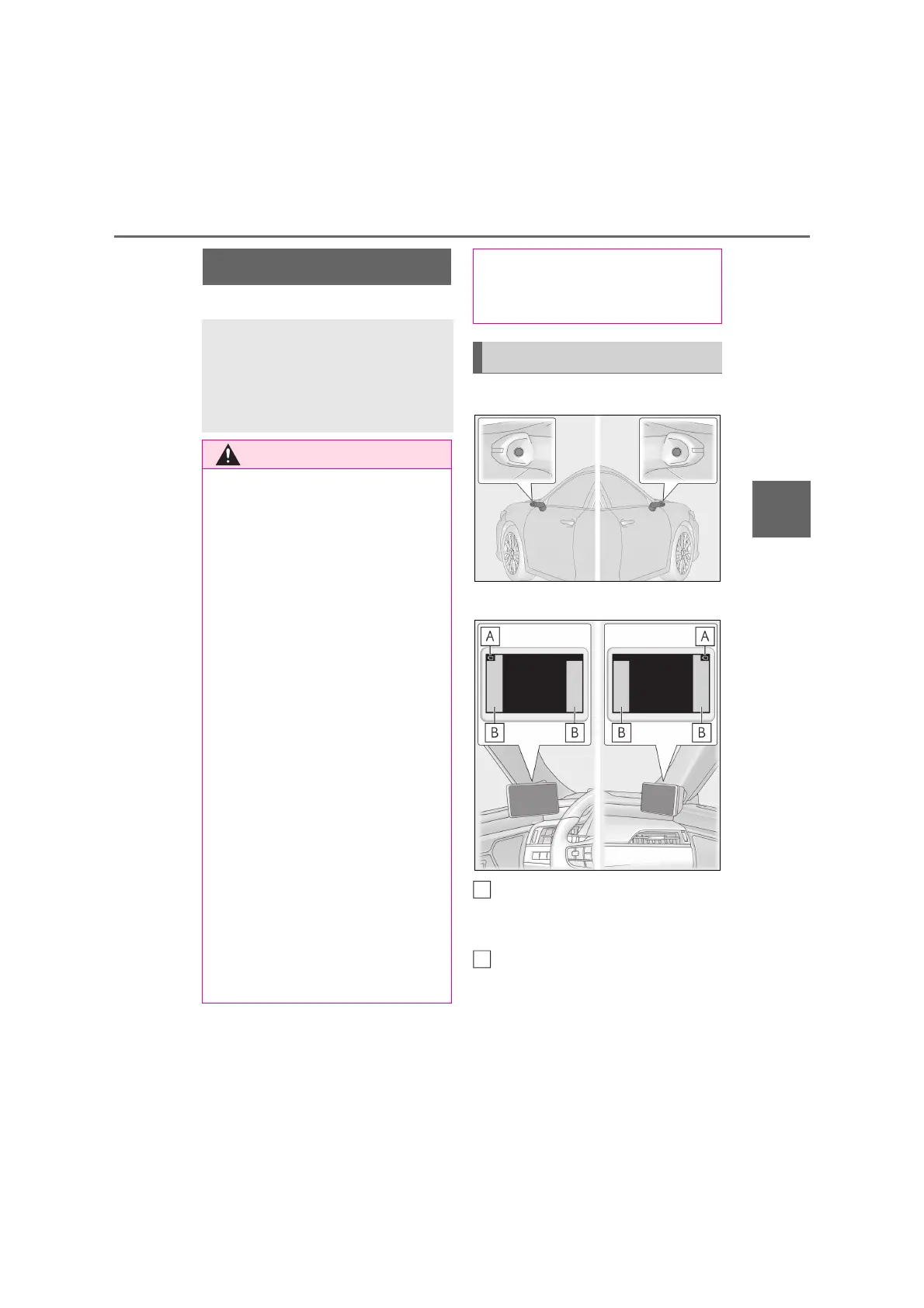
Q Cameras
Q Displays
Camera indicators
Indicate that the cameras are operating
normally.
Icon display areas
Displays adjustment menu icons, etc.
Digital Side-view Monitor
*
The Digital Side-view Monitor is a
system that uses the cameras on
the sides of the vehicle and displays
their images on the display of the
Digital Side-view Monitor.
Q Before using the Digital Side-view
Monitor
Observe the following precautions. Fail-
ure to do so may result in death or seri-
ous injury.
O Make sure to adjust the display range
of the image before driving. (P.158)
If it is not adjusted, the area behind the
vehicle may not be displayed properly.
O When wide range image mode is
being used (either reverse-linked wide
range image mode, front door open-
linked wide range image mode, turn
signal-linked wide range image mode
or manual wide range image mode),
the sizes of images shown in the dis-
play (people, objects, vehicles, etc.)
will differ from their sizes when dis-
played normally.
Check the difference in advance.
O Make sure that the front doors are
closed. If the front doors are even
slightly open, Digital Side-view Moni-
tor images may not be displayed prop-
erly.
O Check that the cameras are not
retracted or tilted forward. If the cam-
eras are retracted or tilted forward,
the Digital Side-view Monitor image
may not be displayed properly.
O When parking in extremely hot tem-
peratures, the metal part of the display
may become hot, and touching it may
result in burns.
System components
B



 To Next Page