158
3-4. Adjusting the steering wheel and mirrors
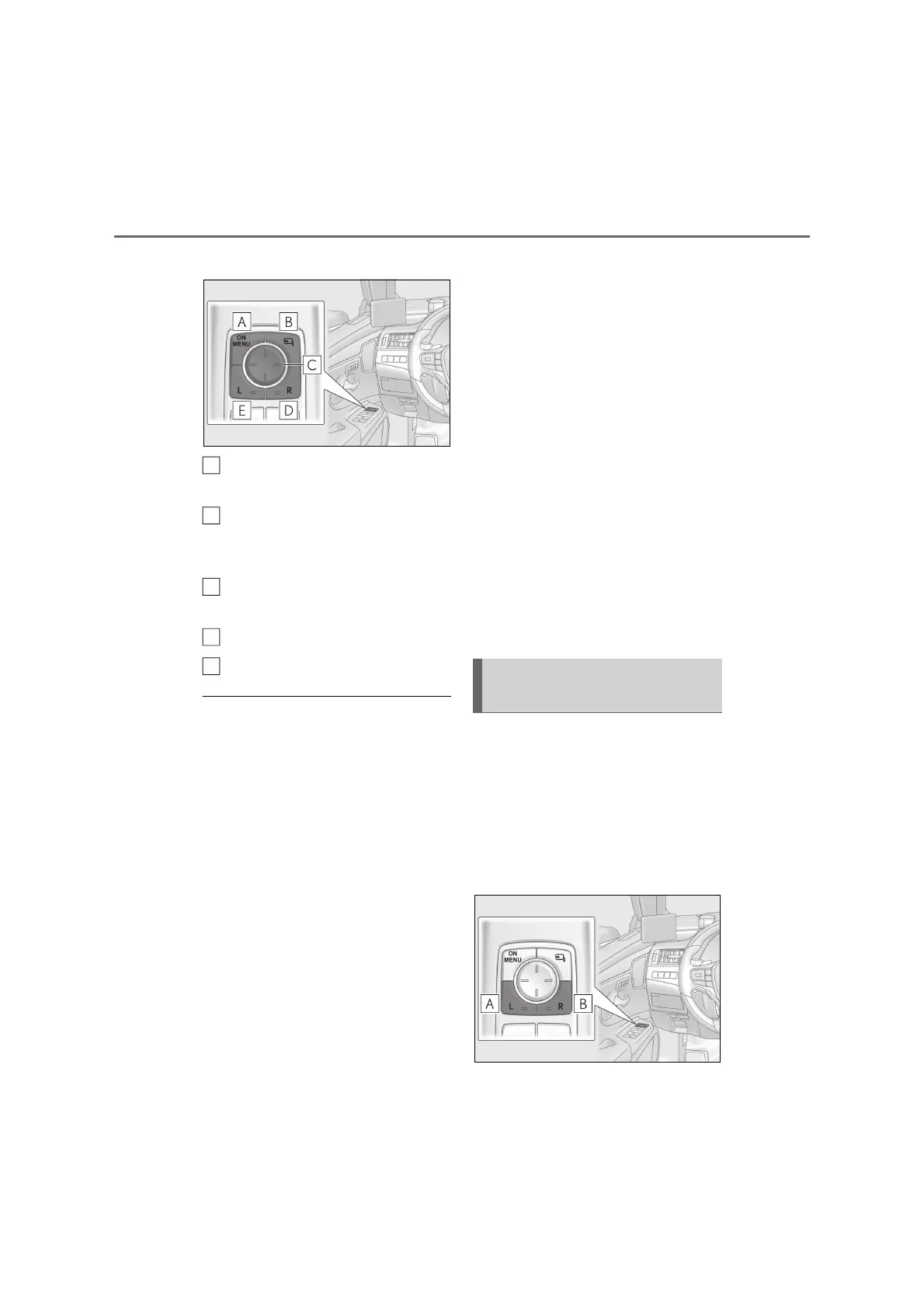
Q Switches
Displays the screens and the
adjustment menu.
Retracts the cameras or returns
them to their original positions.
(P.162)
Selects the adjustment menu items
and adjusts the image. (P.158)
Selects the screen on the right side.
Selects the screen on the left side.
Q Operation conditions
When any of the following conditions is
met, the display is shown or turned off.
Image is shown
• The power switch is in ON mode.
• ON/MENU switch pressed
• The front door is open
Image is turned off
• Approximately 2 minutes have elapsed
since the power switch is turned off
*
• The doors are locked from the outside
*
: The image will disappear after the cam-
era indicators flash for approximately 10
seconds.
Q Digital Side-view Monitor
O If the display is difficult to see due to
reflected light, adjust the brightness of
the display. (P.159)
O Any of the following conditions may
occur, however, none of these indicates
that a malfunction has occurred.
• Lights from vehicles behind may appear
to flicker.
• Colors of objects in the displayed image
may differ from their actual color.
• The areas around headlights of vehicles
behind may appear white and blurry at
night.
• Flickering may occur when driving in the
dark, such as at night.
O The display of the Digital Side-view Mon-
itor may become hot, however, this is not
a malfunction.
O Depending on your physical condition or
age, it may take longer than usual to
focus on the display. In this case, stop the
vehicle in a safe place and adjust the
brightness of the display etc. (P.159)
Avoid driving until you can focus on the
display.
O Do not let passengers stare at the dis-
played image when the vehicle is being
driven, as doing so may cause motion
sickness.
Q Adjusting the display range
The display range of the Digital Side-
view Monitor display can be adjusted.
Adjusting the display range when
the shift lever is in other than R
1 To select the display to adjust, press
the switch.
A
B
C
D
E
Adjusting the Digital Side-view
Monitor display



 To Next Page