128
3-2. Opening, closing and locking the doors and trunk
3-2.Opening, closi ng and locking the doors and trunk
Q Smart entry & start system
Carry the electronic key to enable this
function.
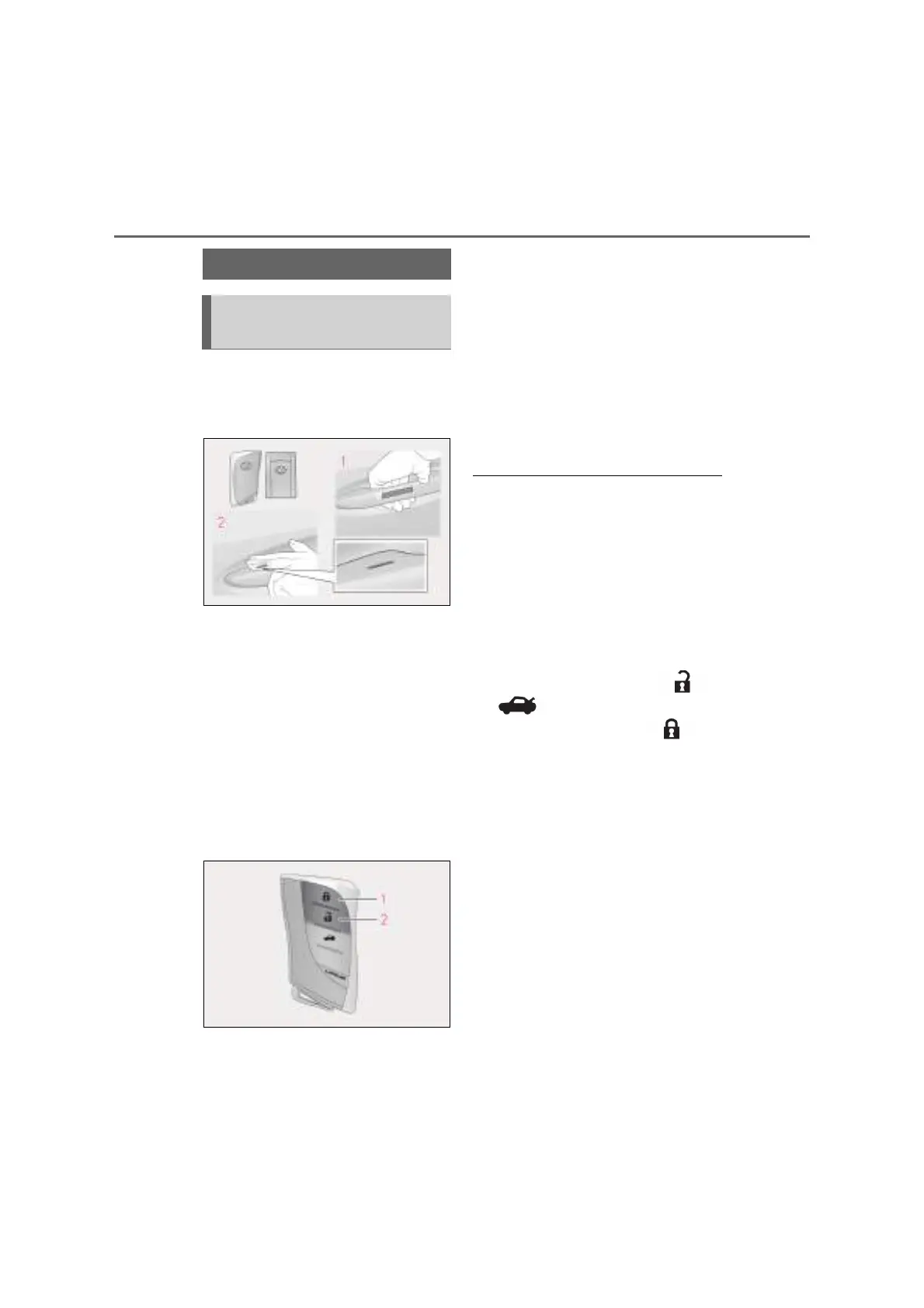
1 Grip the handle to unlock the
doors.
Make sure to touch the sensor on the back
of the handle.
The doors cannot be unlocked for 3 sec-
onds after the doors are locked.
2 Touch the lock sensor (the indenta-
tion on the upper part of the door
handle) to lock all the doors.
Check that the door is securely locked.
Q Wireless remote control
1 Locks all the doors
Check that the door is securely locked.
Press and hold to close the windows and
moon roof.
*
2 Unlocks all the doors
Press and hold to open the windows and
moon roof.
*
*
: These settings must be customized at
any authorized Lexus retailer or Lexus
authorized repairer, or any reliable
repairer.
Q Switching the door unlock function
It is possible to set which doors the entry
function unlocks using the wireless remote
control.
1 Turn the power switch off.
2 For vehicles with an intrusion sensor:
Cancel the intrusion sensor and tilt sen-
sor of the alarm system to prevent unin-
tended triggering of the alarm while
changing the settings. (P.88)
3 When the indicator light on the key sur-
face is not on, press and hold or
for approximately 5 seconds
while pressing and holding .
The setting changes each time an operation
is performed, as shown below. (When
changing the setting continuously, release
the buttons, wait for at least 5 seconds, and
repeat step 3.)
Doors
Unlocking and locking the doors
from the outside



 To Next Page