263
4
4-5. Using the driving support systems
Driving
Vehicles with outside rear view mir-
rors
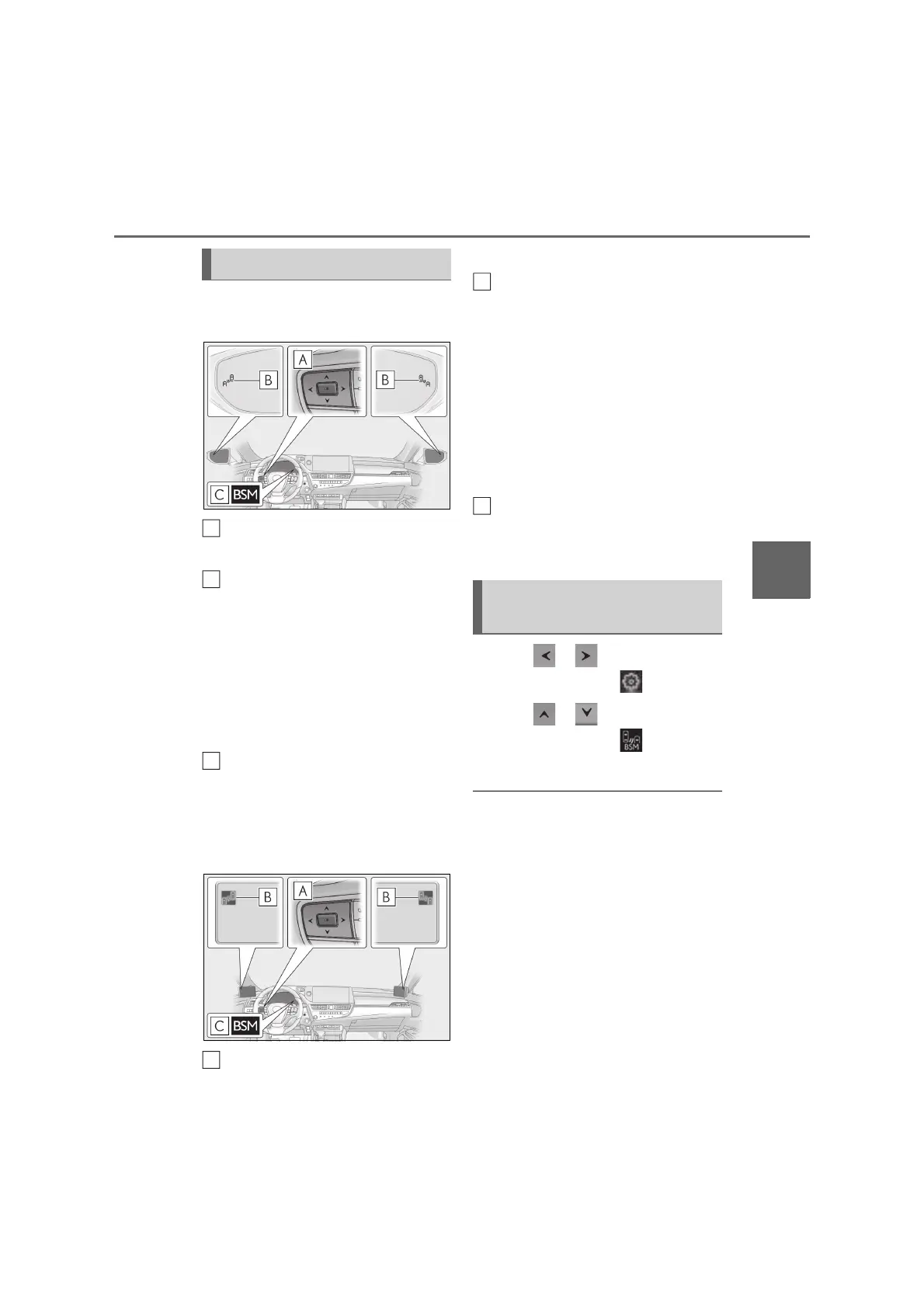
Meter control switches
Turn the Blind Spot Monitor on/off.
Outside rear view mirror indicators
When a vehicle is detected in a blind spot
of the outside rear view mirrors or
approaching rapidly from behind into a
blind spot, the outside rear view mirror
indicator on the detected side will illumi-
nate. If the turn signal lever is operated
toward the detected side, the outside rear
view mirror indicator will flash.
BSM indicator
When the Blind Spot Monitor is turned on,
the indicator comes on.
Vehicles with Digital Side-view
Monitor
Meter control switches
Turn the Blind Spot Monitor on/off.
Digital Side-view Monitor indica-
tors
When a vehicle is detected in a blind spot
of the Digital Side-view Monitor cameras
or approaching rapidly from behind into a
blind spot, the Digital Side-view Monitor
indicator on the detected side will illumi-
nate.
If the turn signal lever is operated toward
the detected side, the Digital Side-view
Monitor indicator will flash.
BSM indicator
When the Blind Spot Monitor is turned on,
the indicator comes on.
1 Press or of the meter con-
trol switches, select .
2 Press or of the meter con-
trol switches, select , and press
“OK”.
Q Outside rear view mirror indicator (if
equipped) or Digital Side-view Monitor
indicator (if equipped) visibility
In strong sunlight, the outside rear view mir-
ror indicator or Digital Side-view Monitor
indicator may be difficult to see.
Q When “Blind Spot Monitor Unavailable”
is shown on the multi-information dis-
play
Ice, snow, mud, etc., may be attached to the
rear bumper around the sensors.
(P.264) The system should return to nor-
mal operation after removing the ice, snow,
mud, etc. from the rear bumper. Addition-
ally, the sensors may not operate normally
when driving in extremely hot or cold envi-
System components
A
B
C
A
Turning the Blind Spot Monitor
on/off
B



 To Next Page