333
5
5-3. Using the air conditioning system
Interior features
operation condition changes as fol-
lows.
AUTO (lit) Hi (3 segments lit)
Mid (2 segments lit) Lo (1 segment
lit) Off
The AUTO indicator and/or level indi-
cator illuminates during operation.
Q Operation condition
The power switch is in ON mode.
Q Air conditioning system-linked control
mode
When the seat ventilator fan speed level is
Hi (when “AUTO” is selected), the seat
ventilator fan speed may become higher
according to the fan speed of the air condi-
tioning system.
Q When AUTO mode is selected
The following functions may turn off
according to the air conditioning set tem-
perature, outside temperature, etc.
O Front seat heaters
O Seat ventilators
Q Stored settings
When the power switch is turned to ON
mode, the stored settings of the following
functions are recalled.
O Front seat heaters
O Seat ventilators
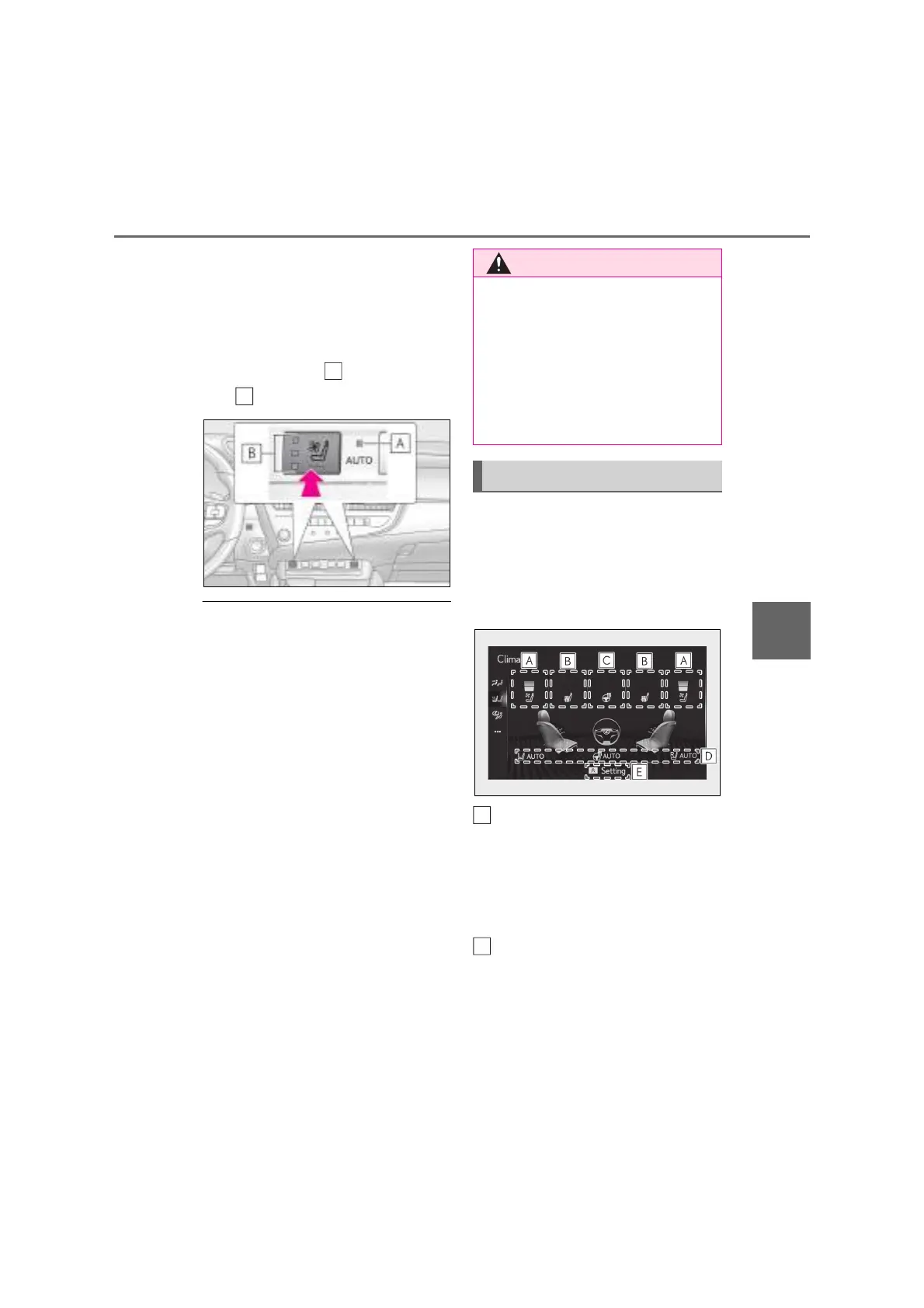
Q Main display
Using the touchpad of the Remote
Touch, select the button on the screen.
This system can also be operated by
the touch screen.
Adjust the seat ventilator fan speed
level
The seat ventilator can be adjusted in 3
levels.
When the seat ventilator is operated, the
fan speed level is displayed on the screen.
Adjust the front seat heater tem-
perature level
The front seat heater can be adjusted in 3
levels.
When the front seat heater is operated, the
temperature level is displayed on the
Q To prevent overheating and minor
burn injuries
Observe the following precautions when
using the seat heaters.
O Do not cover the seat with a blanket or
cushion when using the seat heater.
O Do not use seat heater more than nec-
essary.
Control screen
A
B



 To Next Page