AUDIO
235
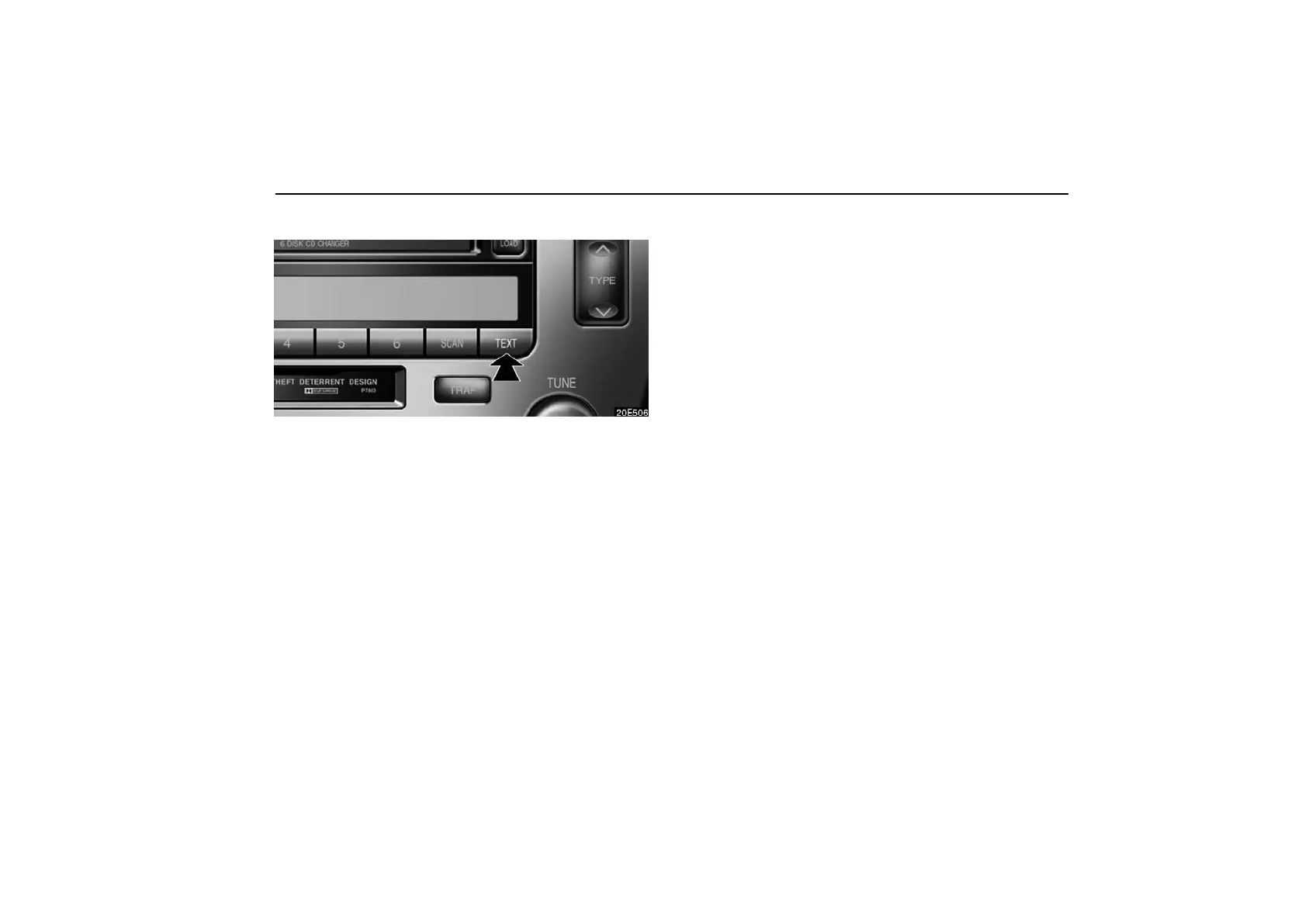
(g) Displaying the title and name
When you push the “TEXT” button, the display changes as
follows:
CH NAME → TITLE (SONG/PROGRAM TITLE) → NAME
(ARTIST NAME/FEATURE) → CH NUMBER → CH NAME
Up to 10 alphanumeric characters can be displayed. (Some
information will not be fully displayed.)
If there is no song/program title or artist name/feature
associated with the channel at that time, “− − − − −” will appear
on the display.
This XM tuner supports “Audio Services” (Music and Talk) of
only XM satellite radio and “Text Information”* linked to the
respective audio services.
*: Text Information includes, Channel Name, (Artist) Name,
(Song) Title and Category Name.



 To Next Page