37
1. BASIC INFORMATION BEFORE OPERATION
2
BASIC FUNCTION
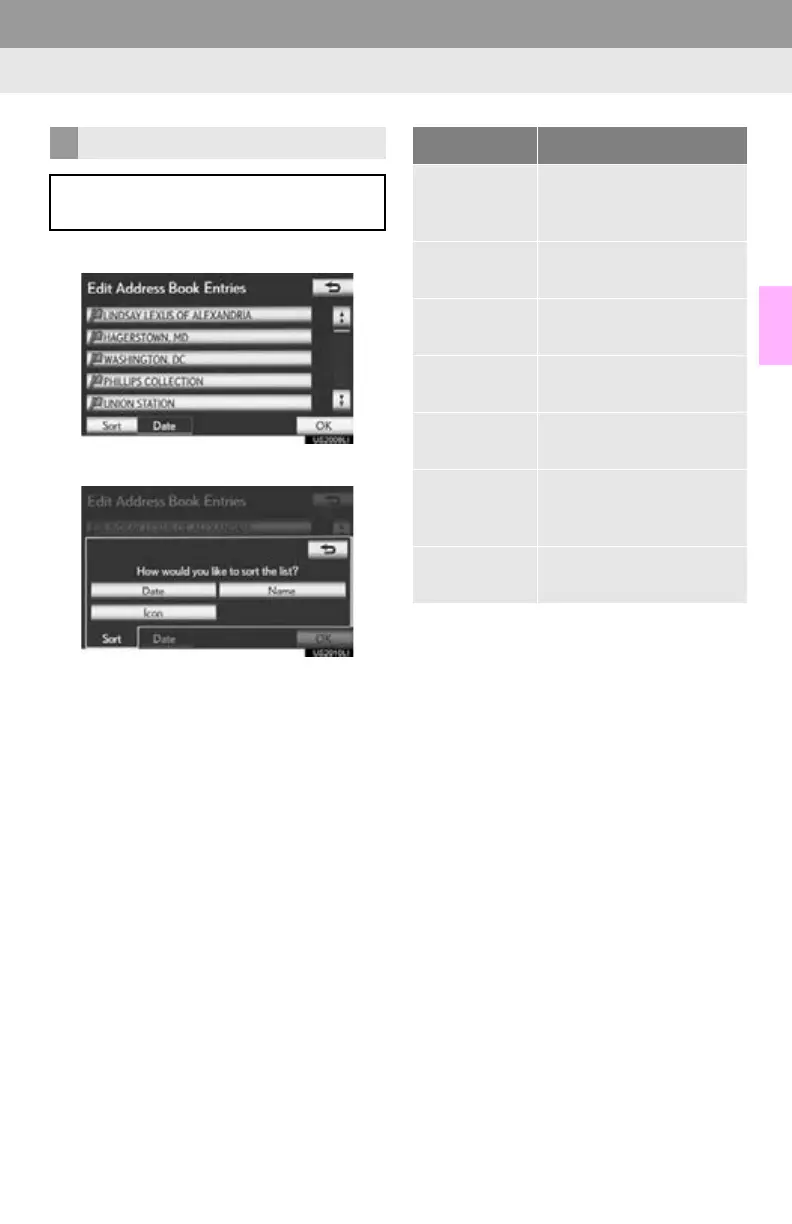
1 Select “Sort”.
2 Select the desired sorting criteria.
SORTING
The order of a list displayed on the
screen can be rearranged.
Screen button Function
“Distance”
Select to sort in order of
distance from the current
position.
“Date”
Select to sort in order of
date.
“Category”
Select to sort in order of
category.
“Icon”
Select to sort in order of
icon.
“Name”
Select to sort in order of
name.
“Brand”
Select to sort in order of
brand name. (XM func-
tions)
“Price”
Select to sort in order of
price. (XM functions)





 To Next Page