52
2. SETUP
1 Press the “MENU” button on the
Remote Touch, then select “Setup”.
2 Select “General” on the “Setup” screen.
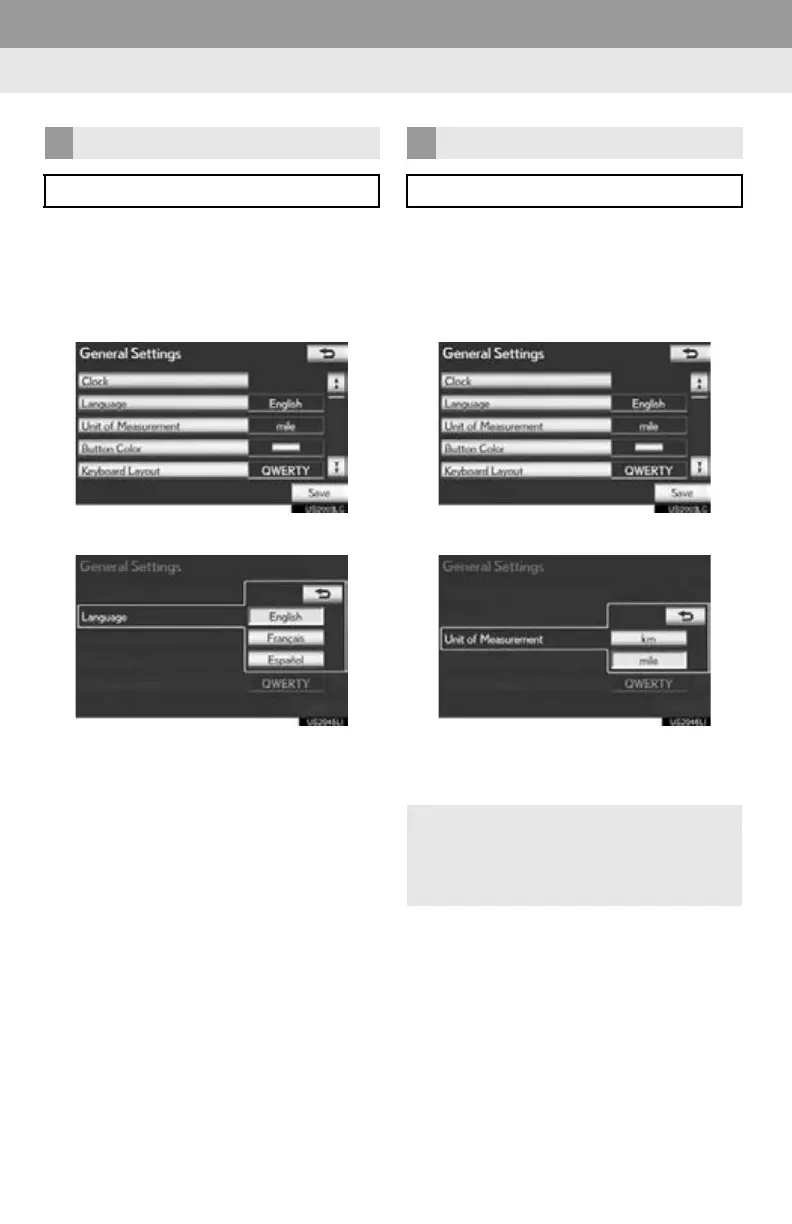
3 Select “Language”.
4 Select the desired screen button.
5 Select “Yes”.
The previous screen will be displayed.
6 Select “Save”.
1 Press the “MENU” button on the
Remote Touch, then select “Setup”.
2 Select “General” on the “Setup” screen.
3 Select “Unit of Measurement”.
4 Select “km” or “mile”.
The previous screen will be displayed.
5 Select “Save”.
SELECTING A LANGUAGE
The language can be changed.
UNIT OF MEASUREMENT
Distance unit can be changed.
This function is available only in English
or Spanish. To change language, see
“SELECTING A LANGUAGE” on page
52.






 To Next Page