9
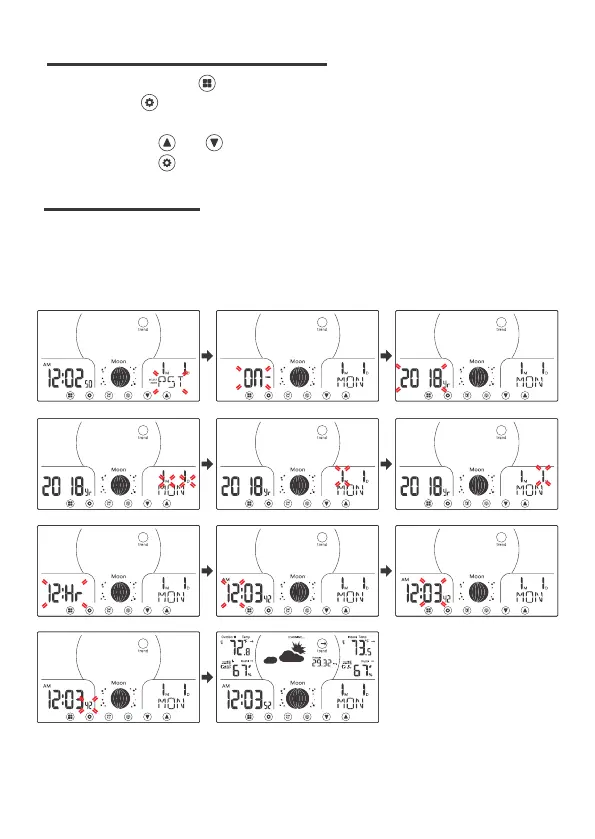
7 SETTIME ZONE, TIME, DATE etc.
In Normal display, press once switching to the time/Calendar display.
Press and hold over 2s to enter time set mode, time zone (Default: PST)
will be flashing.
Press and release and to adjust the values. Hold to adjust quickly.
Press and release to confirm and move to the next item.
1. Time Zone
4. Date Format
7. 12/24 Hour Format
10. Second
3. Year
6. Day
9. Minute
2. DST On/Off
5. Month
8. Hour
11. End of Setting
8 SETTING ORDER



 To Next Page