EasyManua.ls Logo

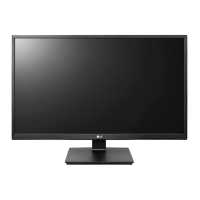
LG 24BP450Y-B - User Manual

LG 24BP450Y-B
26 pages
Print Icon
To Next Page IconTo Next Page
Loading...
* LG LED Monitor applies LCD screen with LED backlights.
Please read this manual carefully before operating your set and
retain it for future reference.
24BP450S
24BP450Y
27BP450Y
OWNER’S MANUAL
LED LCD MONITOR
(LED Monitor*)
www.lg.com
Copyright © 2021 LG Electronics Inc. All Rights Reserved.
Questo manuale d’istruzione è fornito da trovaprezzi.it. Scopri tutte le offerte per LG 24BP450Y-B o
cerca il tuo prodotto tra le migliori offerte di Monitor

Other manuals for LG 24BP450Y-B

Questions and Answers

  • J
    Judith RodriguezAug 9, 2025
    How to fix an LG 24BP450Y-B Monitor when no image appears?
    • J
      James PowellAug 9, 2025
      If no image appears on your LG Monitor, start by ensuring the power cord is securely connected to the power outlet. Also, check the signal cable for proper connection, tightening it with a screwdriver if needed. Verify that your video card is correctly inserted and that the video card supports Plug&Play function. If the signal from your PC is out of range, refer to the 'Specifications' section of the manual to reconfigure your display. If the OSD controls are locked, unlock them in the OSD lock menu. Check your display settings in Control Panel to see if the frequency or resolution has been altered, and readjust the video card to the recommended settings. Finally, ensure your color setting is higher than 24 bits (true color) in the Control Panel settings.
  • D
    Debbie AliAug 13, 2025
    What to do if my LG Monitor displays no image?
    • B
      brownmichaelAug 13, 2025
      If your LG Monitor isn't displaying an image, first, check that the signal cable is properly connected. If it is, try to reconnect it. Next, verify that the video card is correctly inserted in its slot. Ensure that the resolution is set to the recommended 1080P. If the screen is set to interlace mode, change it to the recommended resolution.
  • K
    Katherine ParsonsAug 17, 2025
    What to do if my LG Monitor has no image?
    • H
      Heather RobertsonAug 17, 2025
      If your LG Monitor displays no image, start by ensuring the power cord is securely connected to the power outlet. Also, verify that the signal cable is properly connected. This message appears when the signal from the PC (video card) is out of horizontal or vertical frequency range of the display. See the 'Specifications' section of this manual and configure your display again. You can unlock the OSD controls at any time by entering the OSD lock menu and changing items to off.
  • M
    Marcus ReynoldsAug 21, 2025
    Why is the display image incorrect on my LG Monitor?
    • E
      edwardporterAug 21, 2025
      If the display image on your LG Monitor is incorrect, ensure the signal cable is properly connected, tightening it with a screwdriver if needed. Confirm that the video card is correctly inserted in its slot. Set the color setting higher than 24 bits (true color) via Control Panel settings. Check if the screen is set to interlace mode, and if so, change it to the recommended resolution. Also, ensure that the video card supports Plug&Play function. Change the resolution to the recommended resolution 1080P. Be sure to install the display driver from our web site: http://www.lg.com.
  • M
    Melissa RobertsAug 26, 2025
    What to do if my LG 24BP450Y-B Monitor says no signal?
    • M
      Mandy SosaAug 26, 2025
      If your LG Monitor displays a 'NO SIGNAL' message, it could be due to a disconnected or missing signal cable between your PC and the monitor. Please inspect the cable and ensure it is properly reconnected.
  • N
    Norman HerreraAug 30, 2025
    LG Monitor no image: what does it mean when the signal is out of range?
    • C
      Cheyenne MejiaAug 30, 2025
      If your LG Monitor displays a 'no image' message and indicates that the signal from the PC (video card) is out of the horizontal or vertical frequency range, you need to consult the 'Specifications' section of the manual to configure your display again.
  • S
    Sean AndrewsSep 3, 2025
    Why is there no image on my LG 24BP450Y-B Monitor, and how to fix it?
    • G
      guzmanadamSep 3, 2025
      If there is no image on your LG Monitor, the signal from your PC (video card) may be out of the horizontal or vertical frequency range of the display. Please refer to the 'Specifications' section of this manual to configure your display settings accordingly.

LG 24BP450Y-B Specifications

General IconGeneral
BrandLG
Model24BP450Y-B
CategoryMonitor
LanguageEnglish

Related product manuals