ENGLISH
23
WATCHING TV
Using the quick menu
Customize frequently used menus.
1
Press
Q.MENU
to access the quick menus.
2
Press the Navigation buttons to scroll through the
following menus.
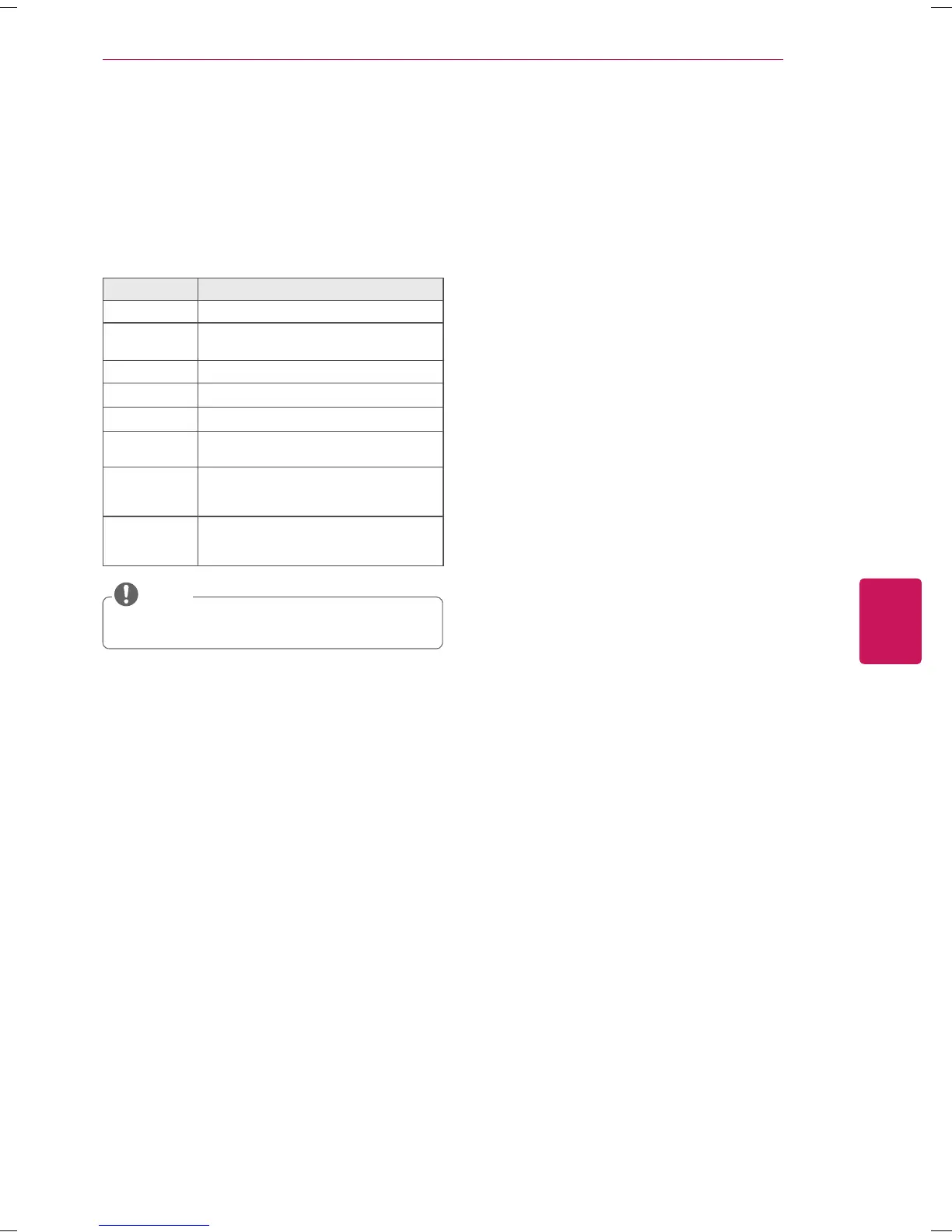
Menu Description
ꔣ
Aspect Ratio Changes the image size.
ꔨ
Picture
Mode
Changes the image mode.
ꕞ
Sound Mode Changes the sound mode.
ꕗ
Caption
Activates or deactivate the subtitles.
ꕁ
SAP
Changes the sound setting.
ꕨ
Sleep Timer
Sets the length of time until the TV
to turns off.
ꔿ
Del/Add/Fav
Edits the channels to add or delete the
channel.
Adds the channels to the favorite list.
ꔢ
Eject Eject a USB device.
The menu is displayed only when the USB
device is connected.
The available menus and options may differ from
the input source that you are using.
NOTE
3
Press the Navigation buttons to scroll to the option
you want.
4
When you are finished, press
Q.MENU
.


 To Next Page