EasyManua.ls Logo

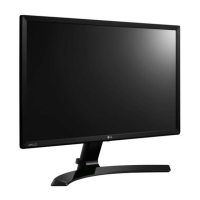
LG 24MP60GP - User Manual

LG 24MP60GP
29 pages
Print Icon
To Next Page IconTo Next Page
Loading...
* LG LED Monitor applies LCD screen with LED backlights.
Please read this manual carefully before operating your set and
retain it for future reference.
24MP60G/24MP60GP
27MP60G/27MP60GP
32MP60G/32MP60GP
OWNER’S MANUAL
LED LCD MONITOR
(LED Monitor*)
www.lg.com
Copyright © 2020 LG Electronics Inc. All Rights Reserved.

Other manuals for LG 24MP60GP

Questions and Answers

  • M
    Melissa MillsSep 12, 2025
    What to do to prevent image sticking on LG 24MP60GP Monitor?
    • D
      donaldnorrisSep 12, 2025
      To prevent image sticking on your LG Monitor, especially when displaying a still image for a prolonged time, use a screensaver to extend the monitor's lifetime.
  • P
    Pamela RobertsSep 13, 2025
    What to do if I see an "Unrecognized monitor, Plug and Play (VESA DDC) monitor found" message on my LG 24MP60GP Monitor?
    • C
      Christine PetersonSep 13, 2025
      If you see an "Unrecognized monitor, Plug and Play (VESA DDC) monitor found" message on your LG monitor, install the display driver from the LG website. Also, make sure to check if the graphics card supports Plug and Play function.
  • J
    Jerome WatersSep 15, 2025
    Why does image sticking occur even when the LG 24MP60GP Monitor is turned off?
    • J
      james71Sep 15, 2025
      Image sticking on your LG monitor, even when turned off, may be caused by displaying a still image for a prolonged time, which can damage the screen and result in image retention. To extend the lifetime of the monitor, use a screensaver.

LG 24MP60GP Specifications

General IconGeneral
BrandLG
Model24MP60GP
CategoryMonitor
LanguageEnglish

Related product manuals