EasyManua.ls Logo

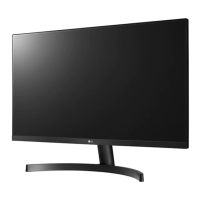
LG 27MK600MB - User Manual

LG 27MK600MB
27 pages
Print Icon
To Next Page IconTo Next Page
Loading...
www.lg.com
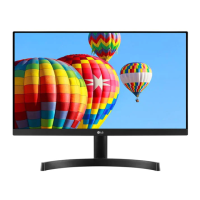
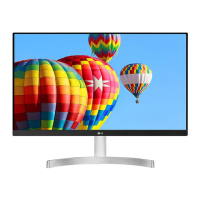
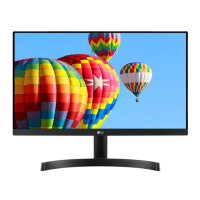
LED LCD MONITOR MODEL
Please read this manual carefully before operating your set and
retain it for future reference.
OWNER'S MANUAL
LED LCD Monitor
(LED Monitor*)
*LG LED Monitors are LCD Monitors with LED Backlighting.
24MK600M
22MK600M
27MK600M
27MK60TM

Questions and Answers

  • T
    Timothy VasquezAug 11, 2025
    What to do if my LG 27MK600MB Monitor has no image?
    • B
      bassjamesAug 11, 2025
      First, verify that the power cord is correctly plugged into the power outlet. If the issue persists, the signal from your PC's video card might be outside the display's horizontal or vertical frequency range. Refer to the 'Specifications' section to configure your display accordingly. Finally, inspect the cable connections, reconnect them securely, and ensure your PC is functioning correctly.
  • B
    Brittany MarshallAug 18, 2025
    Why is my LG Monitor screen flickering?
    • S
      Shelley FitzgeraldAug 18, 2025
      If your LG Monitor screen is flickering and the resolution is set to HDMI 1080i 60/50 Hz, try changing the resolution to the recommended 1080P. This should resolve the flickering issue.
  • M
    Mr. James WilkinsonAug 26, 2025
    What to do if the display image is incorrect on my LG 27MK600MB?
    • E
      Elizabeth KellyAug 26, 2025
      First, check that the signal cable is properly connected; tighten it with a screwdriver if needed. Next, ensure the video card is correctly inserted in its slot. Then, go to Control Panel ? Settings and set the color setting higher than 24 bits (true color). Lastly, check if the screen is set to interlace mode; if so, change it to the recommended resolution.
  • K
    Kevin StoneSep 2, 2025
    How to unlock OSD controls on LG 27MK600MB Monitor?
    • S
      Stephen MendozaSep 3, 2025
      You can unlock the OSD controls on your LG Monitor by entering the OSD lock menu and changing the settings to 'off'. This will restore your ability to control the OSD functions.

LG 27MK600MB Specifications

General IconGeneral
Screen Size27 inches
Resolution1920 x 1080 (Full HD)
Panel TypeIPS
Refresh Rate75Hz
Brightness250 cd/m²
Aspect Ratio16:9
Contrast Ratio1000:1
Dynamic Contrast RatioMega
Viewing Angle178° (H) / 178° (V)
Response Time5ms
PortsHDMI, D-Sub
Color GamutsRGB 99%
FeaturesFlicker Safe, Reader Mode, AMD FreeSync
ConnectivityHDMI, VGA
VESA Mount100 x 100 mm

Related product manuals