Phone Overview
12
Phone Overview
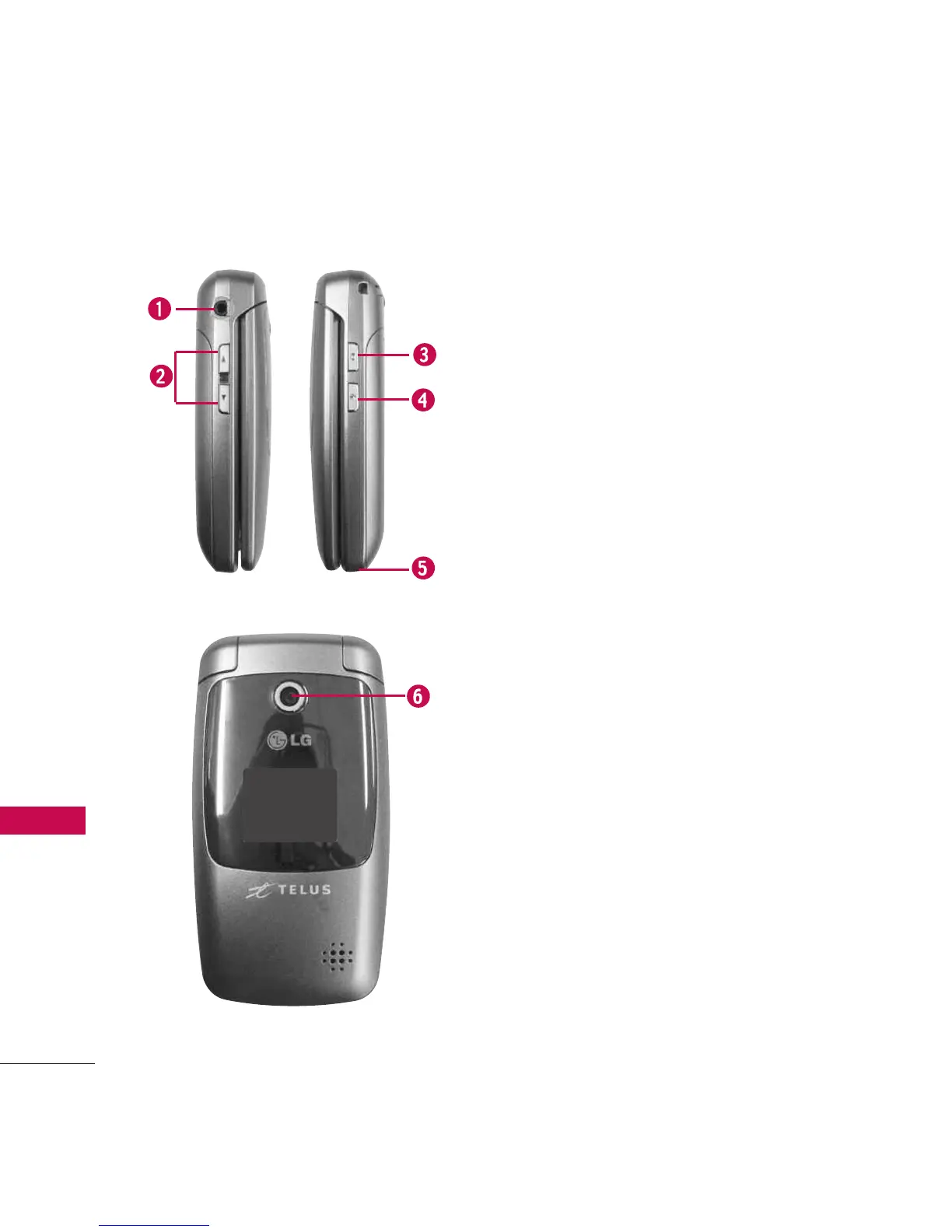
1. Earphone Jack Allow the use of a headset to
hear caller's voice.
2. Side Keys Use to adjust the ringer volume in
standby mode and the earpiece volume during a
call. Ringer volume can only be adjusted with
the flip open.
3. Side Camera Key Use for quick access to
Camera function.
4. Voice Dial/Voice Memo Key Use for quick
access to Voice Dial, Voice Memo. Press and
hold for about 3 seconds for quick access to
Voice Memo.
5. Battery Charging Port Connects the phone to
the battery charger or other available
accessories.
6. Camera Lens Keep it clean for optimal photo
quality.



 To Next Page