35
Messaging
8. Settings
Allows you to configure ten
settings for messages.
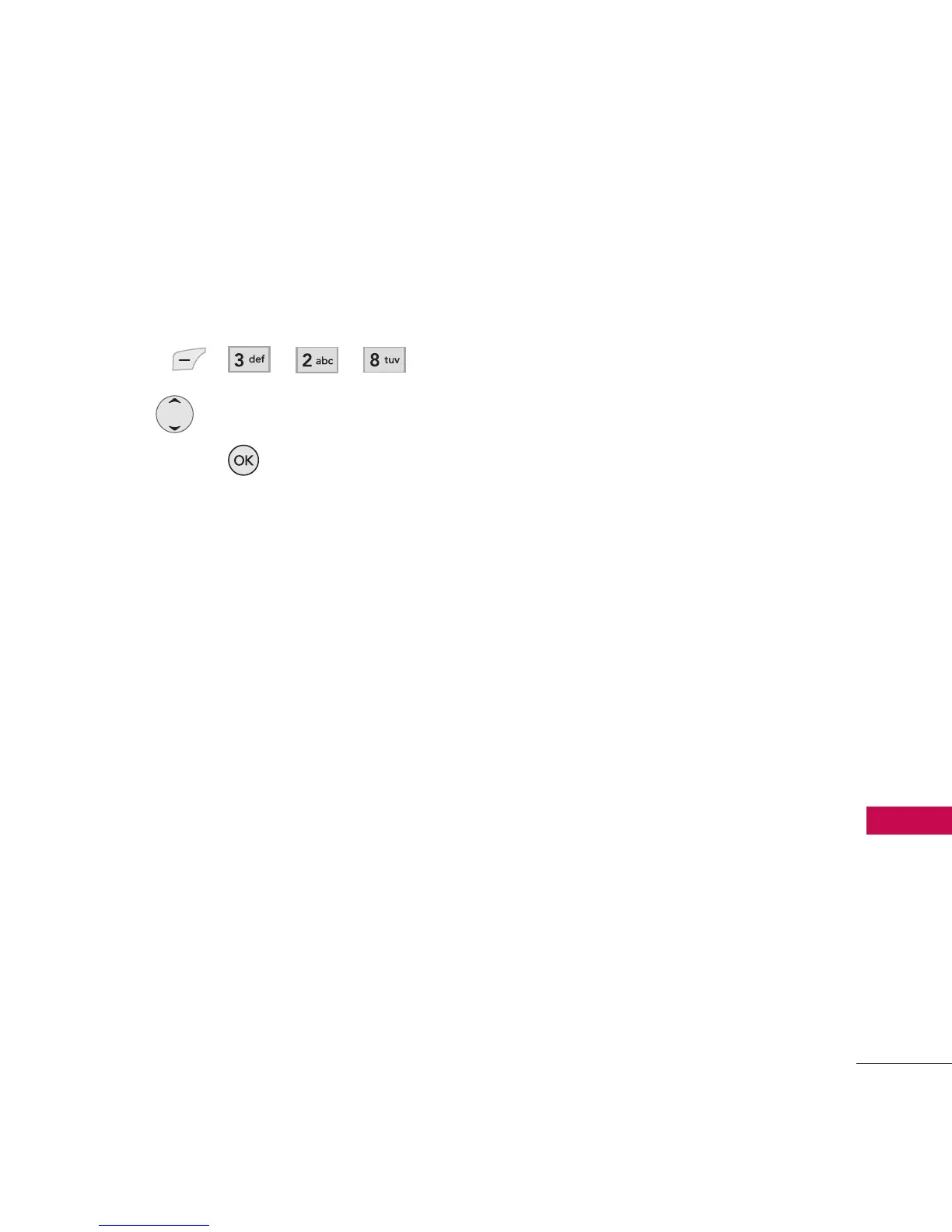
1. Press , , , .
2. Use to highlight a setting,
then press .
Message Settings Sub-Menu
Descriptions
Save to Outbox (Auto Save/
Prompt/ Do Not Save)
Allows you to automatically save
sent messages in Outbox when
transmitted.
Auto Delete Inbox (On/ Off)
Allows you to automatically
delete read messages when you
exceed the storage limit.
Quick Text
Allows you to display, edit and
add text phrases. These text
strings allow you to reduce
manual text input into messages.
Default Entry Mode
(T9Word/Alpha/Number)
Allows you to select the default
input method including T9Word ,
Alpha, Number.
Auto Download (On/ Off)
Allows you to download the
multimedia message
automatically when receiving a
message.
Message Priority (High/ Normal/
Low)
Gives priority to the message. If
available, see carrier for details.
Delivery Report (On/ Off)
Set delivery report to let you
know if your message is
delivered to the recipient. If
available, see carrier for details.



 To Next Page