EasyManua.ls Logo

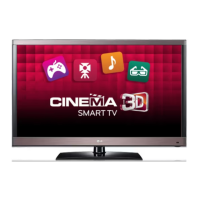
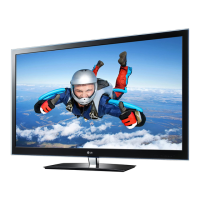
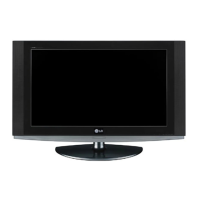
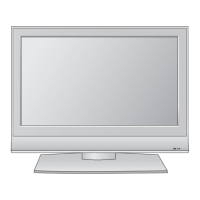
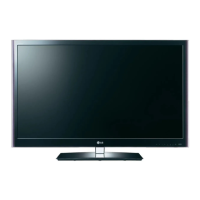
LG 32LW5500 - User Manual

LG 32LW5500
106 pages
Print Icon
To Next Page IconTo Next Page
Loading...
1108-REV00)
Printed in China
32LW5500
42LW5500
47LW5500
OWNER’S MANUAL
LED LCD TV
Please read manual careful before operating
your set and reain if for future reference.

Table of Contents

Other manuals for LG 32LW5500

Questions and Answers

  • J
    Jennifer LawrenceAug 16, 2025
    What to do if my LG 32LW5500 has no picture or sound?
    • J
      jamie56Aug 17, 2025
      First, check if the TV is turned on. Then, ensure the power cord is securely connected to a working wall outlet. You can test the outlet by plugging in another device.
  • J
    Jeffrey WilliamsAug 19, 2025
    How to fix black and white picture on LG 32LW5500?
    • V
      Vincent WilsonAug 19, 2025
      Adjust the color settings in the Picture menu. Ensure there's sufficient distance between the TV and other electronic devices. Try changing channels, as the issue might be with the broadcast signal.
  • R
    richard71Aug 22, 2025
    How to brighten the screen on my LG LCD TV?
    • R
      Richard RossAug 22, 2025
      Adjust the brightness and contrast settings in the Picture menu to brighten the screen.
  • B
    Brandy LeeAug 25, 2025
    Why does my LG 32LW5500 LCD TV have ghost images?
    • K
      Kristin BennettAug 26, 2025
      Pixels may be damaged from a fixed image displayed for an extended period (image burn). To prevent this, use a screen saver.
  • T
    thomas59Aug 27, 2025
    Why won't my LG 32LW5500 remote work?
    • M
      Matthew AndersonAug 27, 2025
      First, ensure there are no obstructions between the remote and the TV sensor. Then, check the batteries to confirm they are working and correctly installed. Finally, verify that the correct input mode (TV or VCR) is selected on the remote.
  • B
    Billy HannaAug 30, 2025
    What to do if there is no sound on my LG LCD TV?
    • E
      Erica GreenAug 30, 2025
      First, try pressing the volume + or - button. Ensure the sound isn't muted by pressing the MUTE button. Also, try switching to other channels, as the problem might be with the broadcast. Finally, check that the audio cables are properly connected.
  • R
    Robert MorrisSep 2, 2025
    Why does my LG 32LW5500 keep turning off?
    • B
      Benjamin VargasSep 2, 2025
      Check the power control settings on your TV. A power interruption might be the reason. Also, verify if the Auto sleep feature is enabled in the Time settings. If there is no signal, the TV will automatically turn off after 15 minutes.
  • B
    bryantcliffordSep 5, 2025
    Why does my LG 32LW5500 take so long to show the picture?
    • P
      Paul AndersonSep 5, 2025
      The image is muted during the startup process, which is normal. If the image doesn't appear after a few minutes, unplug the TV for 30 seconds and try again. If it still doesn't appear, no answer.
  • R
    Ronald TorresSep 7, 2025
    How do I adjust the display position on my LG LCD TV?
    • J
      Jonathon PerezSep 7, 2025
      Adjust the position settings in the Picture menu. Ensure that the video card resolution and frequency are supported by the TV. If the frequency is out of range, set the recommended resolution using the display settings on your external device.
  • J
    Jackson DavisSep 10, 2025
    Why are there black spots on my LG 32LW5500 screen?
    • K
      Kendra KramerSep 12, 2025
      The appearance of a few red, green, white, or black pixels is normal and is attributed to the characteristics of the LCD panel.

LG 32LW5500 Specifications

General IconGeneral
Screen Size32 inches
Resolution1920 x 1080
Display TypeLCD
Backlight TypeLED
Refresh Rate120 Hz
HDMI Ports4
USB Ports2
3DYes
Smart TVYes
Built-in Wi-FiYes
Energy RatingA

Related product manuals