9
PREPARATION
STAND INSTALLATION
(Only 42PG1
***
, 42PG2
***
, 32PC5
***
)
■
Image shown may differ from your TV
■
When assembling the desk type stand, check whether the bolt is fully tightened. (If not tightened fully, thep
roduct can tilt forward after the product installation.) If you tighten the bolt with excessive force, the boltcan
deviate from abrasion of the tightening part of the bolt.
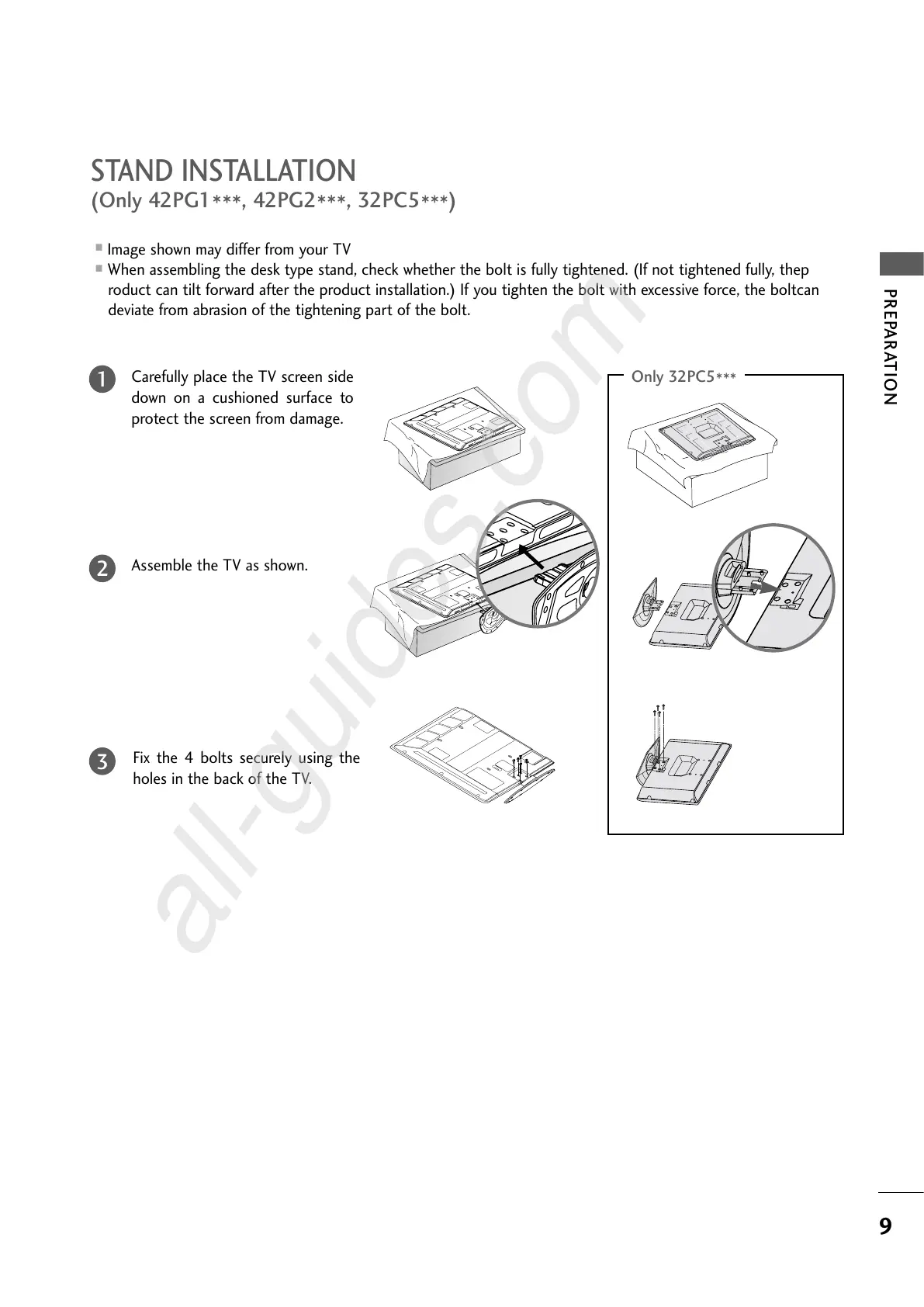
Carefully place the TV screen side
down on a cushioned surface to
protect the screen from damage.
Assemble the TV as shown.
Fix the 4 bolts securely using the
holes in the back of the TV.
1
2
3
Only 32PC5
***


 To Next Page
 Loading...