EasyManua.ls Logo

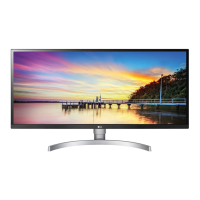
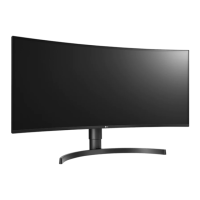
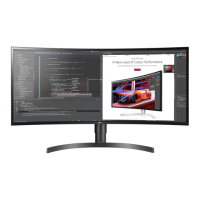
LG 34BP88C - User Manual

LG 34BP88C
33 pages
Print Icon
To Next Page IconTo Next Page
Loading...
* LG LED Monitor applies LCD screen with LED backlights.
Please read this manual carefully before operating your set and
retain it for future reference.
34WP88C/34WP88CP
34BP88C
34WP88CN
34BP88CN
OWNER’S MANUAL
LED LCD MONITOR
(LED Monitor*)
www.lg.com
Copyright © 2020 LG Electronics Inc. All Rights Reserved.

Questions and Answers

  • J
    Joseph SmithAug 19, 2025
    What to do if nothing is displayed on my LG Monitor?
    • J
      john89Sep 12, 2025
      If your LG Monitor screen is blank, ensure the power cord is securely plugged into the outlet. Also, verify the power cable connection and press the power button. Check that the connected input is enabled in the monitor settings. If the signal cable between your PC and the monitor is missing or disconnected, check the cable and reconnect it. Finally, if signals from the PC are outside the monitor's frequency range, refer to the product specifications in the manual to set the appropriate frequency.
  • W
    Wayne HartAug 21, 2025
    Why is my LG Monitor screen display unstable and shaky?
    • C
      Christopher HigginsAug 21, 2025
      If your LG Monitor screen is unstable or shaky, and you're using HDMI 1080i 60/50 Hz (interlaced) resolution, the screen may flicker. Try changing the resolution to 1080p or the recommended resolution. Also, not setting the graphics card to the recommended resolution may cause blurred text, a dimmed screen, a truncated display area, or misalignment of the display.
  • M
    Michael WilsonAug 23, 2025
    How to fix no sound from the headphone port on my LG 34BP88C Monitor?
    • J
      johnsonryanAug 25, 2025
      If there's no sound from the headphone port on your LG Monitor, ensure the headphone port connections are properly made. Try increasing the volume using the joystick. Also, set the audio output of your PC to the monitor you are using. Note that the settings may differ depending on your operating system.
  • D
    Donna SimmonsAug 26, 2025
    What to do if nothing is displayed on my LG Monitor screen?
    • M
      Michael RogersAug 26, 2025
      If nothing is displayed on your LG Monitor screen, try the following: * Ensure the power cord is correctly plugged into the power outlet. * Check the power cable connection and press the power button. * Verify that the connected input is enabled in the monitor's settings (Settings > Input). * Check the signal cable between the PC and the monitor and reconnect it. * Ensure signals transferred from the PC (graphics card) are within the horizontal or vertical frequency range of the monitor. Refer to the Product Specification section of the manual to set the appropriate frequency.
  • B
    Brenda ChapmanAug 28, 2025
    How to fix LG Monitor when nothing is displayed on the screen?
    • N
      nicholashuntAug 28, 2025
      If nothing is displayed on your LG Monitor screen, first, ensure the power cord is correctly plugged into the power outlet. Next, verify the power cable connection and press the power button. Then, check that the connected input is enabled in the monitor settings (Settings > Input). If the issue persists, inspect the signal cable between your PC and the monitor, ensuring it's properly connected. Lastly, confirm that the signals transferred from your PC (graphics card) are within the horizontal or vertical frequency range supported by the monitor. Refer to the Product Specification section of the manual to set the appropriate frequency.
  • K
    kirbyrebeccaAug 30, 2025
    Why is there no sound on my LG Monitor?
    • J
      Jade WangAug 30, 2025
      If images are displayed without sound on your LG Monitor, ensure that the headphone port connections are correctly made. You can also try increasing the volume using the joystick on the monitor. Finally, set the audio output of your PC to the monitor you are using. Note that the exact settings may vary depending on your operating system.
  • M
    Mark JonesSep 2, 2025
    How to enable disabled features on LG Monitor?
    • D
      denise36Sep 2, 2025
      If some features are disabled on your LG Monitor, it may be because the OSD is locked. To resolve this, disable OSD Lock in the General settings.
  • L
    Lucas HughesSep 4, 2025
    What to do if LG Monitor screen display is unstable and shaky?
    • D
      David MuellerSep 4, 2025
      If the screen display on your LG Monitor is unstable and shaky, or if images leave shadow trails, and the resolution is set to HDMI 1080i 60/50 Hz (interlaced), the screen may be flickering. Try changing the resolution to 1080p or the recommended resolution. In addition, not setting the graphics card to the recommended (optimal) resolution may result in blurred text, a dimmed screen, a truncated display area, or misalignment of the display. The setting methods may be different depending on the computer or operating system, and some resolutions may not be available depending on the performance of the graphics card. If this is the case, contact the manufacturer of the computer or graphics card for assistance.
  • A
    Aaron WeberSep 6, 2025
    What to do if my LG Monitor shows an 'Unrecognized monitor' message?
    • P
      Paula MendozaSep 6, 2025
      If your LG Monitor displays an "Unrecognized monitor, Plug and Play (VESA DDC) monitor found" message, be sure to install the display driver from the LG website. Also, make sure to check if the graphics card supports the Plug and Play function.
  • A
    Aaron GreenSep 9, 2025
    Why does image sticking occur on my LG Monitor even when it's off?
    • L
      Leonard ThompsonSep 9, 2025
      Displaying a still image for a prolonged time may cause damage to the screen, resulting in the retention of the image. To extend the lifetime of your LG Monitor, use a screensaver.

LG 34BP88C Specifications

General IconGeneral
BrandLG
Model34BP88C
CategoryMonitor
LanguageEnglish

Related product manuals