28
USER SETTINGS
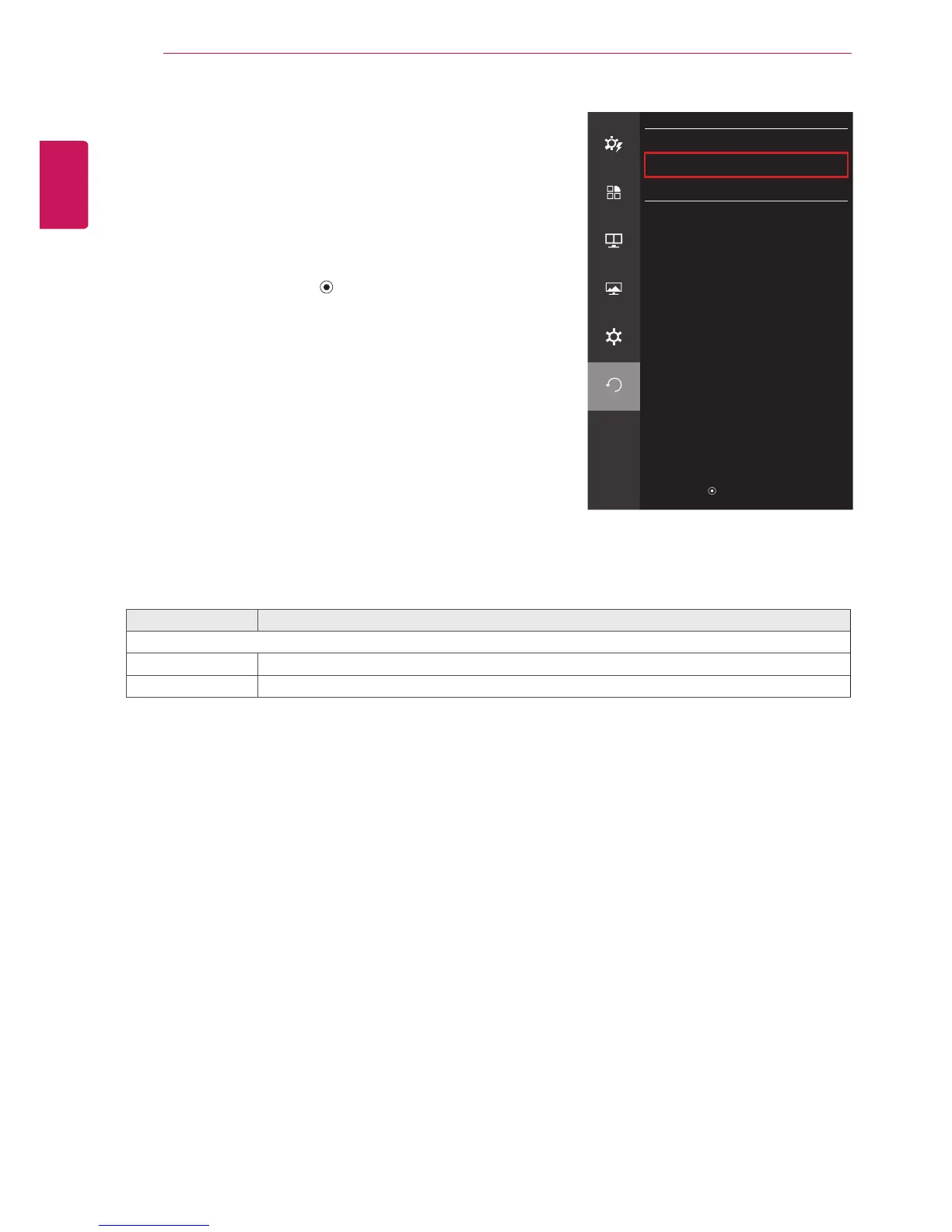
Reset
1
To view the OSD menu, press the joystick button at the
bottom of the monitor and then enter the Menu.
2
Go to Reset by moving the joystick.
3
Configure the options following the instructions that appear in
the bottom right corner.
4
To return to the upper menu or set other menu items, move the
joystick to
◄
or pressing ( / OK) it.
5
If you want to exit the OSD menu, move the joystick to
◄
until
you exit.
Each option is described below.
Menu > Reset Description
Do you want to reset your settings?
Reset Restores the default settings.
Cancel Cancel the reset.
Reset
Easy control
Do you want to reset your settings?
Reset
Function
Cancel
PBP
Screen
Settings
Reset
▲/▼
: Move
/
►
: OK
◄
: Back


 To Next Page