5
ASSEMBLING AND PREPARING
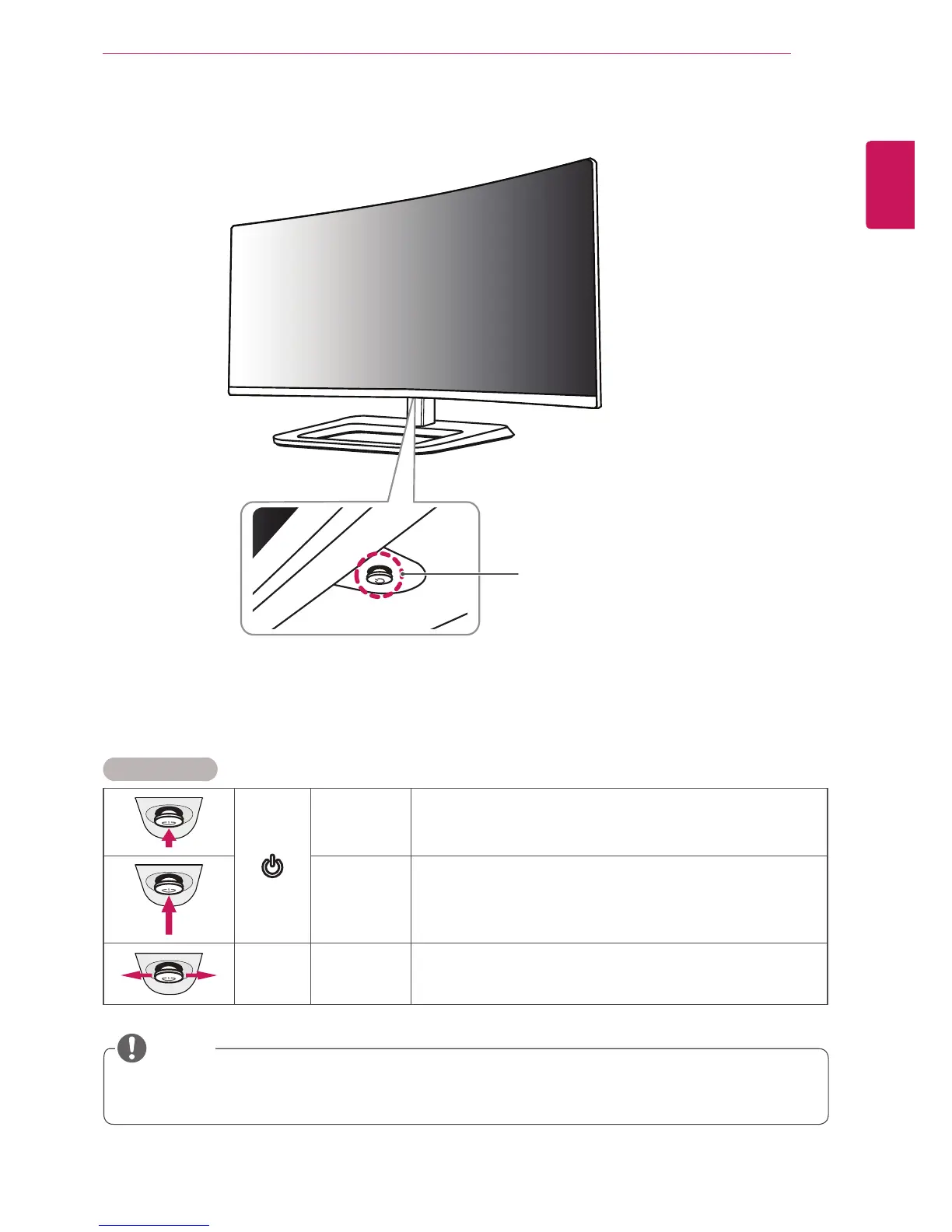
Product and Button Description
Joystick Button /
Power LED
y
On Power on
y
Off Power off
How to Use the Joystick Button
You can easily control the functions of the monitor by pressing the joystick button or moving it left/right with your
finger.
Basic Functions
Power on
Press the joystick button once with your finger to turn on the
monitor.
Power off
Press and hold the joystick button once with your finger to turn
off the monitor.
◄/►
Volume
Control
You can control the volume by moving the joystick button left/right.
y
The joystick button is located at the bottom of the monitor.
y
Before turning on the monitor, please make sure that the DC switch on the rear side of product is ON.
NOTE


 To Next Page