33
ENG
ENGLISH
ENTERTAINMENT
Option Slide Speed:Selectsaslideshow
speed(Fast,Medium,Slow).
TransitionEffect: Settheviewmode
oftheslideshow.
BGM:Selectsamusicfolderforthe
backgroundmusic.
Hide Hidestheoptionwindow.
Todisplaytheoptions,pressOK.
Exit ReturntoPhoto List.
Photo options
1 PressSETTINGStoshowtheOptionmenus.
2 PressthenavigationbuttonstoscrolltoSet
Photo View., Set Video. or Set Audio. and
pressOK.
Menu Description
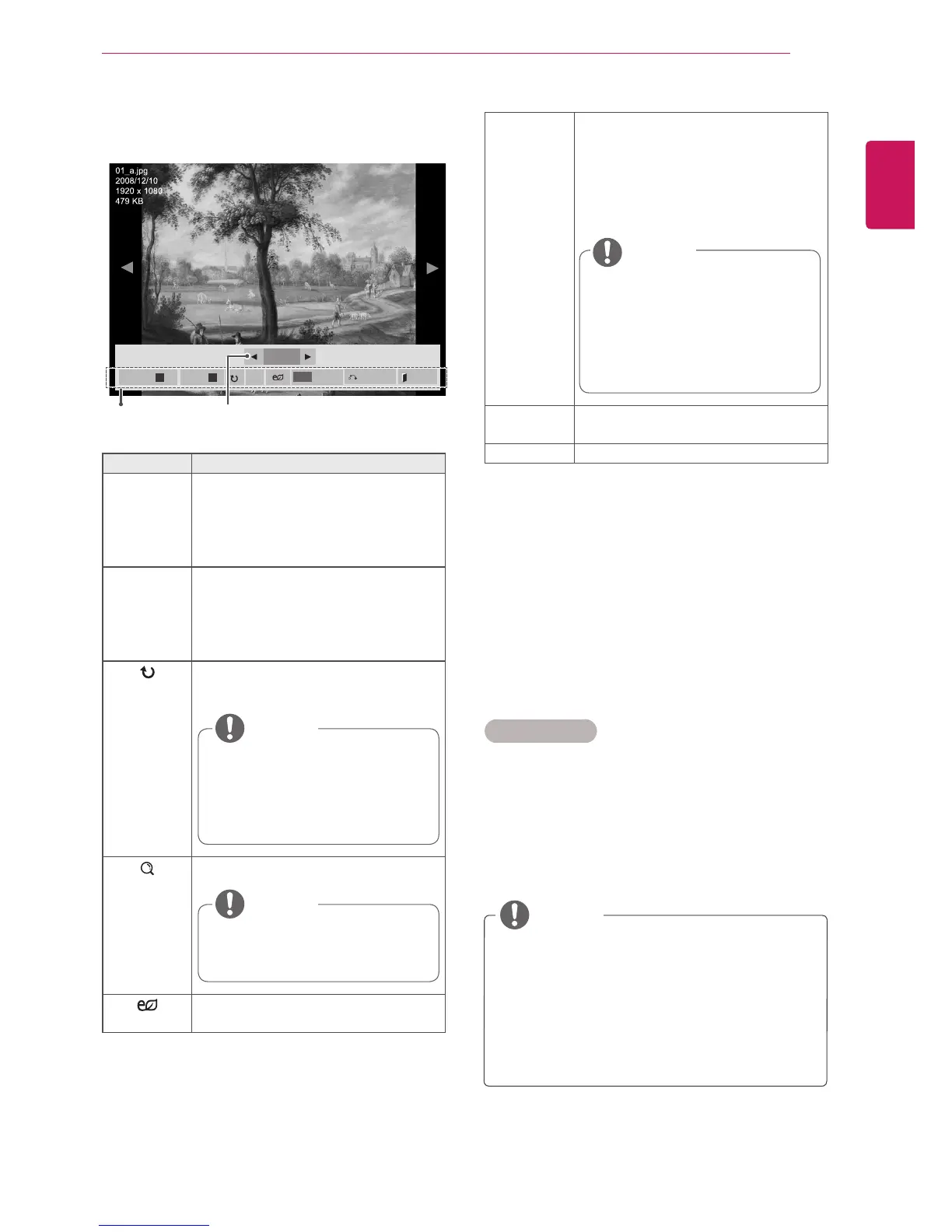
Slideshow Startsorstopsaslideshowwithse-
lectedphotos.Iftherearenoselected
photos,allphotossavedinthecurrent
folderdisplayduringaslideshow.Toset
aslideshowspeed,selectOption.
BGM Turnsthebackgroundmusiconoroff.
Tosetthebackgroundmusicfolder,
selectOption.
YoucanadjustoptionbySETTINGS
buttonontheremotecontrol.
Rotatesphotosclockwise(90°,180°,
270°,360°).
Viewthephotobyzoomin2,4times.
Adjuststhescreenbrightnesstosave
energy.
Thesupportedphotosizeis
limited.Youcannotrotateaphoto
iftheresolutionoftherotated
widthislargerthanthesupported
resolutionsize.
NOTE
Photoswitharesolutionof
960x540orlesscannotbe
enlarged.
NOTE
Youcannotchangethemusic
folderwhilethebackground
musicisplaying.
YoucanonlyselecttheMP3
foldersavedonthedevicethat
currentlydisplaysthephoto.
NOTE
7 Whenplaysavideo,youcansetthefollowing:
2/13
Slideshow
ꕖ
BGM
ꕗ
Hide
Option
MENU
Exit
ꔦ
NumberofselectedphotosOptions
TheoptionvalueschangedinMovie List
donotaffectPhoto Listor Music List.
Therefore,theyarenotaffectedbyoption
valueschangedinPhoto ListorMusic List.
TheoptionvalueschangedinPhoto List
andMusic Listdoaffecteachother.
NOTE



 To Next Page