EasyManua.ls Logo

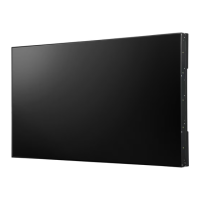
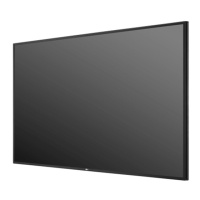
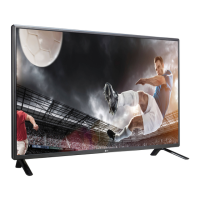
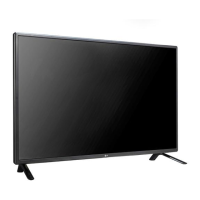
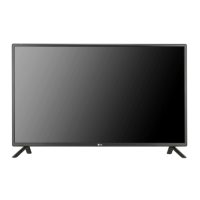
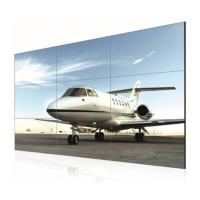
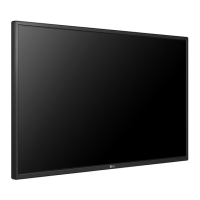
LG 47WL30MS - User Manual

LG 47WL30MS
94 pages
Print Icon
To Next Page IconTo Next Page
Loading...
www.lg.com
OWNER’S MANUAL
MONITOR SIGNAGE
42WL30MS
47WL30MS
55WL30MS
60WL30MS
Please read this manual carefully before operating the your set and
retain it for future reference.
MONITOR SIGNAGE MODELS
ENG
ENGLISH

Table of Contents

Questions and Answers

  • A
    Abigail ReyesSep 3, 2025
    Why no image is displayed on my LG Digital Signage?
    • P
      Paula JonesSep 3, 2025
      If no image is displayed on your LG Digital Signage, consider the following: * Ensure the power cord is properly connected to the outlet. * Verify the signal cable between the PC and the product is connected correctly. * Use the 'INPUT' menu on the remote control to check the input signal. * If the signal from the PC is out of the vertical or horizontal frequency range, adjust the frequency range by referring to the specifications. The maximum resolution is 1920 x 1080 @ 60 Hz.
  • B
    Bradley SchneiderSep 1, 2025
    What to do if 'Unknown Product' message appears when LG Monitor is connected?
    • L
      Lawrence RaySep 2, 2025
      If an 'Unknown Product' message appears when your LG Monitor is connected, see if the plug&play function is supported by referring to the video card user manual.
  • R
    Rachel MorrisAug 31, 2025
    How to disable 'Key Lock On' message on LG Monitor?
    • P
      Peter SanchezAug 31, 2025
      If the message 'Key Lock On' appears on your LG Monitor, the Lock function prevents the OSD settings from being changed inadvertently. To release the lock, go to Menu and Option and disable the Key Lock option.
  • P
    parsonsmichaelAug 29, 2025
    Why does after-image appear on my LG Monitor?
    • R
      Rachel Riddle DVMAug 29, 2025
      If an after-image appears on your LG Monitor, and you've been using a fixed image for a long time, the pixels may be damaged quickly. Use the screen-saver function. Also, when a dark image is displayed after an image with high contrast, it may cause image sticking, which is normal for LCD screens.
  • H
    Holly MercerAug 28, 2025
    What to do if my LG Monitor's operation does not work normally?
    • M
      mariahperkinsAug 28, 2025
      If the operation of your LG Monitor does not work normally, check if the sleep timer is set or if there are any power control settings enabled. A power interruption could also be the cause.
  • H
    huangdustinAug 26, 2025
    Why is the screen color abnormal on my LG Monitor?
    • M
      Margaret PatelAug 27, 2025
      If your LG Monitor's screen color is abnormal, set the number of colors to more than 24 bits (true color) by selecting Control Panel - Display - Settings - Color Table menu in Windows. Also, check the connection status of the signal cable and re-insert the PC video card. Note that several pixels (red, green, white or black color) may appear on the screen, which is attributable to the unique characteristics of the LCD panel and not a malfunction.
  • S
    Stacey RodriguezAug 25, 2025
    What to do if the screen image looks abnormal on my LG Monitor?
    • L
      Luke HillAug 25, 2025
      If the screen image on your LG Monitor looks abnormal, for a D-Sub analog signal, press the AUTO button on the remote control to automatically select the optimal screen status. If this isn't satisfactory, use the Position, Clock or Phase OSD menus for further adjustments. Ensure that your video card resolution and frequency are supported by the monitor; if the frequency is out of range, set it to the recommended resolution in the Control Panel Display Setting menu. Also, make sure the correct input signal is connected to the appropriate signal port.
  • B
    Brandon GrayAug 22, 2025
    Why is the audio not working on my LG Monitor?
    • K
      Kyle TurnerAug 22, 2025
      If the audio function on your LG Monitor isn't working, ensure the audio cable is properly connected. Adjust the volume and verify that the sound settings are correctly configured. Try selecting an appropriate equalizer sound and adjusting the volume again.

Summary

Using the Monitor

Entertainment

Using the My Media

Accesses multimedia files from USB or Signage devices.

Viewing Movies

Plays video files stored on USB or Signage devices.

Viewing Photos

Displays photo files from USB or Signage devices.

Customizing Settings

PICTURE Settings

Adjusts image size, quality, and visual effects.

AUDIO Settings

Adjusts sound quality, effects, and volume levels.

TIME Settings

Sets time, date, and timer features.

Making Connections

Troubleshooting

No image is displayed

Solutions for issues where the screen shows no image.

The screen image looks abnormal.

Solutions for various screen image abnormalities.

The audio function does not work.

Troubleshooting steps for audio issues like no sound or poor quality.

LG 47WL30MS Specifications

General IconGeneral
Screen Size47 inches
Display TypeLCD
Panel TechnologyIPS
Viewing Angle (H x V)178° x 178°
Response Time8 ms
External ControlRS-232C, RJ45
OrientationLandscape / Portrait
Operating Hours24/7
Operating Temperature0°C to 40°C
Storage Temperature-20°C to 60°C
Resolution1920 x 1080
InputHDMI, DVI-D, VGA, USB
OutputAudio
Standby Power Consumption0.5 W

Related product manuals