18
ENG
ENGLISH
CUSTOMIZING SETTINGS
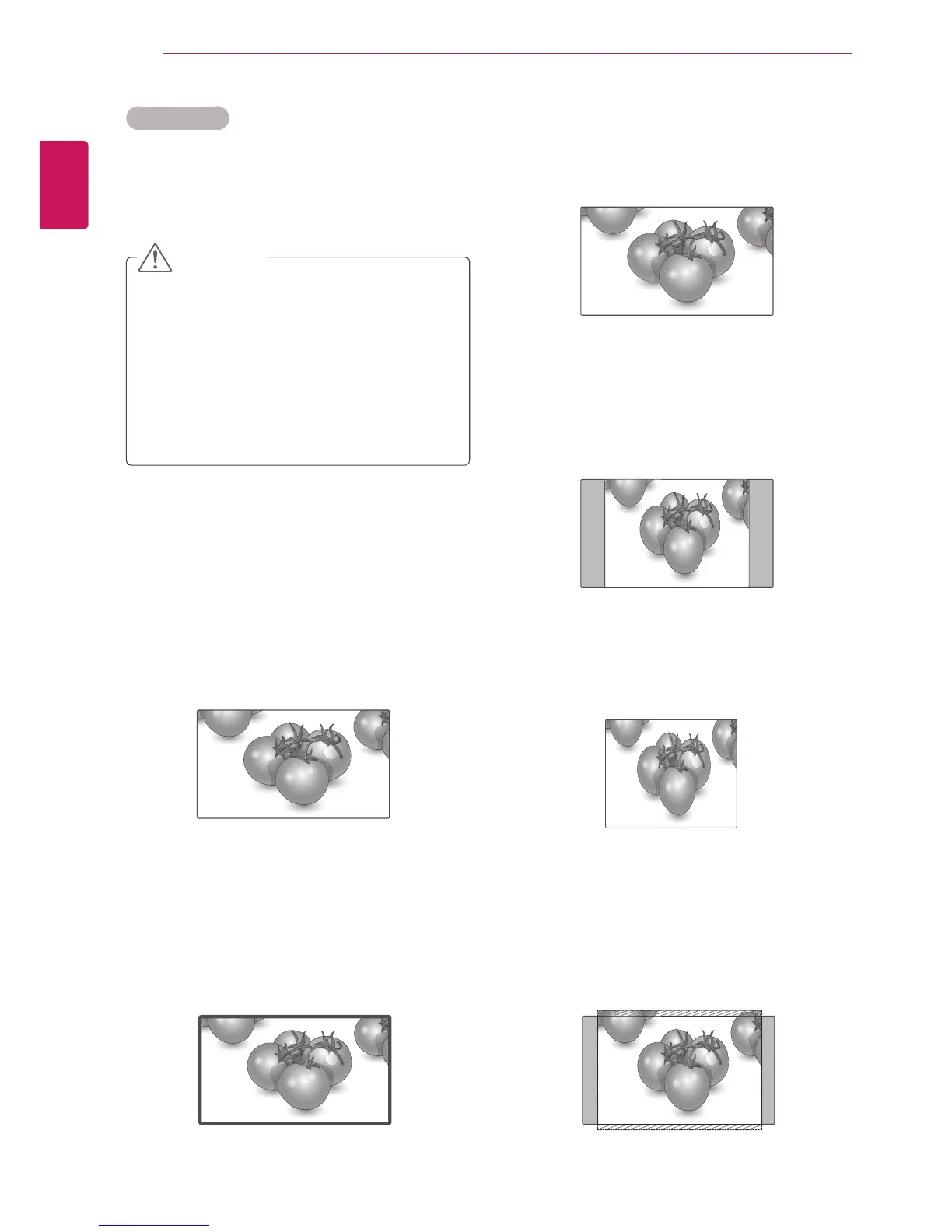
- Original : The aspect ratio is not adjusted from
the original. It is set by the program being
watched.
- 4:3 : The following selection will allow you to
view a picture with an original 4:3 aspect ratio,
gray bars will appear on both the left and right of
the screen.
- 1:1 : The aspect ratio is not adjusted from the
original. (Only HDMI/DVI PC, RGB PC)
- 14:9 : You can view a picture format of 14:9 or a
general Monitor set program in the 14:9 mode. The
14:9 screen is viewed in the same way as in 4:3,
but is magnified to the left and right.
Aspect Ratio
Resize the image to view the image at its optimal
size by pressing ARC button.
y
If a fixed image displays on the screen for a
long period of time, it will be imprinted and
become a permanent disfigurement on the
screen. This is “image burn” or “burn-in” and
not covered by the warranty.
y
If the aspect ratio is set to 4:3 for a long
period of time, image burn may occur on
the letterboxed area of the screen.
- 16:9 : The following selection will allow you
to adjust the picture horizontally, in linear
proportion, to fill the entire screen(useful for
viewing 4:3 formatted DVDs).
- Just Scan : Following Selection will lead to you
view the picture of best quality without loss of
original picture in high resolution image. Note: If
there is noise in original Picture, You can see the
noise at the edge.
CAUTION
Just Scan
Original








 To Next Page