HOW TO USE THE BAR-CODE SCAN TOOL
Bar-Code Scan Tool inserts the Bar-code values (including Skew, Read power, HFM, LD power and so on) to
the Flash-ROM in the Loader Main Board. So, In case of changing the Traverse assembly or Loader main board,
It is required to pick-up Bar-code scan procedure.
1. BAR-CODE SCAN SYSTEM CONFIGURATION
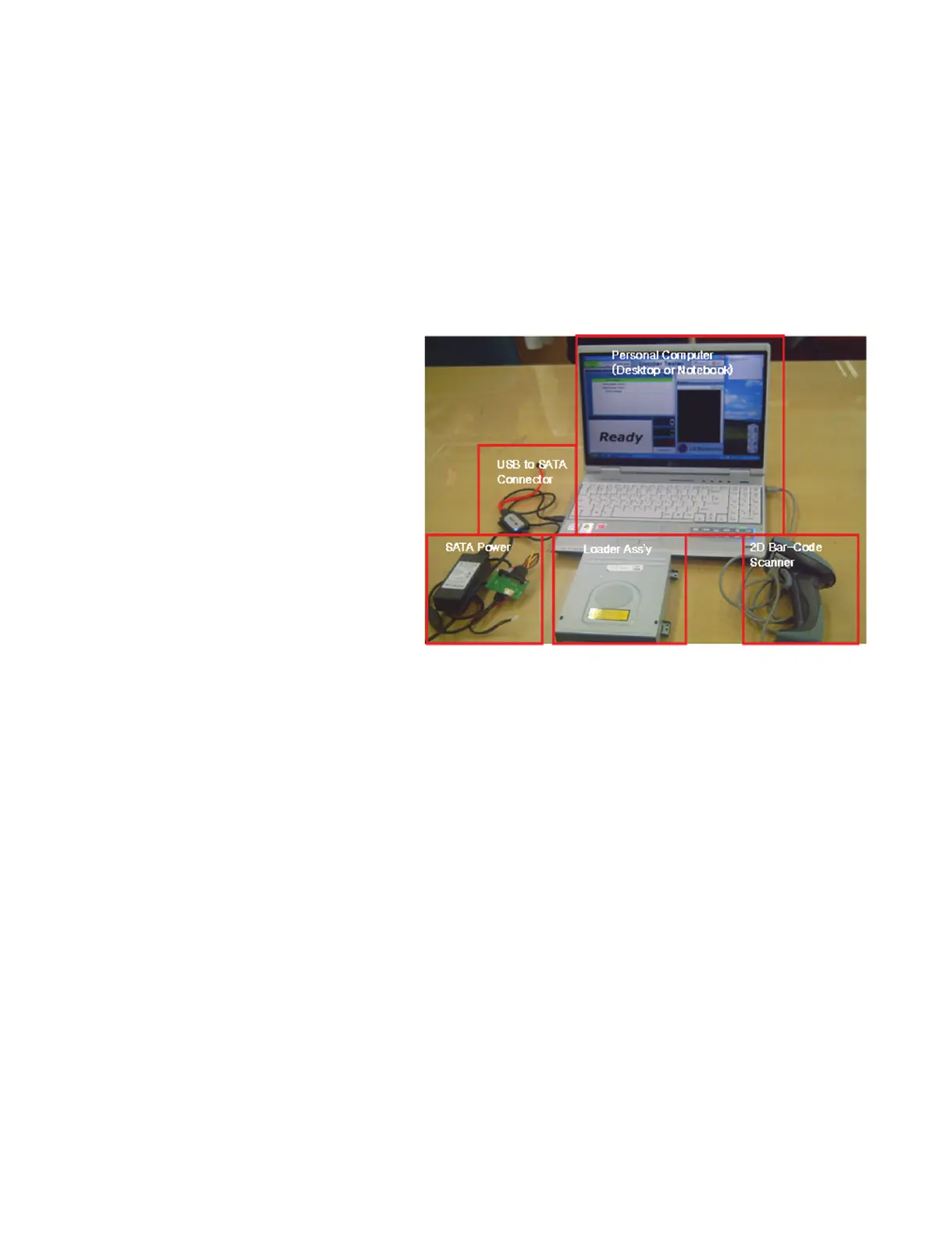
In order to insert Bar-code values (including Skew, Read power, HFM, LD power and so on), the following
equipments are needed.
Compulsory equipments
1) Personal Computer
2) Bar-Code Scan Tool (Loader Tester)
3) 2D Bar-Code Scanner
4) Target Loader Ass’y
5) USB to SATA Connector
6) Power Supply
2. PICK-UP BAR-CODE SCAN TOOL CONFIGURATION.
The Loader Tester is the Application Tool for FA Test and also Bar-Code Scan.
The Bar-Code Scan is the one of functions in the Loader Tester.
Therefore the Bar-Code scan Users should check “only Bar Code” up in the Loader Tester.
Loader Tester Program consists of total 2 files.
Setup.exe
Setup.exe.txt
Setup.exe file is the installation file.
After you install the Loader Tester program, the LoaderTest.exe file will appear in the wallpaper(background)
of Windows.
LoaderTester.exe is a program execution file.
Setup.exe.txt is the install Report file.



 To Next Page