3. RUNNING BAR-CODE SCAN TOOL
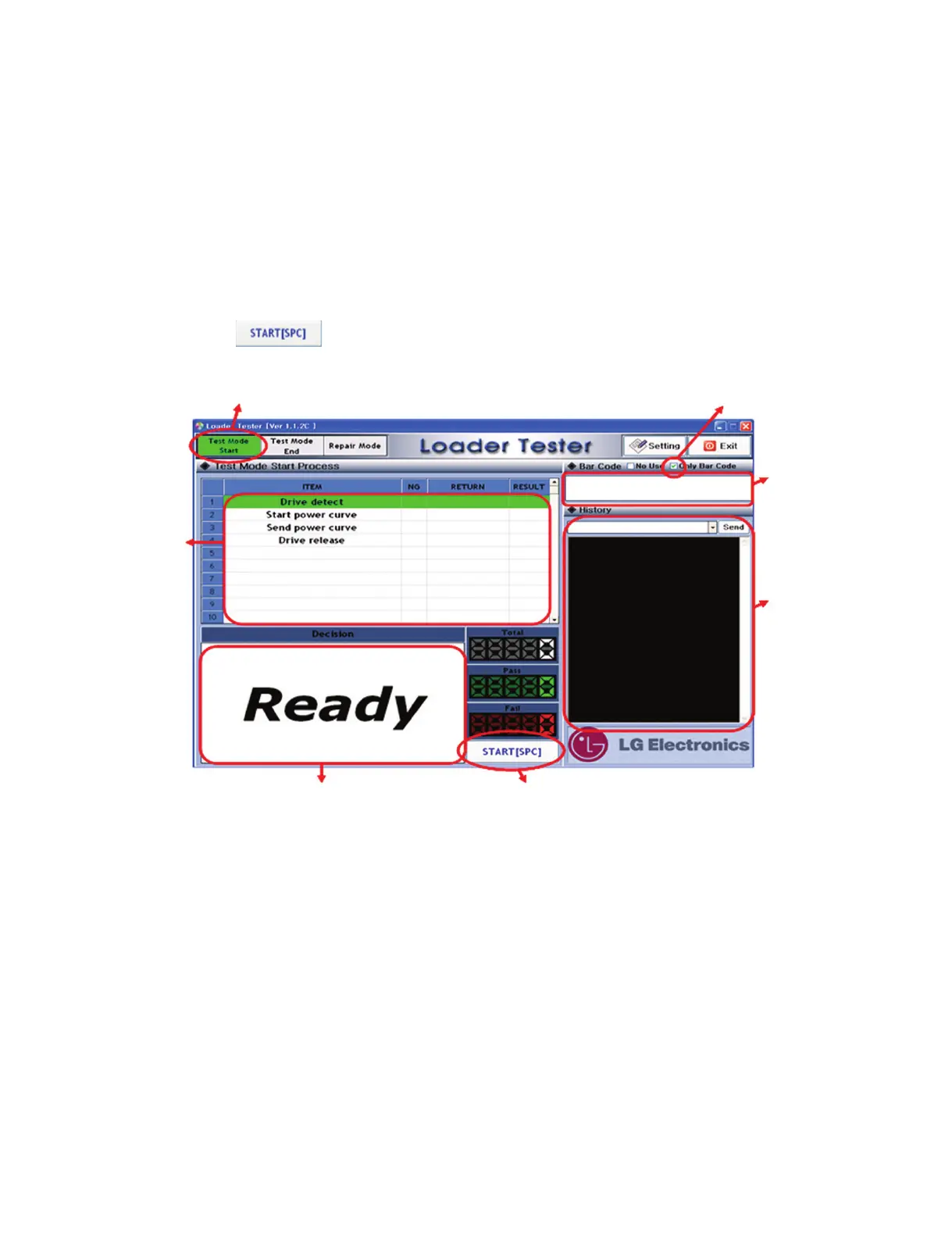
When running “LoaderTester.exe” file in the wallpaper(background) of Windows, the following screen
appears.
Before you start to click “Start” button, remind these.
1) “Test Mode Start” should be selected.
2) Check “only Bar Code”
3) Click “START”
Select “Test Mode Start”
Status and Result Click “START” in order to
insert Bar-Code Values
Check “only Bar Code”
Bar-Code
Values
Display
Result
Output
Window
ATAPI
Command
Display



 To Next Page